ddharper

Extraordinary Member
Joined
Mar 3, 2010
Messages
18
W7HP edition. Sometimes my computer will go to sleep, but most of the time it won't. The only time it will guarantee to go to sleep, is if I am downloading a large file. If I am downloading, 100% of the time, it will go to sleep.

Is there a setting somewhere, that will tell the computer to not go to sleep, if I am downloading a file? Thanks.
 

Solution
Also try looking in your bios "power settings"' make sure sleep in S3 is picked and turn off all wake up options like buttons, usb etc.

cybercore

New Member
Joined
Jul 7, 2009
Messages
15,641
Check the power options in:

1. your download manager
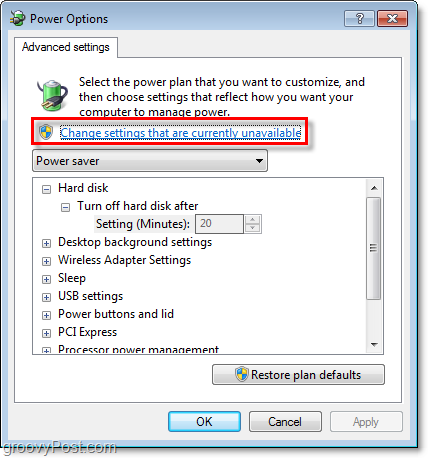
2. windows control panel > power options > advanced settings

image_8.png


Manage Windows 7 Power Saver Settings [How-to]
 

ddharper

Extraordinary Member
Joined
Mar 3, 2010
Messages
18
I've tried everything in power options with no luck.

Where is download manager?
 

cybercore

New Member
Joined
Jul 7, 2009
Messages
15,641
Download manager is the program to download files. (If you use it.)

Free Download Manager, Orbit Downloader, etc.
 

bobalazs

Extraordinary Member
Joined
Jan 21, 2010
Messages
101
Also try looking in your bios "power settings"' make sure sleep in S3 is picked and turn off all wake up options like buttons, usb etc.
 

Solution