


Insertendearment
New Member
Member details
- Joined
- Oct 16, 2020
- Messages
- 3
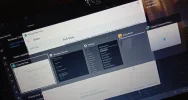
My alt+tab tab switcher(?) keeps popping up for now about 5 days.
It started slowly but right now it keeps popping up every 5 seconds and I no longer can operate my laptop like normal. I've tried everything, reinstall and updating keyboard drivers, and every outdated drivers I have on my laptop. I updated my Windows 10, I run a full security scan on my laptop, it didn't work. I've tried to disable the alt+tab feature but the tab button keep acting like I pressed it. What should I do?
It started slowly but right now it keeps popping up every 5 seconds and I no longer can operate my laptop like normal. I've tried everything, reinstall and updating keyboard drivers, and every outdated drivers I have on my laptop. I updated my Windows 10, I run a full security scan on my laptop, it didn't work. I've tried to disable the alt+tab feature but the tab button keep acting like I pressed it. What should I do?
Attachments
-
 Microsoft Defender: No threats detected Scan detailsIMG_20201016_145408.webp554.7 KB · Views: 179


