Shmuel
New Member
Member details
- Joined
- Sep 28, 2019
- Messages
- 1
Hi ,
I changed in the regedity editor the exe file key , and now i cant open any exe file , even the regedit i cant open or cmd too ,
I tried anything (also reset to an early saving of the pc i cant)
I dont know what to do please help , ill be glad if someone will find the solution.
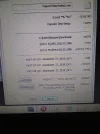
Also i tried to be on safe mode but i cant too cause the f8 wont work , and the other option is an exe file so you know.. heres a picture of one exe file so you can see what im talking about.
I changed in the regedity editor the exe file key , and now i cant open any exe file , even the regedit i cant open or cmd too ,
I tried anything (also reset to an early saving of the pc i cant)
I dont know what to do please help , ill be glad if someone will find the solution.
Also i tried to be on safe mode but i cant too cause the f8 wont work , and the other option is an exe file so you know.. heres a picture of one exe file so you can see what im talking about.