📎 AI Summary:
The thread discusses a user encountering issues with Windows 11 compatibility on a Gigabyte X570 Aorus Master motherboard due to secure boot settings not being visible in BIOS. An initial response confirms support for secure boot, advising to enable Platform Trust Technology, but the original poster cannot find this option. After sharing BIOS screenshots, it is clarified that the board supports TPM and secure boot with the Ryzen 7 5800X CPU, and the discussion shifts toward checking BIOS settings like CSM to facilitate Windows 11 upgrade. Overall, the conversation aims to identify BIOS configurations needed for Windows 11 compatibility on this hardware.

firewire

Honorable Member
Member details
Joined
Jun 12, 2016
Messages
18
Thread Author #1
I have a Gigabyte X570 Aurous Master mobo. PC health check says that my PC can't run Win 11 because I don't have secure boot. I've looked in the BIOS (under Boot menu) and I don't see secure boot anywhere.

Would anyone know, does the Gigabyte X570 Aurous Master support secure boot?
 

Solution
they offen hide secure boot under CSM so you normally have to disable it for the option to show
An image from 'Help with Gigabyte Mobo and Secure Boot'. BIOS setup screen showing Secure Boot option highlighted for configuration.

enable secure boot and you should be good to go now... run another PC health check and see

ussnorway

Windows Forum Team
Staff member
Member details
Joined
May 22, 2012
Messages
4,599
yes it does
there are a lot of bios updates for that old board but before flashing anything go into your bios; in advanced, normally under the settings tab look for something like "Platform Trust Technology" [sometimes its just PTT] and enable it
 

ussnorway

Windows Forum Team
Staff member
Member details
Joined
May 22, 2012
Messages
4,599
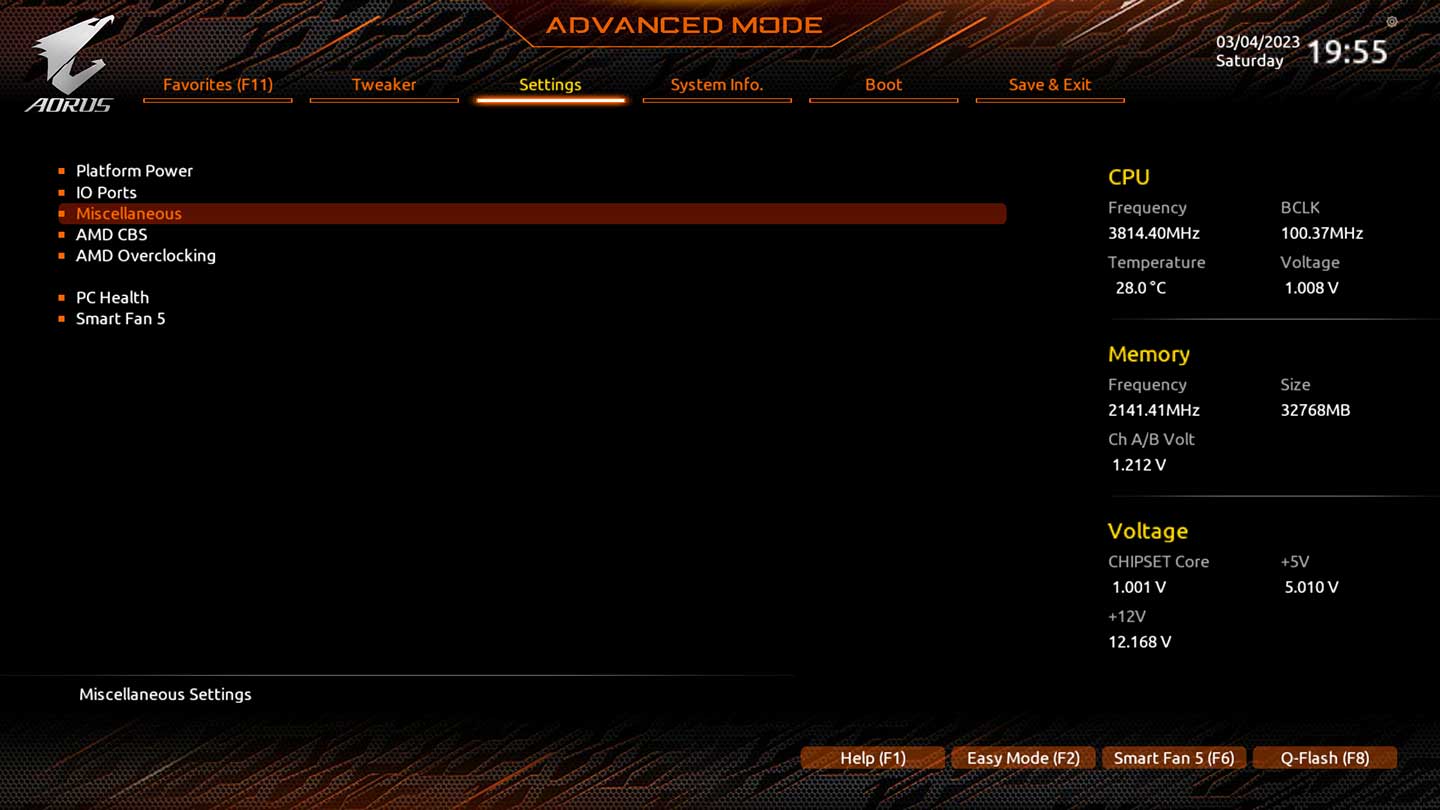
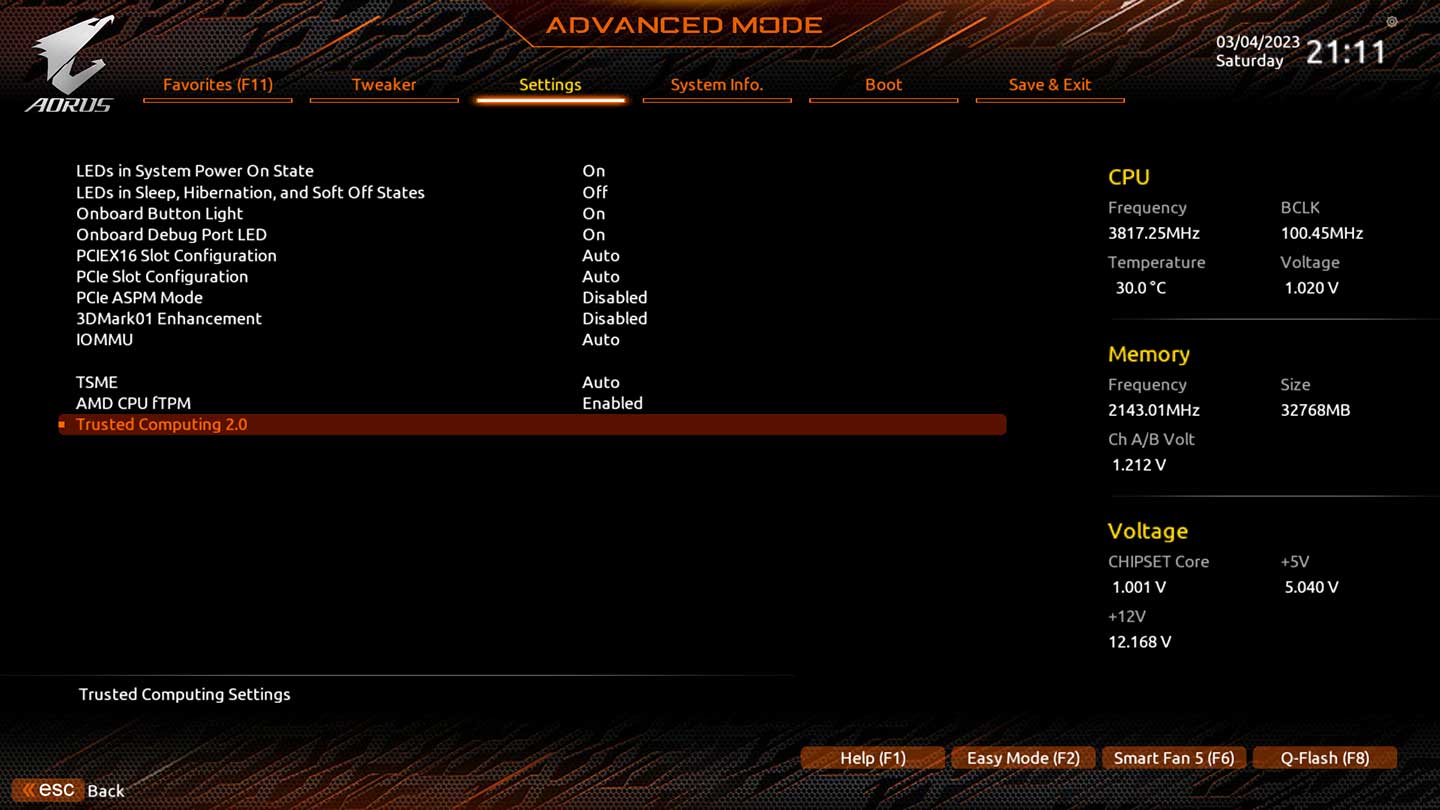
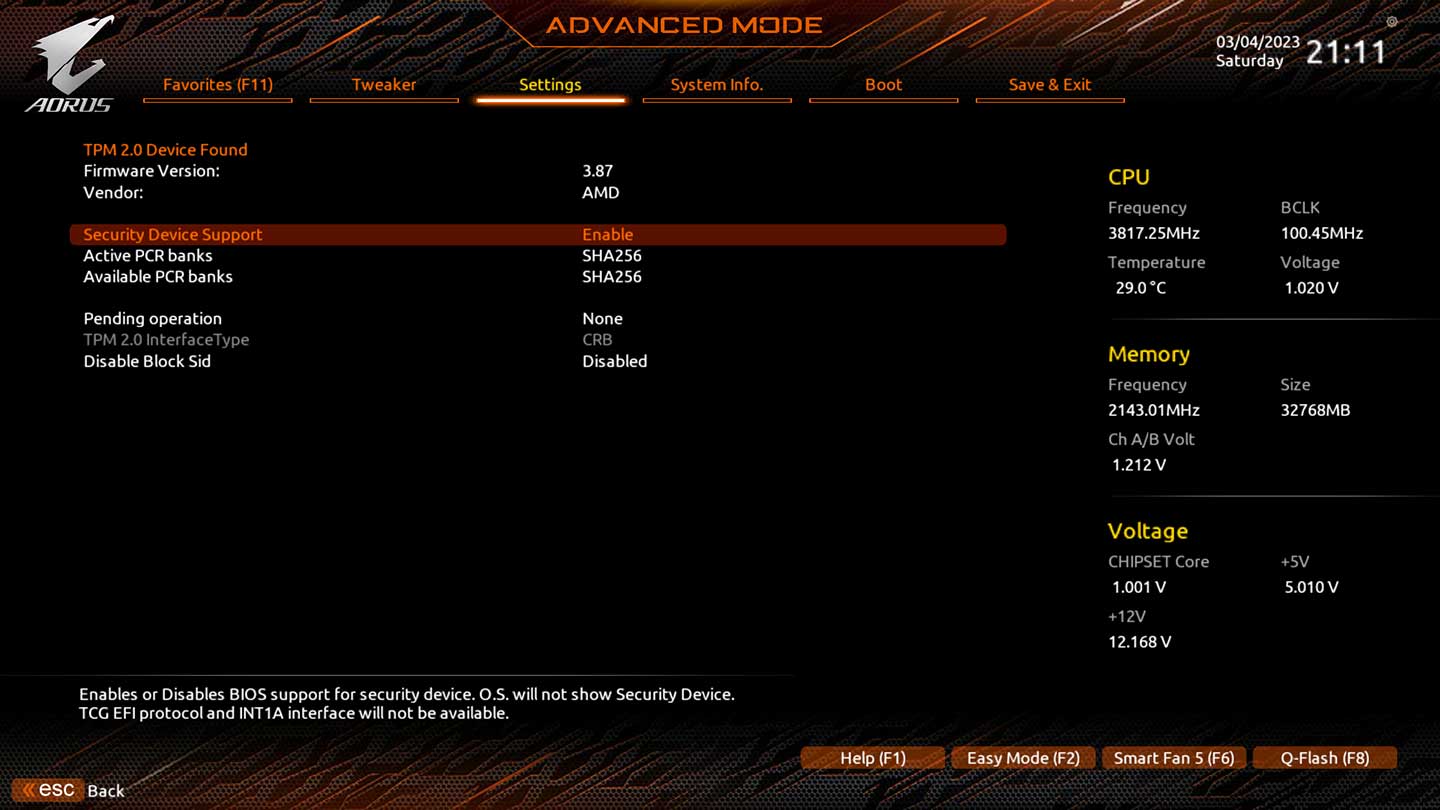
i need to see advanced settings i.e click [advanced] then [settings] please
An image from 'Help with Gigabyte Mobo and Secure Boot'. The images show the 'Settings' tab highlighted under the 'Advanced Mode' menu.
 

Last edited by a moderator:

ussnorway

Windows Forum Team
Staff member
Member details
Joined
May 22, 2012
Messages
4,599
Last edited:

ussnorway

Windows Forum Team
Staff member
Member details
Joined
May 22, 2012
Messages
4,599
the processer is fine for w11 and your board has its firmware turned on to let Microsoft hack into your chip so it should take the upgrade
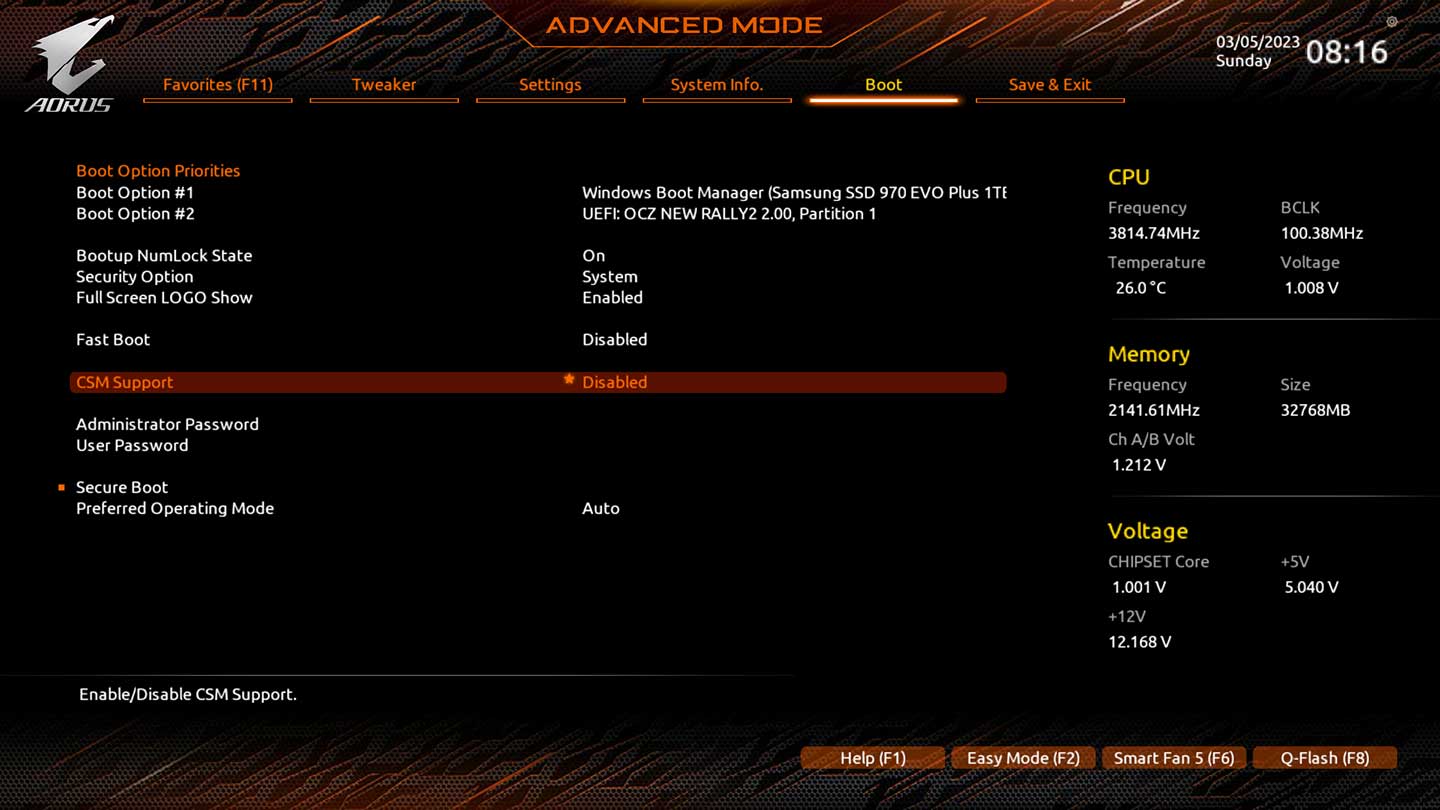
now post the boot tab please temp disable CSM if its enabled
An image from 'Help with Gigabyte Mobo and Secure Boot'. Screenshot of a BIOS/UEFI menu highlighting the Boot tab with a yellow arrow.
 
Last edited by a moderator:

ussnorway

Windows Forum Team
Staff member
Member details
Joined
May 22, 2012
Messages
4,599
they offen hide secure boot under CSM so you normally have to disable it for the option to show
An image from 'Help with Gigabyte Mobo and Secure Boot'. BIOS setup screen showing Secure Boot option highlighted for configuration.

enable secure boot and you should be good to go now... run another PC health check and see
 
Last edited by a moderator:
Solution