Cardinal System
Honorable Member
Member details
- Joined
- Jan 24, 2016
- Messages
- 87
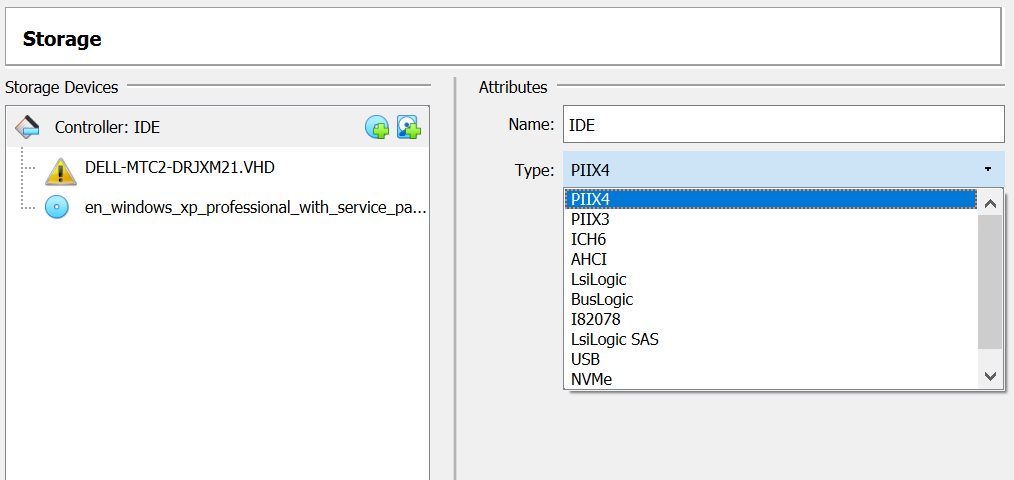
I am setting up a virtual machine to host a Windows XP environment with specific legacy software to replace a customer's broken Dell MTC2 desktop. I used Disk2vhd to generate a VHD from the customer's IDE hard disk and created the virtual machine with VirtualBox. The system begins to boot but then stops with the following BSOD error:

If I copy the C:\WINDOWS directory from a different Win XP installation to this same drive and boot from it, everything works with no issues. I suspect that somewhere in the C:\WINNT directory is there is a corrupt file or registry entry. I tried running the following commands in the recovery console, but the OS still fails to boot:
This tutorial mentions that "Windows memorizes which IDE/ATA controller it was installed on and fails to boot in case the controller changes." It says that the solution "is to perform several modifications to the Windows registry" to disable these checks, using a tool called `MergeIDE`. Unfortunately, this approach requires the original computer to be functional, which it is not. It also provides a link to an MS Docs page, but I cannot find anything that details how to disable this checks.
How can I resolve this issue?
If I copy the C:\WINDOWS directory from a different Win XP installation to this same drive and boot from it, everything works with no issues. I suspect that somewhere in the C:\WINNT directory is there is a corrupt file or registry entry. I tried running the following commands in the recovery console, but the OS still fails to boot:
Code:
chkdsk /r
bootcfg /rebuild
fixboot
This tutorial mentions that "Windows memorizes which IDE/ATA controller it was installed on and fails to boot in case the controller changes." It says that the solution "is to perform several modifications to the Windows registry" to disable these checks, using a tool called `MergeIDE`. Unfortunately, this approach requires the original computer to be functional, which it is not. It also provides a link to an MS Docs page, but I cannot find anything that details how to disable this checks.
How can I resolve this issue?
Last edited: