

MurayTheFloox
Senior Member
Member details
- Joined
- Jan 29, 2020
- Messages
- 2
I have followed just about everything possible. I attempted a reset and it could not perform it. I have tried just about everything from powershell to commands straight to reinstallation of windows (Where it keeps failing to do so)
If theres anyone who could help me that would be great. I cant afford a new installation of windows and I have no clue what damage it would bring to my Graphics drivers.
If theres anyone who could help me that would be great. I cant afford a new installation of windows and I have no clue what damage it would bring to my Graphics drivers.
Attachments
-
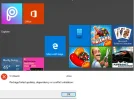 Microsoft Defender: No threats detected Scan detailsHelp.webp29.9 KB · Views: 153
 -
Microsoft Defender: No threats detected Scan detailsDxDiag.txt110.2 KB · Views: 144
-
Microsoft Defender: No threats detected Scan detailsmsinfo.txt768.1 KB · Views: 160

