Solution
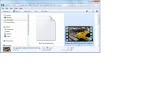
In folder options make sure the "always show icons, never thumbnails" block is not checked.
I always check the "display file icon on thumbnail" block also to see which media player will open the file.
If need be, install Windows 7 Codec Pack
I always check the "display file icon on thumbnail" block also to see which media player will open the file.
If need be, install Windows 7 Codec Pack

cybercore
New Member
- Joined
- Jul 7, 2009
- Messages
- 15,641
It can be caused by a bad or improperly installed/registered codec, one assigned to mpeg playback in your system.
I don't know exactly how to fix this problem, never had it. Reconfiguring or reinstalling the mpeg codec may help.
~~~~~~
regedit --> HKEY_CLASSES_ROOT\mpegfile, "ShellEx" folder with this key {BB2E617C-0920-11d1-9A0B-00C04FC2D6C1} and with this value {c5a40261-cd64-4ccf-84cb-c394da41d590}.
I don't know exactly how to fix this problem, never had it. Reconfiguring or reinstalling the mpeg codec may help.
~~~~~~
regedit --> HKEY_CLASSES_ROOT\mpegfile, "ShellEx" folder with this key {BB2E617C-0920-11d1-9A0B-00C04FC2D6C1} and with this value {c5a40261-cd64-4ccf-84cb-c394da41d590}.
In folder options make sure the "always show icons, never thumbnails" block is not checked.
I always check the "display file icon on thumbnail" block also to see which media player will open the file.
If need be, install Windows 7 Codec Pack
I always check the "display file icon on thumbnail" block also to see which media player will open the file.
If need be, install Windows 7 Codec Pack