


FontProblem
New Member
Member details
- Joined
- Sep 9, 2018
- Messages
- 3
Hi,
So I'm using Windows 7 Home Premium, and I ran into an issue with a font. I tried installing this font Barlow Condensed ExtraBold. Normally I just drag the file into Windows\Fonts, and there are no issues. However, this time, when I moved the file, it did not show up in the folder:
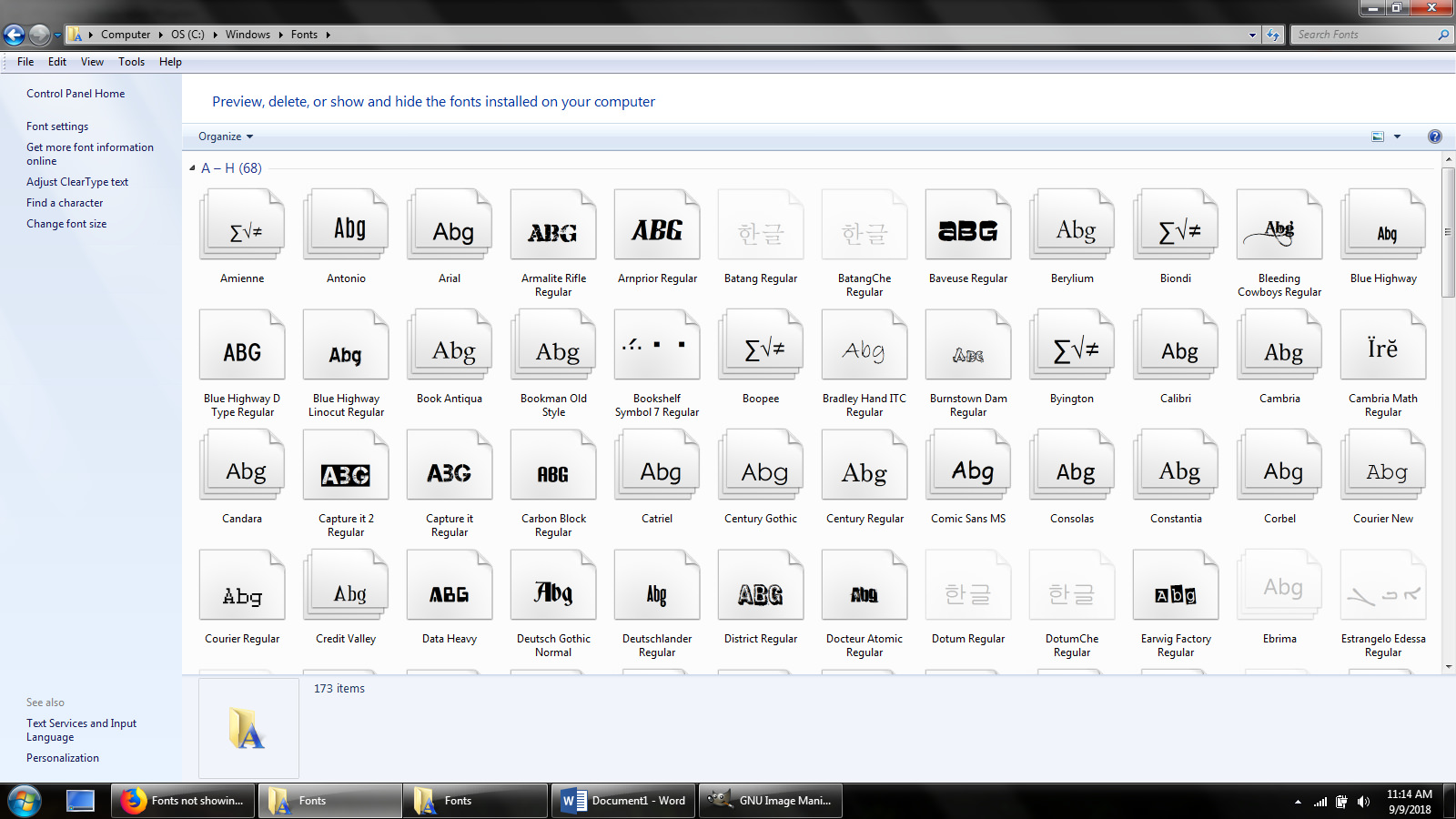
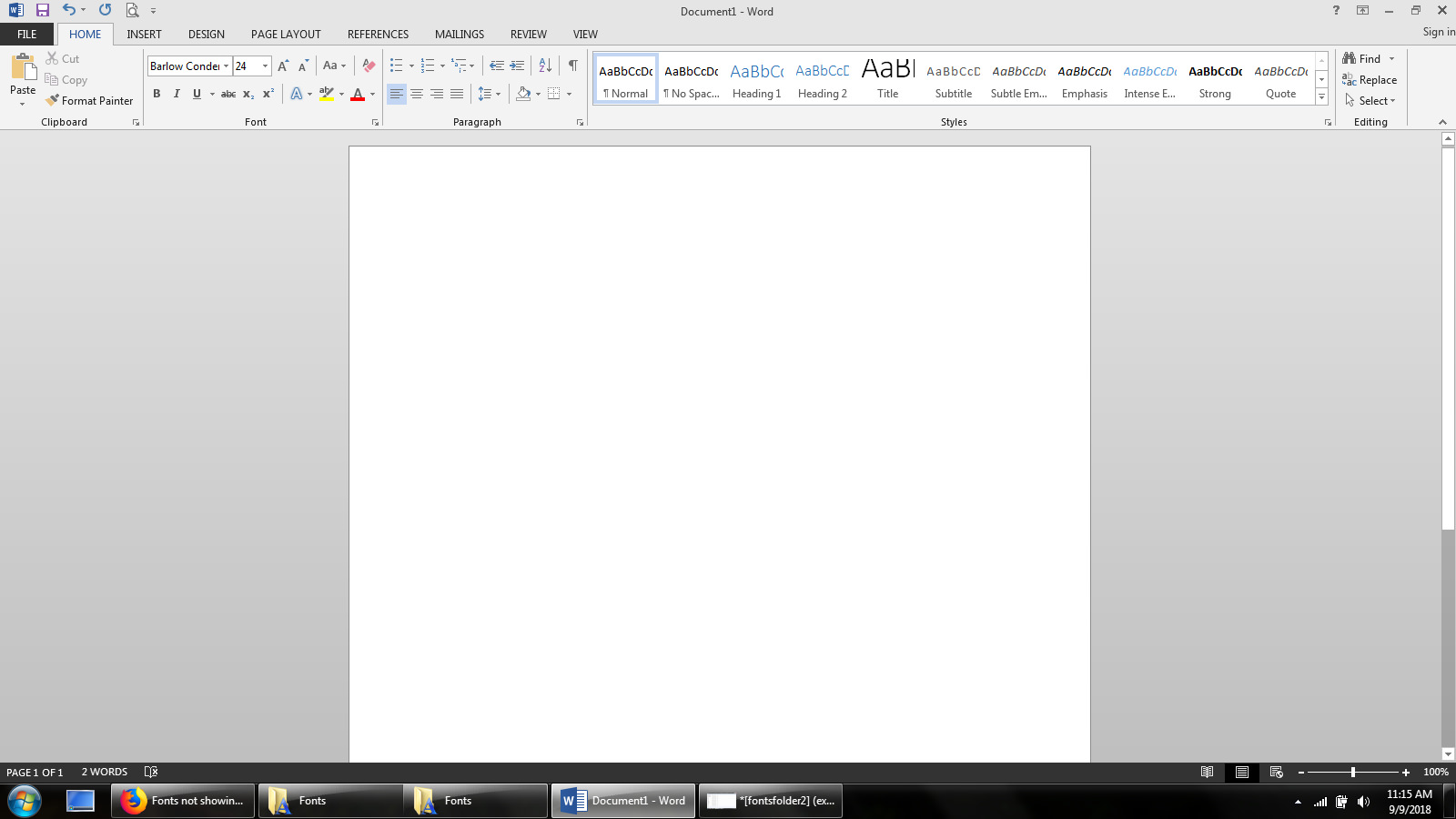
As you can see, the font is not listed there. However, when I tried to move the file there again, it told me the font was already installed. So I went into Word to see if the font was in fact installed, and it is listed there. However, it is not installed properly as no text shows up when you type:
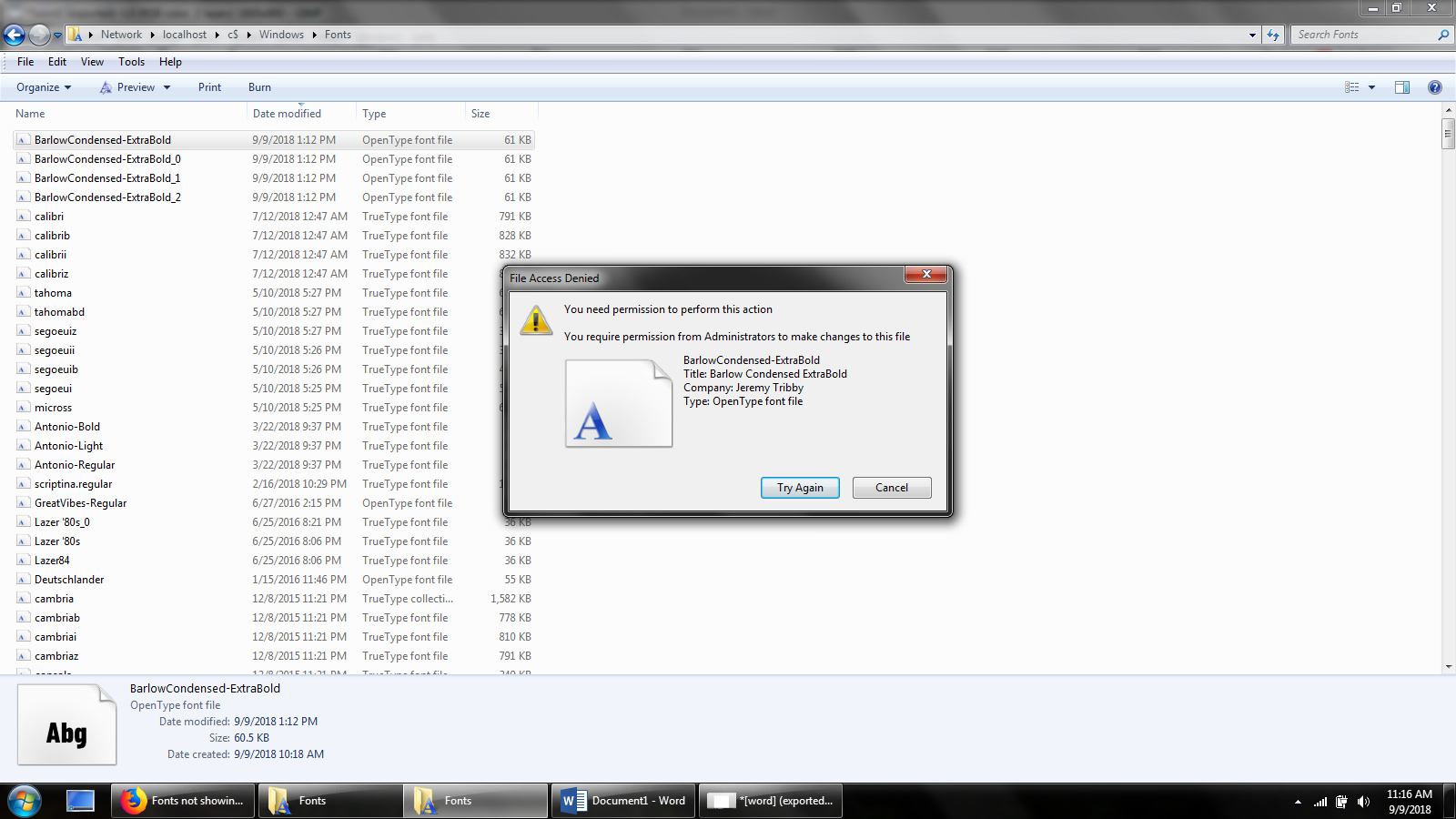
I went into \\localhost\c$\Windows\Fonts and saw the font is listed there, a few different times:

But when I try to delete the file, it won't let me:
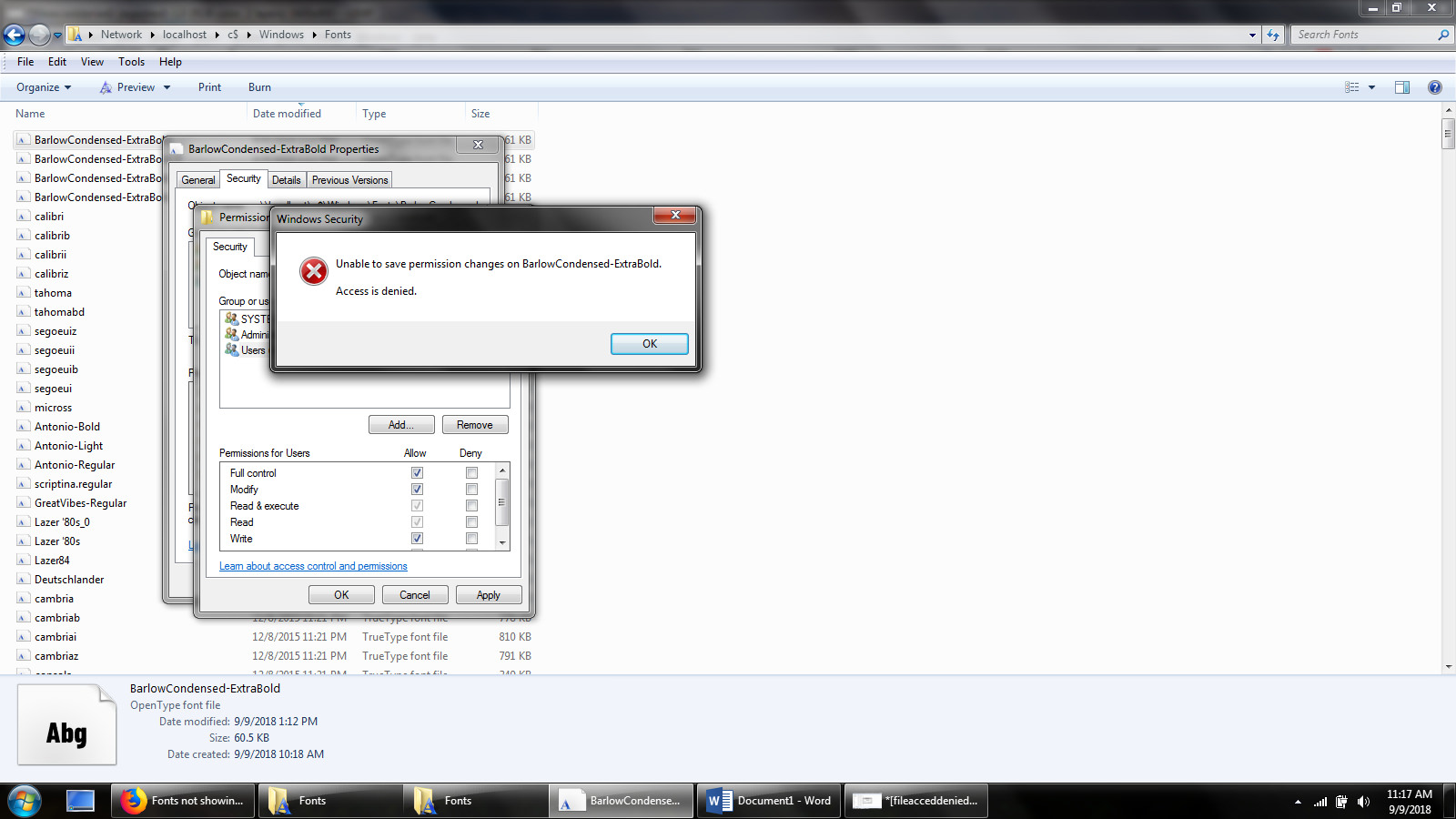
I tried to give myself permission, and it wouldn't let me:
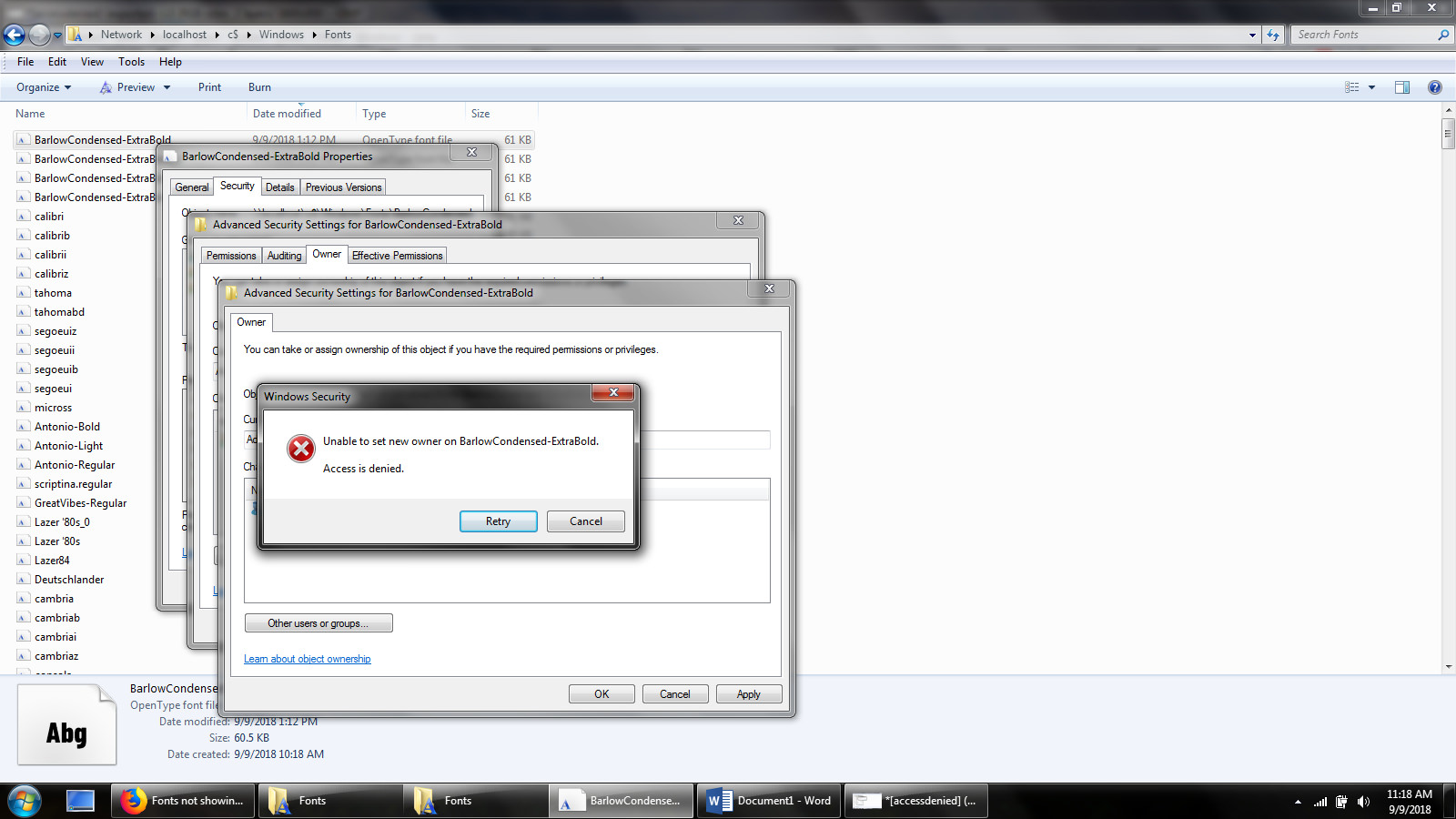
I tried to change the owner, and it wouldn't let me do that either:
I'm not the most computer literate person, so some of this stuff might be basic. But if someone could walk me though what I'm doing wrong and how I can get rid of this font, I would appreciate it. Thanks!
So I'm using Windows 7 Home Premium, and I ran into an issue with a font. I tried installing this font Barlow Condensed ExtraBold. Normally I just drag the file into Windows\Fonts, and there are no issues. However, this time, when I moved the file, it did not show up in the folder:
As you can see, the font is not listed there. However, when I tried to move the file there again, it told me the font was already installed. So I went into Word to see if the font was in fact installed, and it is listed there. However, it is not installed properly as no text shows up when you type:
I went into \\localhost\c$\Windows\Fonts and saw the font is listed there, a few different times:
But when I try to delete the file, it won't let me:
I tried to give myself permission, and it wouldn't let me:
I tried to change the owner, and it wouldn't let me do that either:
I'm not the most computer literate person, so some of this stuff might be basic. But if someone could walk me though what I'm doing wrong and how I can get rid of this font, I would appreciate it. Thanks!


