📎 AI Summary:
The forum thread discusses a user's LG monitor that remains black despite lighting up, with troubleshooting suggestions provided. The user shares details about their setup, including the monitor model (LG L246WP) and graphics card (Nvidia GTX 860), and confirms they used HDMI without success. Responders recommend testing the monitor with another computer or connection to identify if the issue lies with the monitor or the PC, while a suggestion is made to check for potential backlight issues if faint images are visible by shining a flashlight. Overall, the conversation focuses on diagnosing the monitor's display problem through hardware testing.

Daniboy600

New Member
Joined
Oct 4, 2018
Messages
2
Thread Author #1
Hi!
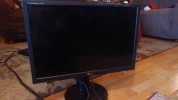
I need help with my LG monitor. It seems that it doesn't want to display any image although it's lighted blue. Any help would be gladly appreciated. Thanks in advance!
 

Attachments

  • 20181004_182012.webp
    20181004_182012.webp
    1.3 MB · Views: 178
Solution
Look careful at the display, or shine a flashlight almost parallel to the screen. If you can make out a faint image then the inverter is shot within the screen and you'll need to replace the screen

livix07

Honorable Member
Joined
Feb 19, 2018
Messages
585
Please provide more info.

what model is your LG monitor?

how is it connected to your computer (VGA or HDMI cable)?

what is your graphics card model?
 

Daniboy600

New Member
Joined
Oct 4, 2018
Messages
2
Thread Author #3
Please provide more info.

what model is your LG monitor?

how is it connected to your computer (VGA or HDMI cable)?

what is your graphics card model?
My graphic card model is Nvidia 860 GTX. My LG Monitor is L246WP. The HDMI was conntected to a Pc tower yet no results when lighted.
 

Neemobeer

Windows Forum Team
Staff member
Joined
Jul 4, 2015
Messages
8,995
Look careful at the display, or shine a flashlight almost parallel to the screen. If you can make out a faint image then the inverter is shot within the screen and you'll need to replace the screen
 

Solution

livix07

Honorable Member
Joined
Feb 19, 2018
Messages
585
The HDMI was conntected to a Pc tower yet no results when lighted.

Do you have another pc to connect the monitor to it or another Monitor to connect to the same computer in order to test? or can you borrow a monitor from a friend to do the test (not joking)?