📎 AI Summary:
The thread discusses issues with using playback buttons in Cool Edit Pro 2.0 on Windows 10 version 2004, with users experiencing functionality problems after the update. Several contributors, including the original poster, find that adjusting the device order in Cool Edit's options resolves the issue, while others suggest updating the software or believe the problem is related to Windows updates. Overall, the community shows a collaborative effort to troubleshoot, with a shared solution involving changing settings in Cool Edit.

Lammert

New Member
Member details
Joined
Jul 7, 2020
Messages
2
Thread Author #1
Hello,

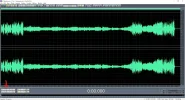
In Windows 10 Home and Professional edition, with the new version 2004, I can not use the play-, record-, forward-, review- and pausebutton in Cool Edit Pro 2.0. Editing of musicfiles is no problem.
See attachment.
Who can help me?

Thanks,

Lammert
 

Attachments

  • Image1 (2).webp
    Image1 (2).webp
    172.6 KB · Views: 152
Last edited:
Solution
OK, I Found The Solution:
Cool Edit Pro 2.1: Go To Options - Device Order
In Playback Devices in The Right Window: 1st: Your Speaker (Use in EV!)
2nd: Wave Mapper
OK; New Start of Cool Edit.

Jimbo22

Essential Member
Member details
Joined
Aug 27, 2008
Messages
5,036
Have you tried updating that software? It may not be compatible with the new 20H1 feature update. Or more likely that the new feature update is still buggy as people are reporting. Especially from the upgrade path....not so much from a clean install stand point.
 

Lammert

New Member
Member details
Joined
Jul 7, 2020
Messages
2
Thread Author #3
There are not new updatis for this program, but I found a solution on www in CoolEdit.
I must chance a setting in this program. After that, all works very well.
 

Fulli1

New Member
Member details
Joined
Jul 27, 2020
Messages
2
There are not new updatis for this program, but I found a solution on www in CoolEdit.
I must chance a setting in this program. After that, all works very well.
Hi,
I Have The Same Problem With CoolEdit, Which Setting Is It To Change?
 

Fulli1

New Member
Member details
Joined
Jul 27, 2020
Messages
2
OK, I Found The Solution:
Cool Edit Pro 2.1: Go To Options - Device Order
In Playback Devices in The Right Window: 1st: Your Speaker (Use in EV!)
2nd: Wave Mapper
OK; New Start of Cool Edit.
 

Solution

blackmagicislam

Well-Known Member
Member details
Joined
Jan 18, 2018
Messages
185
This is showing due to updation of software. I think you should update your software.
 

Rapidal

New Member
Member details
Joined
Aug 17, 2020
Messages
1
Thanks Fulli1 Just updated to 2004 and found the problem was about to diagnose when I decided to do a search and your fix worked I've not been looking forward to the day I have to say goodbye to Cool
Funny how if you could play in multi track with no problem