📎 AI Summary:
The thread discusses a user who upgraded to Windows 10 Pro using the "keep folders and apps" option, but is confused about missing folders and only seeing free space on the drive. The community suggests taking screenshots of the Explorer window to better understand the issue, but the user is unable to provide detailed images and mentions needing to address the problem later. Overall, the conversation highlights troubleshooting steps without reaching a resolution, and the user plans to continue troubleshooting later.

NettleWarbler

Banned
Joined
Mar 25, 2016
Messages
636
Thread Author #1
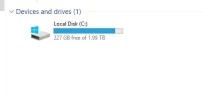
I just installed windows 10 pro on my hard-drive , using the keep folders and apps option . Before that I got your windows license will expire soon , I went ahead thinking this install will fix that . I got all my apps but no folders , my drive shows 227GB free of 1.99TB so something is there i'v tried show hidden files and folders. But i'm lost now .
 

Attachments

  • Folders missing.webp
    Folders missing.webp
    3.8 KB · Views: 420
Solution
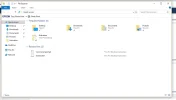
I'v found my folders , they were in this PC Desktop Users . That's the first place I tried so I don't know how that's happened . Unless it's with being activated . Thanks for all your help .

Neemobeer

Windows Forum Team
Staff member
Joined
Jul 4, 2015
Messages
8,995
Take a screenshot of the entire explorer window, what you took the other screenshot of.
 

NettleWarbler

Banned
Joined
Mar 25, 2016
Messages
636
Thread Author #11
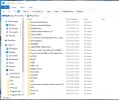
I'v found my folders , they were in this PC Desktop Users . That's the first place I tried so I don't know how that's happened . Unless it's with being activated . Thanks for all your help .
 

Attachments

  • Folders.webp
    Folders.webp
    70.1 KB · Views: 286
Solution