If the title is confusing then you might start to understand how I feel...
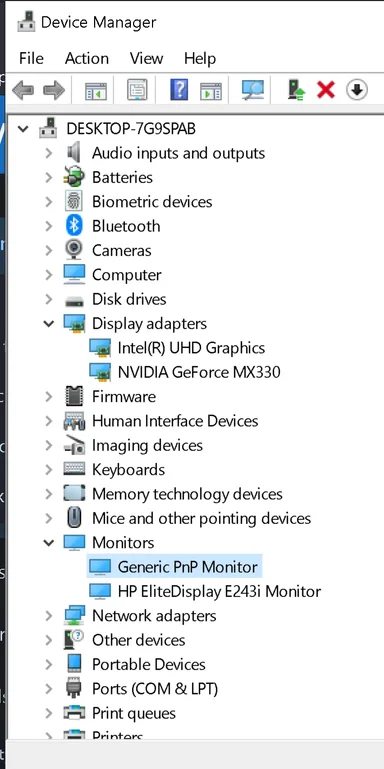
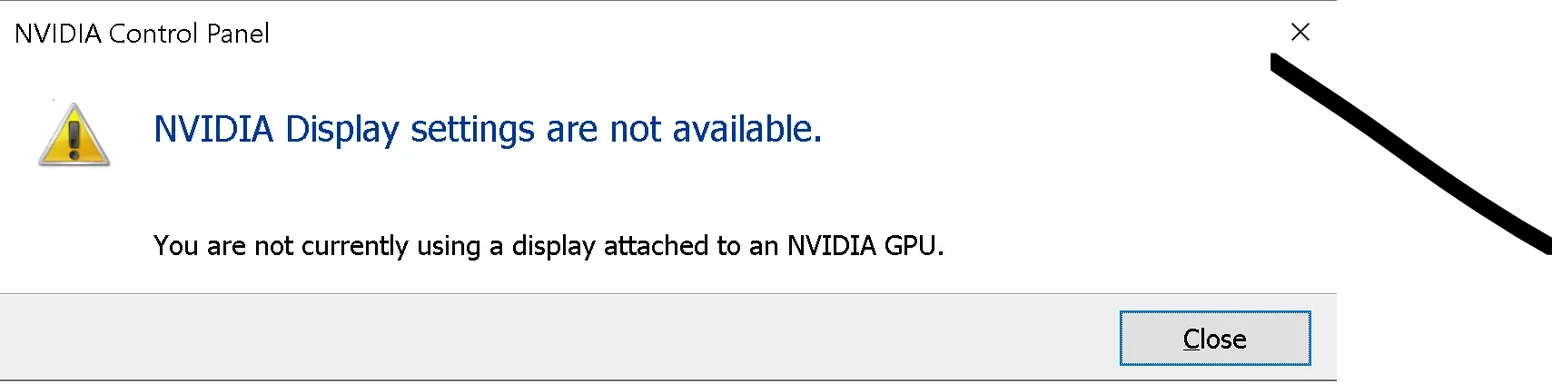
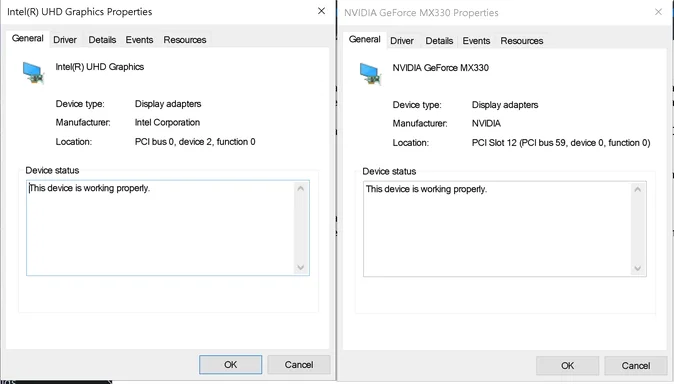
I purchased an HP Spectre x360 laptop (still running Windows 10) along with an HP e243i monitor that worked together for several years after I got it. Unfortunately, I believe they stopped working together when I enabled the GE MX330 onboard graphics card that wasn't being fully utilized after noticing a lag when playing games. As you can see in my attachment the monitor is detected and you can see both display adapters. As the title suggests, I believe there is a conflict within those adapters, but I have had zero luck in making it work. Note: This laptop will work with TVs as a second display. Here is what I have tried so far:
ACTION - I deleted the Intel graphics adapter in the hopes it would default to the GE MX330
RESULT - It defaulted to the most basic display adapter still left on the machine which has very limited functionality.
ACTION - With the monitor being pseudo accessible in the Display setting, I attempted to brute force it to use one of the GE MX330 driver files by navigating to it by clicking "Have Disk".
RESULT - It does not accept the new driver and reverts back to the Intel graphics adapter driver.
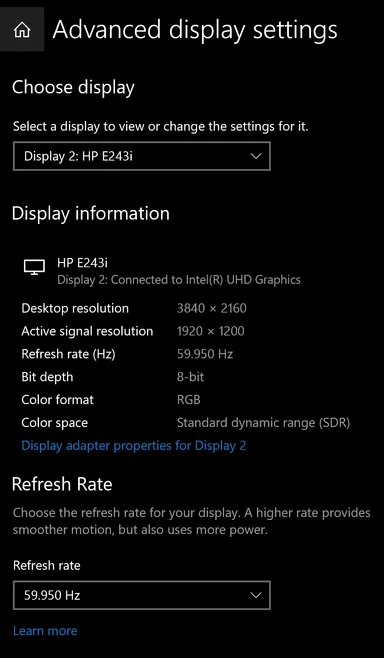
When you plug the monitor in, it will physically react and turn on, but will never show anything. When you switch the multiple display option to "Extend These Displays", it creates that extension and moves any open windows and the start menu/taskbar to the new display, but the monitor does not turn on or receive this output.
Note: This monitor works as a 2nd display with my wife's laptop which is why I believe the adapter conflict is the cause.
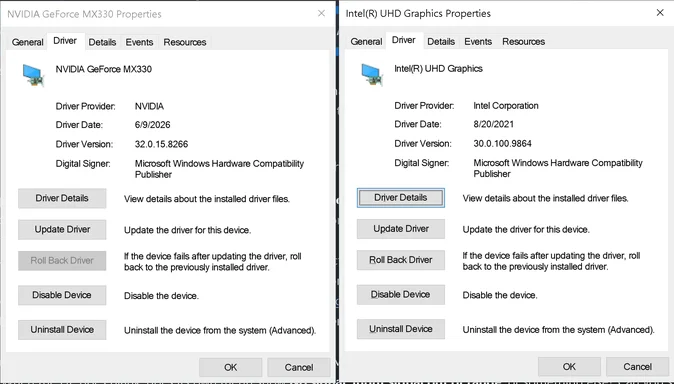
Both graphic adapters show different hardware and compatibility ID's when you look into the driver details. I have yet to be brave enough to attempt to edit a driver file as I've never done so, but could you assign similar values to fool it into sending the signal out?
Thank you for reading all of that. I can supply more screenshots as needed. I appreciate anyone with the time to help sort this out.
Kindly,
David
P.S. I have tried everything in the guide I found on here about how to connect and troubleshoot an external display. I believe the last line is apropos: "When the second monitor works with another computer but never appears on the original PC after direct cable, port, Settings, and driver tests, the remaining evidence points to the PC’s graphics output, dock compatibility, or supported-display limit. At that point, the actionable next step is to check the exact PC, GPU, and dock model specifications—not to keep pressing Detect."
(Fix Windows 10/11 Second Monitor Not Detected)
I purchased an HP Spectre x360 laptop (still running Windows 10) along with an HP e243i monitor that worked together for several years after I got it. Unfortunately, I believe they stopped working together when I enabled the GE MX330 onboard graphics card that wasn't being fully utilized after noticing a lag when playing games. As you can see in my attachment the monitor is detected and you can see both display adapters. As the title suggests, I believe there is a conflict within those adapters, but I have had zero luck in making it work. Note: This laptop will work with TVs as a second display. Here is what I have tried so far:
ACTION - I deleted the Intel graphics adapter in the hopes it would default to the GE MX330
RESULT - It defaulted to the most basic display adapter still left on the machine which has very limited functionality.
ACTION - With the monitor being pseudo accessible in the Display setting, I attempted to brute force it to use one of the GE MX330 driver files by navigating to it by clicking "Have Disk".
RESULT - It does not accept the new driver and reverts back to the Intel graphics adapter driver.
When you plug the monitor in, it will physically react and turn on, but will never show anything. When you switch the multiple display option to "Extend These Displays", it creates that extension and moves any open windows and the start menu/taskbar to the new display, but the monitor does not turn on or receive this output.
Note: This monitor works as a 2nd display with my wife's laptop which is why I believe the adapter conflict is the cause.
Both graphic adapters show different hardware and compatibility ID's when you look into the driver details. I have yet to be brave enough to attempt to edit a driver file as I've never done so, but could you assign similar values to fool it into sending the signal out?
Thank you for reading all of that. I can supply more screenshots as needed. I appreciate anyone with the time to help sort this out.
Kindly,
David
P.S. I have tried everything in the guide I found on here about how to connect and troubleshoot an external display. I believe the last line is apropos: "When the second monitor works with another computer but never appears on the original PC after direct cable, port, Settings, and driver tests, the remaining evidence points to the PC’s graphics output, dock compatibility, or supported-display limit. At that point, the actionable next step is to check the exact PC, GPU, and dock model specifications—not to keep pressing Detect."
(Fix Windows 10/11 Second Monitor Not Detected)