📎 AI Summary:
The user initially reported an error in Windows Media Center on Windows 8.1 Pro, where recorded TV videos would not display despite recording and live TV working correctly. After attempts to restart the program and system, the issue persisted, but drivers were up to date. The problem was eventually resolved by allowing Nvidia to automatically uninstall old drivers before installing new ones, restoring recorded TV playback; the user then planned to seek help on a separate issue with their Music and Pictures folders.

brkkab

Excellent Member
Joined
Mar 4, 2013
Messages
2,346
Thread Author #1
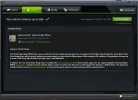
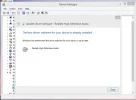
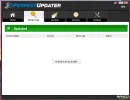
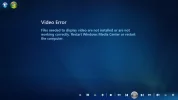
Im getting the following error everytime I try to play and Recorded TV in Windows Media Center on Windows 8.1 Pro x64.Files needed to display video are not installed or are not working correctly. Restart Windows Media Center or restart the computer. I've done both numerous times. The message appear's every time I try to play any Recoreded Tv show's. Yet, Media Center is still recording the show's and Live TV work's fine in Media Center. All driver's are currnet as my screeshot's show.
 

Attachments

  • WMCRecordedTV.webp
    WMCRecordedTV.webp
    12.9 KB · Views: 373
  • GTX760.webp
    GTX760.webp
    52.3 KB · Views: 365
  • RealtekHD.webp
    RealtekHD.webp
    25.6 KB · Views: 331
  • PerfectUpdater.webp
    PerfectUpdater.webp
    17.6 KB · Views: 314
Solution
**SOLVED**I got WMC playing my recorded tv again. I forgot all about letting NVidia automatically uninstall old driver's before it installs new ones. Now I need to start a new thread about the Music and Pictures folder's not displaying properly still.

brkkab

Excellent Member
Joined
Mar 4, 2013
Messages
2,346
Thread Author #2
**SOLVED**I got WMC playing my recorded tv again. I forgot all about letting NVidia automatically uninstall old driver's before it installs new ones. Now I need to start a new thread about the Music and Pictures folder's not displaying properly still.
 

Solution