
📎 AI Summary:
The forum thread discusses difficulties with saving files directly to mapped NAS drives in Windows 8, with the original poster frustrated by the inability to access mapped drives via "Save As" or "Save Web Page" dialogs. A suggested solution involves checking if programs are run as Administrator, as drive mappings are user-specific and may cause access issues. Other contributors agree that drive mapping functionality remains consistent in Windows 8 and 8.1 compared to previous versions, implying the problem may be due to user-specific settings rather than an OS flaw.

cherrio

Extraordinary Member
Joined
Jan 4, 2010
Messages
114
Thread Author #1
I am new to Won 8 and am frustrated beyond belief. MS - Stop changing things and let us alone (XP and Win 7 were great)!!

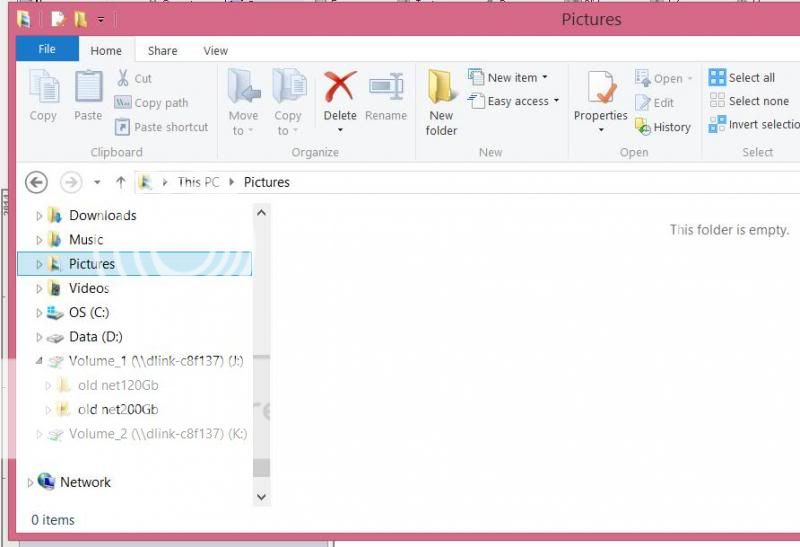
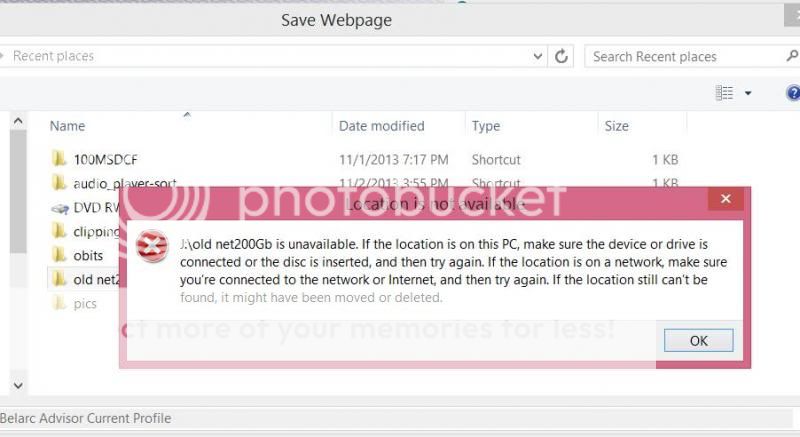
I have successfully mapped two NAS drives, but I cannot perform a :"save as" from screen shot or "Save web page" because the pane that pops up refuses to show the mapped drives.

What am I missing here? I have both opened and saved to both NAS drives but cannot access them from the "SAVE AS" and the "SAVE WEB PAGE" panels.
TRIC77B_zps5087c7bb.jpg

doesnotexist_zps3a9a1a0e.jpg
 

Solution
Are you by chance running the program as Administrator? Remember mapped drives happen per-user profile space... perhaps that is what is causing the issue? If you run a cmd prompt as administrator, then map the drive there, and launch program from that command prompt does it then allow you to save?

Josephur

Windows Forum Admin
Staff member
Premium Supporter
Microsoft Certified Professional
Joined
Aug 3, 2010
Messages
1,283
Are you by chance running the program as Administrator? Remember mapped drives happen per-user profile space... perhaps that is what is causing the issue? If you run a cmd prompt as administrator, then map the drive there, and launch program from that command prompt does it then allow you to save?
 

Solution

strollin

Honorable Member
Joined
Jul 21, 2013
Messages
284
I can't say what your problem is caused by but can assure you that drive mapping works the same in Win 8 & 8.1 as it did in Win 7 and XP. I haven't had any issues. I know this doesn't help me but I don't think it's a Win 8 issue or anything to do with "MS - Stop changing things and let us alone (XP and Win 7 were great)!!".