📎 AI Summary:
The forum thread discusses a user's ongoing issue accessing the Bodybuilding.com website, with initial reports of a "Service Unavailable" error. Responders suggest troubleshooting steps such as using different browsers, clearing DNS cache, and checking login status, but the problem remains unresolved. Overall, the troubleshooting efforts are inconclusive, and the main issue about website accessibility persists without a definitive solution.

wjeffersonr

New Member
Joined
May 22, 2016
Messages
1
Thread Author #1
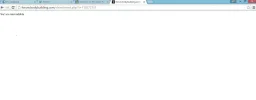
I can't access the bodybuilding website for a long time now. I don't know why. I always get this "Service Unavailable" on white screen. Help me. Thank you.
 

Attachments

  • Untitled.webp
    Untitled.webp
    24.4 KB · Views: 1,107
Solution
  • Try clearing your DNS, in chrome type chrome://net-internals/#dns and click "clear host cache", if that doesn't work open a command prompt
  • type ipconfig /flushdns
  • Close all open browsers and try again
Also in chrome
  • Type chrome://cache
  • Locate a link to the forum and click it and post the header for a link like this
  • http://forum.bodybuilding.com/images/misc/bookmarksite_delicious.gif
    HTTP/1.1 200 OK
    Date: Fri, 27 May 2016 02:24:38 GMT
    Server: Apache
    Last-Modified: Thu, 12 May 2016 17:21:20 GMT
    ETag: "c2874-71-532a862fa0400"
    Accept-Ranges: bytes
    Content-Length: 113
    Cache-Control: max-age=31536000
    Expires: Sat, 27 May 2017 02:24:38 GMT
    Content-Type: image/gif


bochane

Essential Member
Joined
Oct 18, 2012
Messages
1,403
Hm, I could open that thread with Chrome and with Edge....

Not being a member, I was not logged in. Maybe you used to be logged in and your password is for some reason failing?
Else it remains a mystery, specially after what ussnorway has found....
 

Neemobeer

Windows Forum Team
Staff member
Joined
Jul 4, 2015
Messages
8,995
  • Try clearing your DNS, in chrome type chrome://net-internals/#dns and click "clear host cache", if that doesn't work open a command prompt
  • type ipconfig /flushdns
  • Close all open browsers and try again
Also in chrome
  • Type chrome://cache
  • Locate a link to the forum and click it and post the header for a link like this
  • http://forum.bodybuilding.com/images/misc/bookmarksite_delicious.gif
    HTTP/1.1 200 OK
    Date: Fri, 27 May 2016 02:24:38 GMT
    Server: Apache
    Last-Modified: Thu, 12 May 2016 17:21:20 GMT
    ETag: "c2874-71-532a862fa0400"
    Accept-Ranges: bytes
    Content-Length: 113
    Cache-Control: max-age=31536000
    Expires: Sat, 27 May 2017 02:24:38 GMT
    Content-Type: image/gif


Solution