
The monitor at the center of this reversal is Alienware’s AW2726DM, a 26.5-inch QD-OLED gaming display with a 2560×1440 resolution, 240Hz refresh rate, 0.03ms gray-to-gray response-time claim, and Adaptive-Sync support. Those specifications make clear that this was not a step backward to an aging office screen; it was a move from one premium gaming format to another. Dell’s official specifications matter because panel quality, refresh rate, motion clarity, and HDR capability can all influence a person’s impressions as much as the aspect ratio itself.
Still, the broader conclusion holds. The ultrawide gaming monitor is no longer the automatic enthusiast recommendation it once seemed to be. For PC gamers who divide their time between competitive shooters, older single-player games, Windows multitasking, and a secondary display, 16:9 QHD may be the more balanced choice.
 The ultrawide assumption is finally being challenged
For years, ultrawide displays have represented a certain kind of PC gaming aspiration. A 21:9 panel promises a broader canvas, less bezel interruption than a dual-monitor layout, and a field of view that can make driving games, flight simulators, open-world adventures, and cinematic RPGs feel more expansive.
That promise remains real. A properly supported ultrawide game can look spectacular. The extra horizontal space adds environmental detail rather than simply magnifying the image, and a curved ultrawide can draw a player into a cockpit, race track, or fantasy landscape in ways that a flat 16:9 screen cannot fully replicate.
But the premise that more horizontal pixels are always better has aged poorly. PC gaming is no longer just a collection of technically modern AAA releases. It is a mix of old games, new games, indie titles, early-access experiments, competitive multiplayer releases, ports with uneven PC support, modded classics, and Windows desktop tasks that all behave differently at unusual aspect ratios.
The central lesson of this experience is not that ultrawide monitors are overrated. It is that the ultrawide category asks owners to accept more variables:
- Game-by-game aspect-ratio support
- Potential black bars or stretched presentation
- UI placement issues
- Greater GPU workload
- More desk space consumption
- More awkward pairing with a secondary monitor
- A sometimes higher entry price for comparable panel technology
For many users, those trade-offs are worthwhile. For others, particularly those coming from years of ultrawide ownership, they become visible only after spending time on a high-end 16:9 alternative.
Why 16:9 can feel better in competitive shooters
The most contentious point in the switch is also the most relatable: the claim that first-person shooters felt easier on a 16:9 display. The user reported better results in games including Battlefield 6, Escape from Tarkov, and Hell Let Loose after moving away from 3440×1440. The original report attributes that improvement to a tighter HUD and a smaller area demanding constant visual attention.
That conclusion should be understood as an experience-based observation, not a universal benchmark result. A monitor’s aspect ratio does not magically improve mouse aim, recoil control, map knowledge, or reaction time. Competitive skill involves many variables, including frame rate consistency, input latency, display refresh rate, game settings, and familiarity with the image in front of the player.
Yet the observation has a plausible practical basis.
A narrower visual canvas can reduce distraction
A 21:9 display places more of the game world in a player’s peripheral vision. In a cinematic game, that is often a feature. It gives landscapes room to breathe and helps create a stronger sense of place.
In a fast competitive shooter, however, more visual information can become more visual noise. A wider scene can demand more eye movement and more frequent scanning of areas that may not be tactically important. That does not mean the extra image is harmful to every player, but it can make the central combat space feel less concentrated.
A 16:9 display creates a more compact frame. The crosshair, target area, status indicators, minimap, ammunition count, and immediate action all occupy a tighter visual zone. For a player trying to maximize consistency rather than atmosphere, that density can be useful.
There is also a cultural reality: 16:9 remains the dominant format for gaming monitors, streaming captures, many esports settings, console output, game trailers, and default UI design. Developers are more likely to test against it exhaustively because it remains the baseline presentation format for a huge portion of the audience.
The monitor itself is an important confounding factor
It would be too simple to credit the aspect ratio alone for every perceived gameplay gain. The AW2726DM is a 240Hz QD-OLED display, and Dell lists a 0.03ms gray-to-gray response-time specification alongside its QHD resolution and adaptive-sync support. Dell’s AW2726DM product listing positions it as a fast, modern esports-capable display, not merely a standard-shape replacement.
Moving from an older ultrawide to a new OLED monitor may improve perceived motion resolution, black levels, pixel response behavior, contrast, and refresh rate. Any of those upgrades can make target acquisition and visual tracking feel better.
That does not invalidate the aspect-ratio argument. It simply reinforces a better buying principle: do not compare “ultrawide” and “16:9” as if aspect ratio is the only specification that matters. A fast 16:9 QD-OLED can outperform an older ultrawide in the ways a shooter player notices most, while a current-generation high-refresh ultrawide may narrow that gap significantly.
Fewer pixels is a material performance advantage
The GPU argument is more concrete. A 3440×1440 display has 4,953,600 pixels. A 2560×1440 display has 3,686,400 pixels. That means the ultrawide resolution requires the graphics card to render roughly 34% more pixels before accounting for the cost of ray tracing, higher-quality shadows, post-processing, anti-aliasing, or CPU limitations.
Real-world frame-rate gains will not always equal 34%. Some games are CPU-bound. Others use upscaling, frame generation, dynamic resolution, or settings that change the GPU load in complicated ways. But all else equal, rendering fewer pixels gives the graphics card more headroom.
That headroom can be spent in several ways:
- Increasing average frame rate
- Improving frame-time consistency
- Raising visual-quality settings
- Enabling more demanding ray-tracing effects
- Reducing fan speed and heat output
- Extending the useful life of a graphics-card upgrade
- Lowering the need to rely on aggressive image upscaling
The reported setup uses an NVIDIA GeForce RTX 5070 Ti, a GPU NVIDIA rates at 300W total graphics power in its reference specifications. NVIDIA’s RTX 5070 family specification page also lists support for up to four displays, emphasizing that the card is capable of driving demanding desktop and gaming configurations. But capable does not mean immune to workload. Even powerful GPUs benefit from not being asked to render nearly five million pixels every frame.
Summer heat makes the case feel immediate
The original account specifically connects the return to 16:9 with warmer weather, noting that lower rendering demands made the PC feel less taxing to run during the summer. Windows Central’s feature frames that benefit in experiential terms rather than as a controlled thermal test, and that distinction is important.
A monitor does not directly make a graphics card hot. The game workload, resolution, frame-rate cap, ambient temperature, cooling configuration, and GPU power behavior determine that result. But a lower native resolution can reduce the workload enough to lower sustained GPU utilization in many GPU-bound games.
For gamers using compact cases, modest room cooling, or high-wattage graphics cards, this is not a trivial consideration. The appeal of ultrawide is strongest when a PC can drive it effortlessly. When the choice is between 3440×1440 at compromised settings and 2560×1440 at high settings with steadier frame pacing, QHD 16:9 becomes the more rational gaming monitor choice.
Compatibility remains ultrawide’s weakest point
There is a major difference between a game that technically runs on an ultrawide monitor and a game that supports ultrawide well.
The former may launch at the correct resolution but add pillarboxing, stretch a pre-rendered scene, lock the field of view, misplace UI elements, crop menus, or require a community workaround. The latter treats 21:9 as a first-class target throughout menus, cinematics, gameplay, HUD behavior, and accessibility settings.
That distinction is especially important for players who enjoy older games and smaller releases. The original experience highlights Batman: Arkham City as an example of a game that does not natively fill an ultrawide frame, while Elden Ring is cited as another high-profile title where removing the side bars can require a mod or third-party tool. The account of those compatibility limitations reflects a long-standing frustration in PC gaming: the display may support a resolution perfectly, while the game does not.
Mods are useful, but they are not a complete solution
Community patches and aspect-ratio fixes are part of what makes PC gaming special. They can preserve older titles, restore cut features, improve visual quality, and solve problems publishers never revisit.
But they introduce risk and friction:
- A mod may stop working after a game update.
- A fix may conflict with anti-cheat protections.
- A workaround may affect online play.
- A patch can introduce UI, cutscene, or stability problems.
- The player must research, install, update, and troubleshoot something that should have worked natively.
For single-player enthusiasts, that may be an acceptable cost. For users who want to install a game and start playing, it is a recurring nuisance. A 16:9 panel avoids much of that friction simply because it matches the format most games are designed around.
This does not mean every indie game or older game behaves perfectly at 16:9. It means 16:9 generally minimizes the odds of aspect-ratio-specific problems. That reliability has value, especially for a monitor expected to handle a large and eclectic PC library.
The Windows desktop changes the equation
The gaming monitor decision does not end when the game closes. A display occupies physical desk space and defines the daily Windows workspace for browsing, writing, chat, editing, streaming, and multitasking.
This is where ultrawide traditionally wins. A 3440×1440 desktop has enough width for two generously sized windows, and it can often accommodate three narrower applications without becoming unusable. For writing while researching, managing an editing timeline, monitoring a stream, or working with spreadsheets, that lateral room is genuinely productive.
Windows also makes this flexibility easier to use. Microsoft’s Snap feature allows windows to be positioned at screen edges or corners, while Snap Assist helps fill the remaining layout space with other open applications. Microsoft’s Snap documentation describes how users can arrange windows by dragging them or by using keyboard commands, including Windows key + Arrow shortcuts.
16:9 remains better than its productivity reputation suggests
A 2560×1440 16:9 monitor does not provide the same horizontal expanse as 3440×1440. That is simply arithmetic. But the conclusion that it is poor for work is overstated.
At QHD resolution, two apps can sit side by side comfortably for many tasks: a document and browser, a video meeting and notes app, code editor and documentation, or game window and Discord. Windows 11’s Snap layouts can be accessed by hovering over the maximize button or by pressing Windows key + Z, with available layouts varying according to display size. Microsoft’s Windows multitasking guidance confirms that Snap is designed to organize multiple apps across the available screen area.
The limitation emerges with three persistent, full-sized applications. On an ultrawide, that configuration can feel natural. On a 27-inch QHD display, it often feels cramped unless one of the windows is a narrow utility panel.
For a user who works heavily in three-column layouts, ultrawide still has a strong case. For everyone else, it may be better to think in terms of task-specific workspace, not raw width. A focused two-window layout can be more usable than three windows that are technically visible but individually too narrow to be useful.
Dual-monitor balance is an overlooked factor
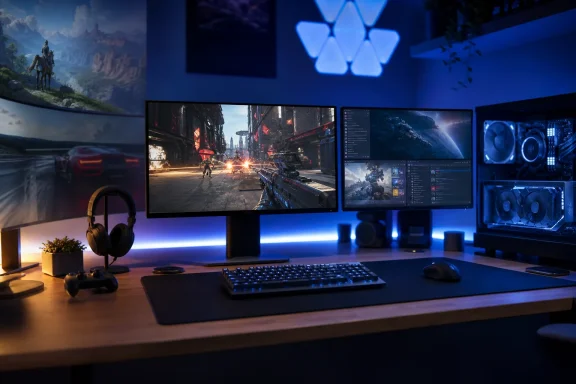
The physical desktop argument may be the most underappreciated part of the switch. An ultrawide can dominate a dual-monitor configuration, particularly when paired with a smaller conventional display. The main screen takes the visual center, pushes the auxiliary monitor farther away, and can force more head movement to check chat, music, guides, system monitoring, or work apps.
That arrangement is not inherently bad. Many users prefer it, especially when the ultrawide is the primary work and play display. But a pair of similarly sized 16:9 monitors creates a more symmetrical setup. Each panel is easier to position at a similar height and viewing distance, and the secondary display feels like a genuine companion rather than a peripheral screen squeezed beside a much wider one.
The original account describes exactly that change: the desk felt more balanced after returning to two 16:9 screens, and the user reported less head turning when checking the second monitor. The dual-monitor comparison is subjective, but it highlights an issue monitor buyers often overlook while staring at product photos of a single display.
A monitor should be judged not only by its isolated image quality but also by how it fits into the complete desk ecosystem:
- Secondary displays
- Monitor arms
- Speakers
- Microphones
- Webcam placement
- Desk depth
- Keyboard and mouse room
- PC case location
- Lighting and cable routing
A 34-inch ultrawide may be a perfect one-monitor solution but an awkward foundation for a balanced two-monitor Windows setup. Conversely, dual 16:9 QHD monitors may consume more total visual space while delivering a more orderly division between primary and secondary tasks.
Where ultrawide remains unquestionably compelling
The case for 16:9 is strong, but it should not be mistaken for a declaration of victory over ultrawide. There are genres in which 21:9 is more than an aesthetic luxury.
Racing, simulation, and cockpit games
Racing games are perhaps ultrawide’s clearest triumph. The additional side view can make cars feel more planted in their environment, help convey speed, and provide a stronger sense of track position. The difference is especially noticeable in cockpit view, where the wider dashboard and side-window perspective make the simulation feel less confined.
Flight simulators, space simulators, and driving sims benefit for the same reason. These games involve scanning instruments, checking side environments, and maintaining a broad sense of spatial orientation. Here, a wider view is part of the gameplay experience rather than merely decoration.
Third-person RPGs and open-world games
Large-scale RPGs and open-world adventures also benefit from the extra width. An ultrawide display can give landscapes more grandeur, make city streets feel more populated, and preserve more environmental context during exploration.
The original user specifically concedes that RPGs and racing titles feel more immersive on an ultrawide screen. That acknowledgment is essential. The argument is not that 16:9 looks better in these genres. It is that immersion is only one part of an overall buying decision.
A gamer who mainly plays Cyberpunk 2077, driving games, cinematic action adventures, and modern AAA releases with strong ultrawide support may still be happiest with a 21:9 monitor. A gamer who spends more time in shooters, older classics, indie games, and mixed Windows workflows may arrive at the opposite conclusion.
QD-OLED makes the return to 16:9 easier
There is another reason the transition did not feel like a downgrade: display technology has improved. A high-quality QD-OLED panel can provide striking contrast, rapid pixel transitions, strong color presentation, and a level of image immediacy that makes the screen format feel secondary after a few days.
Dell markets the AW2726DM around its QD-OLED panel, 240Hz operation, Adaptive-Sync support, and fast response-time rating. Its official product page also lists DisplayPort 1.4 support for 2560×1440 at 240Hz with HDR, DSC, and AdaptiveSync. That combination is meaningful for a Windows gaming PC: it targets the characteristics most visible in fast-moving modern games.
In other words, a current 16:9 display does not need to compete with ultrawide solely through price or simplicity. It can offer premium image quality and elite refresh performance while reducing the pixel burden placed on the GPU.
That is the more useful reframing for buyers. The decision is not necessarily:
- Buy a cinematic ultrawide.
- Settle for an ordinary 16:9 panel.
It may instead be:
- Buy a 21:9 panel for extra horizontal immersion and workspace.
- Buy a 16:9 panel with higher refresh, stronger OLED performance, broader game compatibility, lower rendering demands, and easier desk integration.
Those are two compelling but different philosophies.
Choosing the right aspect ratio for a Windows gaming PC
The strongest takeaway from this ultrawide-to-16:9 switch is that buyers should begin with their habits, not their aspirations.
Choose a 16:9 gaming monitor when the priority is:
- Competitive first-person shooters
- High and stable frame rates
- Broad game compatibility
- Older PC games and indie titles
- Straightforward console compatibility
- A balanced dual-monitor setup
- Lower GPU load at QHD resolution
- A simpler, more affordable display upgrade path
Choose an ultrawide gaming monitor when the priority is:
- Racing, flight, space, and driving simulations
- Cinematic single-player experiences
- Modern games with proven 21:9 support
- Broad desktop multitasking
- Two- or three-window productivity layouts
- A one-monitor desk setup
- Maximum visual immersion over minimum GPU workload
The important qualifier is that no category should be viewed in isolation. A 16:9 1440p OLED at 240Hz may be a better gaming purchase than a lower-refresh ultrawide LCD for one person, while a large curved ultrawide with strong HDR may be worth every additional pixel for another.
The real upgrade is choosing fewer compromises
The appeal of ultrawide has always been easy to understand: it looks like a premium upgrade because it is physically larger, visually broader, and often more expensive. That visual logic can make stepping back to 16:9 seem like retreat.
This experience proves the opposite can be true. A monitor upgrade is successful when it reduces the compromises that matter in daily use. For one former ultrawide devotee, the conventional aspect ratio delivered better focus in shooters, easier compatibility across a varied game library, more GPU breathing room, and a desk layout that felt less dominated by a single panel. The full account does not diminish ultrawide’s strengths; it puts them in proportion.
The best gaming monitor is not necessarily the widest screen, the most expensive panel, or the most dramatic product-photo centerpiece. It is the display that fits the games being played, the PC powering them, the Windows tasks filling the rest of the day, and the desk where all of it has to live.
