
For Windows users who spend much of their day moving between a PC, an Android phone, and a connected vehicle, that restrained changelog should not be mistaken for an unimportant update. Android Auto is increasingly becoming the mobile extension of a wider personal-computing environment: navigation, messages, calls, audio, calendars, smart-home actions, and eventually video and richer contextual assistance all converge on the vehicle display. Version 17.4 appears to be another piece of the groundwork required for that transition.
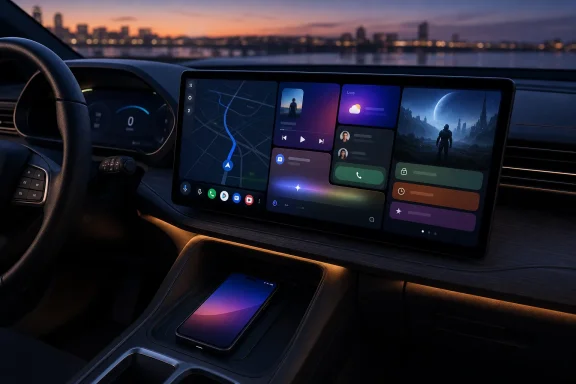
The immediate message is simple. Android Auto 17.4 is a stable update worth taking through Google Play when it reaches a device, but there is little evidence that it unlocks the headline features Google has announced for later in 2026. Instead, it arrives at a time when Android Auto is moving from a relatively fixed phone-projection interface toward a more adaptive, widget-capable, large-display-friendly platform.
 Overview: Android Auto 17.4 Is Stable, but Its Changes Are Opaque
Google’s public update note for Android Auto 17.4.6630 lists only “Bug fixes and other improvements.” That is not unusual for Android Auto. The company often uses broad release notes for production updates, leaving users, app developers, and automotive enthusiasts to infer the practical impact from behavior changes, teardown findings, and announcements made elsewhere. APKMirror
The build number matters because it distinguishes the current production package from the recent sequence of Android Auto releases. The version listed as 17.4.6630 was uploaded on July 26, 2026, with packages intended for several Android version ranges, including Android 9 and later variants. APKMirror
That does not mean every Android phone will see the update in Google Play immediately. Google Play supports staged production rollouts, where an update reaches only a selected percentage of eligible users at first. Developers can expand the percentage over time or halt a rollout if a material issue is discovered. Google Play Console Help
This gradual release model is more than administrative caution. Android Auto sits in an awkward technical space: it must work reliably with countless Android phone models, USB cables, wireless adapters, Wi-Fi conditions, vehicle infotainment systems, screen aspect ratios, automotive firmware versions, and third-party media or navigation apps. A bug that seems modest on a handset can become serious when it disrupts mapping, calls, or voice interaction during a drive.
Why the “mysterious changes” label fits
The phrase is appropriate because version 17.4 provides a conspicuous mismatch between the scale of Google’s upcoming Android Auto ambitions and the lack of version-specific transparency. Google has publicly confirmed that widgets, a Material 3 Expressive interface, supported parked-video experiences, richer media templates, and further car-focused app capabilities are on the roadmap. Android Developers Blog
Yet there is no official indication that 17.4 itself enables any one of those features universally. That distinction is essential. An app update can contain code, framework adjustments, compatibility fixes, or server-controlled hooks for a capability without exposing that capability to all users on the day the update lands.
For practical users, then, Android Auto 17.4 should be treated as a maintenance release with strategic significance, not as a feature-drop release. It may improve stability on certain phones or vehicles; it may support forthcoming experiences; but it should not be installed with the expectation of suddenly finding a widget gallery or native YouTube playback on the dashboard.
Background: Why Android Auto Updates Roll Out Slowly
Android Auto is not a single-device app in the conventional sense. It is a projection and integration layer that uses the phone’s operating system, connectivity stack, permissions, GPS and sensor data, selected apps, and the vehicle’s display and controls. That makes a conservative rollout sensible.
Google’s staged rollout documentation confirms that production updates can be delivered to a defined percentage of users, with eligible users selected at random. The company’s tooling also allows developers to pause a rollout, preventing additional users from receiving a problematic version while people who already updated remain on it. Google Play Console Help
Reliability is the first reason for a wave-based release
A production update may behave differently across a wide range of real-world conditions:
- Wired versus wireless Android Auto connections.
- Factory-installed head units versus aftermarket receivers.
- Different infotainment screen resolutions and orientation layouts.
- Phone makers’ background-process controls and battery-management policies.
- Android version differences.
- Compatibility with media, messaging, navigation, parking, EV, and communication apps.
This is especially relevant as Google broadens Android Auto’s presentation layer. The company has said the next generation of Android Auto is designed to fill larger displays across varying shapes and sizes while adopting the Material 3 Expressive design system. Android Developers Blog
An interface built for many display geometries can be a major improvement over a one-size-fits-most design. It can also create more opportunities for layout regressions, odd scaling, touch-target inconsistencies, and app-specific visual glitches. A staged rollout gives Google a way to identify those problems before an update reaches the full installed base.
The lack of detailed notes is frustrating—but understandable
The downside of generic release notes is obvious. Users who experience a persistent connection failure, a music-player regression, inaccurate voice behavior, or an interface oddity cannot easily determine whether an update intended to address the issue.
That ambiguity is particularly unwelcome in the car, where stability matters more than novelty. A Windows feature update that disrupts a peripheral can be irritating; an Android Auto update that causes repeated disconnections in a vehicle can be disruptive at exactly the wrong moment.
Google could improve this situation substantially by publishing a concise known-issues list and a higher-level explanation of major behavior changes. It does not need to disclose every internal fix. But identifying broad categories—wireless stability, head-unit compatibility, assistant behavior, media controls, or display rendering—would help users decide whether to update immediately or wait for the regular Play Store rollout.
The Bigger Story: Widgets Are Coming to Android Auto
The most important context surrounding Android Auto 17.4 is Google’s confirmed plan to bring mobile widgets to Android Auto later in 2026. Google says that investments developers have already made in mobile widgets will become available to Android Auto users this year, with the capability arriving later for vehicles running cars with Google built-in. Android Developers Blog
That could be the most visible shift in how Android Auto works since its modern dashboard-style layouts became standard.
Widgets are not merely cosmetic
On Android phones, widgets let people view or act on information without opening a full app. In the car, that logic becomes even more persuasive. The ideal in-car interaction is short, glanceable, and contextually useful.
Google and industry reporting have pointed to examples such as:
- Weather at a destination or current location.
- Favorite contacts for faster communication.
- Smart-home controls, such as a garage-door action.
- Information surfaced from productivity or calendar-oriented apps.
- Smaller app experiences that coexist with a navigation-focused screen. Android Authority
The potential value is substantial. A driver should not have to abandon a map view, enter an app drawer, and load a full-screen interface simply to confirm the temperature at a destination, see the next appointment, or access a frequently used household control.
The safety challenge is real
The same feature introduces risk. More cards, controls, status panels, and app surfaces can make the dashboard more useful, but they can also make it busier. Information density is not the same as usability, particularly on a moving vehicle’s display.
Google’s existing Android Auto design guidance already recognizes that system widgets must support multitasking with constrained controls. Its current system-widget model includes Dialer, Navigation, and Media widgets; widgets present app information and can expose up to three app controls depending on the use case. Google for Developers
The coming widget expansion will therefore succeed or fail on restraint. The most effective Android Auto widgets will be those that:
- Communicate one important state at a glance.
- Offer an obvious, low-distraction action.
- Respect driving context.
- Avoid dense text and unnecessary animation.
- Work properly across unusually shaped or very large automotive screens.
A dashboard filled with weather forecasts, calendars, smart-home toggles, messages, and media suggestions may look sophisticated in a product demonstration. In daily driving, it could be counterproductive. Google and its developers will need to maintain a stricter standard for glanceability than they do on the phone home screen.
Video Apps Will Change the Parked-Car Experience
Google has also confirmed a major expansion of Android Auto app support: adaptive video apps will be available for use while a vehicle is parked. The company specifically says apps such as YouTube will be able to deliver smooth HD playback at up to 60 frames per second in compatible vehicles, starting later in 2026 for phones running Android 17 or newer. Android Developers Blog
This is an important clarification for anyone assuming Android Auto 17.4 immediately turns a dashboard into a video screen. It does not. The announced capability depends on future enablement, phone software requirements, vehicle compatibility, supported apps, and a vehicle state that qualifies as parked.
Video is a parked feature, not a driving feature
Google’s safety model is straightforward: video is for stationary use, such as waiting in a parking lot, sitting during a charging stop, or taking a break on a long journey. When the vehicle begins moving, supported apps are intended to transition from video to audio-only playback. 9to5Google
Reporting on Google’s plans indicates the company will use multiple signals to determine whether a vehicle is stationary, including phone GPS information and vehicle-provided signals associated with driving state, selected gear, and speed. The Drive
That approach is stronger than a simplistic speed-only check. It acknowledges that a car may be stopped in traffic, paused at a traffic light, or stationary in a location where the driver still needs to focus on the road. Integrating vehicle state and gear information should reduce the chance that video returns at inappropriate times.
Compatibility will be selective at first
Google has said parked video playback will begin in compatible vehicles rather than appearing universally. Early support is expected across vehicles from BMW, Ford, Genesis, Hyundai, Kia, Mahindra, Mercedes-Benz, Renault, Škoda, Tata, and Volvo, although exact model eligibility and rollout timing remain dependent on implementation. 9to5Google
This limitation is a reminder that Android Auto is not completely independent of the vehicle. Even though it is phone-powered projection software, richer features can require cooperation from the carmaker’s infotainment system.
For owners, that means a recent Android Auto app version alone will not guarantee parked video support. The phone, the Android version, the app, the vehicle, and the manufacturer’s integration all matter.
Audio continuation is the genuinely useful part
The video headline will draw attention, but the video-to-audio transition may be the more practical innovation. Many people consume podcasts, interviews, live streams, sports coverage, and long-form videos in the car primarily for the audio. A seamless switch means they can start watching while parked and continue listening without manually hunting for the audio equivalent when they drive away.
Google has described this as an audio-only mode for apps that support background audio. 9to5Google
The caveat is service-specific access. With YouTube, background playback has historically been tied to a Premium subscription in many markets and account configurations. Users should therefore avoid assuming that Android Auto’s technical ability to preserve audio overrides an individual app’s subscription rules.
Android Auto 17.4 and the Road to a More Adaptive Interface
Android Auto’s next phase is not simply about adding widgets and videos. Google is rethinking how the platform adapts to automotive hardware.
The company says its upcoming Android Auto experience will use Material 3 Expressive and scale across larger screens of different shapes. Android Developers Blog Independent coverage has highlighted the implication: Android Auto should become more flexible on nontraditional displays, including unusually wide, circular, or otherwise nonstandard infotainment panels. The Drive
This is a long-overdue direction
Modern cars no longer share a common screen format. Some use compact landscape panels, some have tall portrait-oriented displays, some place screens deep within dashboards, and others employ expansive curved interfaces. A rigid phone-projection layout can look underutilized on a large display or cramped on an unconventional one.
A more adaptive Android Auto could deliver several benefits:
- Better use of available screen space.
- Improved split-screen navigation and media layouts.
- More consistent placement of controls across different vehicles.
- Less wasted space on ultrawide or unusually proportioned displays.
- A stronger visual bridge between the phone and the vehicle.
For an ecosystem that competes indirectly with Apple CarPlay and directly with carmakers’ own infotainment ambitions, this flexibility is strategically important. The vehicle screen is becoming another major computing surface, and users increasingly expect it to feel as polished as their phone, tablet, or Windows PC.
More capability also means more fragmentation
There is an unavoidable trade-off. The more Android Auto becomes a flexible app platform, the more it risks inheriting the familiar challenges of Android development: device variability, inconsistent manufacturer behavior, app-specific UI quality, and staged availability.
Google is attempting to address that through its Car App Library, which provides templates and components intended to help developers build distraction-optimized experiences across Android Auto and Android Automotive OS. The latest announced library work includes modular templates, expanded headers, spotlight sections, an adaptive mini-player, and additional components intended to support more expressive media experiences. Android Developers Blog
That is encouraging. A template-driven platform may feel more constrained for developers, but consistency is an asset in a vehicle. In-car software should privilege predictable controls and low cognitive load over visual experimentation.
Should Users Install Android Auto 17.4 Immediately?
For most people, the best answer remains uncomplicated: accept Android Auto 17.4 through Google Play when it is offered. A stable, phased rollout exists precisely so that updates can spread in a managed way, and users who are not troubleshooting a known issue gain little by forcing a new build onto a working setup.
The case for manually installing the update is more limited. Enthusiasts who understand Android package formats, want to test a current production build, or are resolving a specific issue may choose to update ahead of the Play Store rollout. Android Auto 17.4 packages listed by APKMirror are described as signed by Google LLC, and the site identifies the package certificate information. APKMirror
Sideloading has security and support consequences
Sideloading is not inherently malicious, but it requires more care than a normal Play Store update. Google explicitly recommends obtaining apps from Google Play and warns that downloading apps from other sources can put the device and personal information at risk. Google Pixel Help
Users who decide to install an Android Auto package manually should follow a conservative checklist:
- Verify the exact version number: Android Auto 17.4.6630, not a similarly named older build.
- Use a reputable source that exposes signature and variant details, rather than an anonymous mirror or download portal.
- Choose the correct package variant for the phone’s Android version and processor architecture.
- Keep Google Play Protect enabled rather than disabling security checks merely to complete an installation.
- Revoke “Allow from this source” afterward if permission was enabled for a browser or file manager.
- Test the update while parked before relying on it for a commute or longer trip.
Google’s own Android support documentation notes that devices may require a temporary “Allow from this source” permission to install an app from outside Google Play, and it also shows how to turn that permission back off afterward. Google Pixel Help
The final step—testing while parked—is particularly important. Confirm that the phone connects, navigation launches, media plays, calls work, and the display remains responsive before setting off. There is no advantage in discovering a cable, wireless, or head-unit compatibility problem halfway through a drive.
What 17.4 Means for the Rest of 2026
Android Auto 17.4 is not the update that transforms the dashboard overnight. It is better understood as a current stable checkpoint before a larger platform evolution.
Google’s publicly announced direction is unusually ambitious for Android Auto:
- Phone-derived widgets designed for quick, glanceable in-car information and actions.
- Material 3 Expressive visual changes and better adaptability for diverse vehicle displays.
- Parked video apps, including YouTube-style use cases on compatible hardware.
- Automatic transitions to audio-only playback as driving begins.
- Richer media app templates and an adaptive mini-player.
- Continued expansion of Gemini and context-aware assistance in the car. Android Developers Blog 9to5Google
That combination could make Android Auto feel less like a limited phone mirror and more like a carefully controlled automotive computing environment. The opportunity is significant: drivers gain access to more relevant information without constantly switching apps, developers gain new surfaces for their services, and carmakers can support more capable experiences without replacing every piece of underlying infotainment software.
The risk is equally clear. A richer interface can become cluttered. Vehicle compatibility can remain uneven. Feature availability can be constrained by Android versions, subscriptions, app support, region, or carmaker implementation. And Google’s habit of providing sparse per-version release notes leaves users guessing about whether an update addresses a problem or merely prepares for a future server-side switch.
For now, Android Auto 17.4 should be welcomed as a stable maintenance release rather than overhyped as a feature launch. Its real importance lies in the direction it represents: Android Auto is preparing to become more adaptive, more app-capable, and more visually sophisticated—provided Google can preserve the reliability and low-distraction design that a driving interface demands.
