

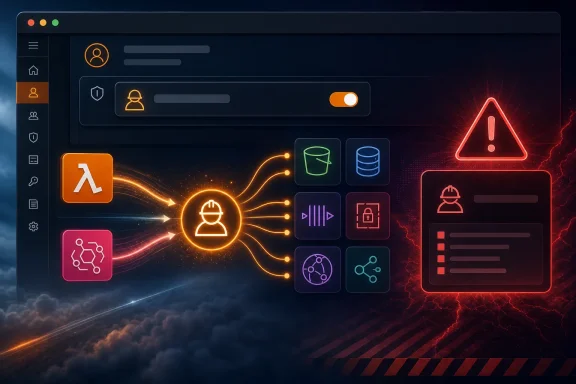
AWS detailed the feature in an August 12 security blog post, describing role manager as a way to defer IAM work during prototyping rather than eliminate it. That distinction needs to be taken literally. The feature can make development accounts materially easier to use, but it does not turn automatically created roles into production-ready least-privilege identities.
The most important operational detail is that role manager is enabled per account. Organizations can restrict whether member accounts enable or use it with service control policies, according to AWS. That makes the intended boundary clear: platform teams can allow rapid role setup in sandboxes while preventing it in tightly controlled accounts.
A console shortcut with an IAM API behind it
Role manager automates role provisioning through a new IAM operation AWS calls AcquireRole. When a supported console workflow needs a role, the service asks IAM for one based on an AWS-managed role template. IAM can create a new role or return an existing matching role, which AWS says is designed to avoid spraying duplicate roles across an account.
The result is more than a redesigned “Create role” dialog. AWS is moving role selection into the resource-creation workflow itself, so a user creating an EventBridge rule can select an SQS queue or SNS topic and finish the rule without separately building a trust relationship and permissions policy.
That is useful where the required access is predictable. EventBridge has long required permissions to invoke many targets, and AWS’s EventBridge documentation confirms that execution roles are used for target invocation. But AWS also documents that Lambda, SNS, and SQS targets can use resource-based policies instead of an EventBridge execution role. In those cases, the new flow may create a role where an administrator could instead have standardized access at the target resource.
For infrastructure teams, that is a governance choice rather than an automatic improvement. A role is easier to inspect as an individual IAM object, while resource policies can centralize authorization on the queue, topic, or function being invoked. Role manager does not settle that architectural question; it makes one route much faster to take.
AWS’s earlier March 2026 announcement about embedded role-creation controls in service workflows already covered an inline way to configure roles in selected consoles. Role manager goes further by offering an account-wide automation setting and templates that can create or reuse roles without requiring the builder to design permissions first. The March feature was initially limited to named services and the US East (N. Virginia) Region, with gradual expansion promised. AWS’s new role-manager announcement does not clearly state a region matrix, a full supported-service list, or rollout schedule in the post itself. Administrators should check the IAM documentation and the individual service console before assuming a workload is covered.
Lambda starts quickly with broad privileges
The sharper security consequence appears when a service runs customer code. AWS cannot determine in advance whether a new Lambda function will read S3 objects, publish to SNS, query DynamoDB, write logs, invoke Bedrock, or call an internal API. Role manager therefore attaches an execution role with the AWS-managed PowerUserAccess policy and a Lambda-only trust relationship.
AWS describes that policy as excluding IAM, AWS Organizations, and account-management permissions. That description is accurate, but it can understate its reach. The current policy uses a NotAction statement that allows virtually every action in every AWS service except those three service families, with a few limited exceptions added back for account and IAM service-linked-role tasks.
In practical terms, a Lambda function with PowerUserAccess may not be able to create an IAM user or edit an IAM policy, but it can still have exceptionally consequential permissions across the rest of an AWS account. Depending on the resources and policies already present, it could create, modify, or delete compute, storage, databases, networking resources, messaging configurations, secrets-related resources, and many other service objects.
This is the part administrators should treat as a production gate, not an eventual cleanup item. A function created with role manager should be regarded as a development workload with a deliberately expansive identity until its policy has been reviewed and replaced. The fact that the role trusts only lambda.amazonaws.com limits who can assume it; it does not narrow what the function can do after assuming it.
AWS is candid about the intended workflow: enable role manager while building, then refine roles before production. That is sensible guidance, but it creates a management obligation that organizations need to enforce outside the feature itself. A developer can create a Lambda in minutes; an unreviewed function can also remain in a development account for months, accumulate production-like data access, and become difficult to untangle later.
Access Analyzer helps, but it cannot see every permission need
AWS’s remediation path is IAM Access Analyzer, which can generate a policy from CloudTrail-recorded activity and surface unused access. It is a valuable tool, but it should not be mistaken for an automatic proof of least privilege.
AWS documentation says generated policies are based on access activity within a selected period of up to 90 days. It also identifies several limitations that matter in real deployments: policy generation does not capture iam:PassRole, and it does not identify action-level use for data events such as Amazon S3 data events. A policy generated from observed activity can therefore be incomplete if the observation window missed a scheduled path, a disaster-recovery procedure, a low-frequency integration, or a data-plane action that is not represented at action level.
The safer process is to use the generated policy as a review artifact, test it under representative traffic, then attach it only after validating expected failures and edge cases. Teams should retain CloudTrail coverage and document exceptional actions rather than treating the analyzer’s output as a one-click replacement for PowerUserAccess.
There is also a pricing detail worth separating from the marketing message. AWS says disabling role manager provides unused-access analysis at no additional cost for 90 days. AWS’s general IAM Access Analyzer documentation, however, states that unused-access analysis is normally charged based on the number of IAM roles and users analyzed each month. The practical reading is that the free 90-day period is a role-manager transition benefit, not a permanent blanket waiver. Teams relying on it should confirm what happens after the 90-day window and whether the account already has an unused-access analyzer with billable coverage.
The permission boundary stays with the person creating the resource
Role manager does not use a magical privileged identity that bypasses ordinary IAM delegation. AWS says it creates roles using the permissions of the person or role initiating the console workflow. Creating a new role requires the permissions that the applicable template needs, including role-creation and policy-attachment capability; reusing an existing matching role requires access to inspect the role and template version.
That design is preferable to silently granting every console user the ability to mint service roles. It also means a feature rollout will not automatically work for developers operating under strict permission boundaries. The console will report missing permissions, but the resolution should not be to grant wide iam:* authority just to make role manager work.
A better approach is to examine the templates and allow only the role-management actions required for approved service workflows, with naming paths, permissions boundaries, tags, and resource constraints where possible. The new convenience feature should fit existing IAM delegation models, not become a reason to loosen them.
AWS says each role created by role manager records the template from which it came, and that IAM’s GetRole and ListRoles responses expose that reference. That metadata gives security teams a workable starting point for inventory. It should be incorporated into routine reviews: identify template-created roles, find ones still carrying PowerUserAccess or similarly broad policies, and track whether they have been converted into standard customer-managed roles before production use.
Development acceleration needs a deployment control
The best use for IAM role manager is likely a contained development account where the goal is to test a Lambda handler, create an EventBridge integration, or validate an AWS service workflow without spending the first hour writing a trust policy. It reduces friction at exactly the point where IAM has historically pushed developers toward copied policies and overly broad templates.
It is a weaker fit for a production account governed through CloudFormation, CDK, Terraform, review gates, and centrally managed IAM patterns. Infrastructure as code preserves the role definition alongside the application, provides a durable approval record, and makes policy changes reproducible. A console-created role can be inspected and changed, but it begins outside that normal deployment history.
AWS’s new control is therefore best understood as an on-ramp, not a new IAM operating model. Enable it where fast experimentation is the priority, use service control policies to preserve the boundary between sandbox and production accounts, and make removal of PowerUserAccess a release requirement. The first role manager creates may get an application running in minutes; the policy attached before that application handles real workloads is the one that determines its security posture.