
VideoCardz first drew attention to the expanded trigger list, while Battlefield Comms has explicitly said the RTX 50 Series crashing issue is fixed in the August 4 update. That is a more useful answer for affected PC players than the initial advisory, which concentrated on crashes on maps such as Tsuru Reef and treated a driver rollback as the practical escape route.
The patch went live at 8:00 UTC on August 4. It is a Battlefield 6 client update, not a new GeForce driver release, and DICE has not made a particular NVIDIA driver version a prerequisite for the repair.
 The water-map explanation was incomplete
When Battlefield Studios acknowledged the issue in July, its public diagnosis was narrow: some players could encounter a GPU driver crash on maps with large bodies of water, including Tsuru Reef. Its own data pointed to NVIDIA GPUs, with reports concentrated among GeForce RTX 50 Series cards, and it warned that the condition did not affect every RTX 50 owner.
GamingBolt independently reported that initial guidance and the temporary recommendation to use NVIDIA driver 596.49. That workaround made sense for players repeatedly crashing on Tsuru Reef, especially after Battlefield 6’s Season 4 update put a major naval-warfare map into the rotation.
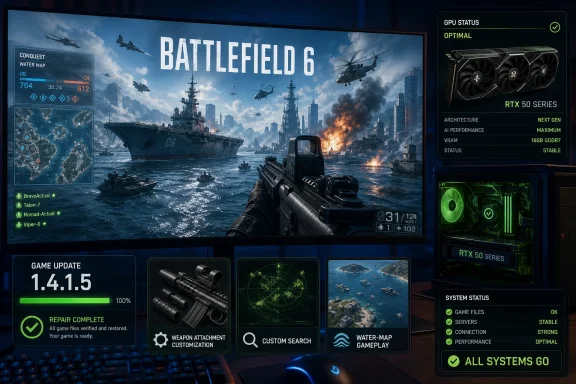
Update 1.4.1.5 changes how that problem should be understood. The formal stability entry covers a driver crash on “certain NVIDIA GPUs” under three conditions:
- Changing attachments on the SOR-300SC could trigger a driver crash.
- Using Battlefield 6’s Custom Search feature could trigger a driver crash.
- Playing maps with large bodies of water could trigger a driver crash.
Those are materially different points in the game. One occurs in weapon customization, one in a matchmaking or playlist-selection flow, and one during gameplay and rendering. Avoiding Tsuru Reef therefore was never a reliable containment strategy for a player whose crashes instead occurred while modifying a SOR-300SC loadout or using Custom Search.
The SOR-300SC is a compact .300 BLK carbine available through Battlefield 6’s Season 1 catch-up path, according to EA’s weapon documentation. This was not a crash associated solely with newly introduced Season 4 water content or a niche graphics setting; it could occur while interacting with an established weapon’s attachment menu.
DICE fixed the game-side trigger, but has not explained the fault
The terminology in the notes deserves care. DICE calls this a driver crash, but the remediation arrived in a game update rather than an NVIDIA driver. That establishes that Battlefield 6 contained code, content, or a sequence of calls capable of provoking the failure. It does not establish whether the underlying defect sat solely in DICE’s code, NVIDIA’s driver, or the interaction between the two.
DICE previously said it was working with NVIDIA to identify a resolution. Neither the 1.4.1.5 notes nor Battlefield Comms’ RTX 50 confirmation identifies the affected GPU models beyond the public RTX 50 Series emphasis, names the driver branches involved, supplies an error signature such as a DXGI device-removed code, or says whether all three triggers shared the same technical root cause.
That omission matters because the three scenarios could be linked by one asset-loading or GPU-resource-management defect—or they could be several outwardly similar crashes grouped under one patch-note item. The release notes do not say. Players should not infer, for example, that an attachment-menu crash proves a water-rendering bug, or vice versa.
There is also a scope mismatch worth watching. Battlefield Comms described the issue as fixed for GeForce RTX 50 Series GPUs. The actual changelog uses broader wording: “certain NVIDIA GPUs.” DICE’s original advisory likewise said reports were more concentrated on RTX 50 cards, rather than exclusive to them.
The practical reading is that RTX 50 owners were the most visible affected group, not necessarily the whole affected population. Owners of older GeForce hardware who saw the same kind of driver reset should install 1.4.1.5 as well, rather than dismiss the fix as a 50 Series-only patch.
Do not rush to undo a stable driver rollback
Players who rolled back to 596.49 and can now play reliably should install Update 1.4.1.5 first, then test their normal workload before changing anything else. DICE has fixed the listed game triggers, but it has not issued a statement explicitly withdrawing the 596.49 workaround, certifying a replacement NVIDIA driver, or declaring every RTX 50 and driver combination clear.
That does not mean the rollback remains necessary. It means there is no technical reason to turn a successful recovery into a new variable immediately. Install the game patch, test the situations that previously failed—Custom Search, SOR-300SC attachment changes, and the affected maps—and only then decide whether a driver change is warranted.
For a clean test, keep the configuration controlled:
- Verify that Battlefield 6 has received Update 1.4.1.5 before changing drivers, graphics settings, overclocks, DLSS options, or overlays.
- Test the specific trigger that caused the prior failure instead of treating one successful match as proof that all paths are resolved.
- Record the GPU model, NVIDIA driver version, Battlefield 6 build, map or menu action, and any displayed error if a driver crash recurs.
- Use DICE’s technical-issues channel for a repeatable post-patch failure, because the vendor has asked players to provide GPU, driver, map, and crash-report details while it investigates.
This is especially relevant for Windows users who used Display Driver Uninstaller or a clean install to reach 596.49. A driver rollback can solve one game-specific compatibility problem while dropping later fixes for other games, applications, display configurations, or Windows graphics features. Update 1.4.1.5 offers a path to stop treating Battlefield 6 as the reason to remain pinned to an old driver, but it is not a blanket endorsement of every newer NVIDIA release.
The patch addresses reliability, not broad RTX 50 performance complaints
Outside the NVIDIA crash repair, 1.4.1.5 is a conventional quality-of-life patch. It improves deployment presentation by making soldier models, HUD elements, and UI appear more quickly after joining a match; fixes a water-related falling animation; corrects M123K underbarrel attachment visuals; and repairs PP-19 challenge tracking for SMG suppression assists.
Tsuru Reef receives two additional fixes beyond the crash item. Players should spawn properly during the PAX insertion sequence in Breakthrough, and DICE has corrected visual corruption near Objective C that could produce intense flashing. The latter is distinct from the RTX 50 driver-crash fix, but it reinforces that the new water-focused map had more than one presentation and stability issue following Season 4’s rollout.
Portal Battle Royale also gets a concrete synchronization repair: supply crates should remain synchronized when a player crashes and rejoins. Other fixes cover a blank Loadouts screen reached through a Battlefield Pro Challenge deep link, a looping lobby-join sound when starting Battle Royale, and tanks that remained stunned if entered immediately after sabotage ended.
What the notes do not promise is equally clear. DICE does not claim improvements to general RTX 50 frame rates, frame-time consistency, 1% lows, DLSS Frame Generation behavior, every black-screen report, or every generic DirectX device-lost error. Those are separate symptoms unless DICE ties them to this particular repair.
The actionable change is straightforward: Battlefield 6 players who experienced an NVIDIA driver crash—whether on Tsuru Reef, in Custom Search, or while configuring the SOR-300SC—should update to 1.4.1.5 and retest the exact failure path. The old advice was to avoid newer drivers; the current evidence says the first thing to update is the game.
