
That distinction is missing from BGR’s framing of the releases as Apple quietly fixing undisclosed security issues on “long-since-dead” platforms. Apple’s own security-release index lists no published CVE entries for either update. Independent reporting from TidBITS, Heise Online, and The Eclectic Light Company reached the same conclusion: the releases extend service certificates rather than patch identified operating-system vulnerabilities.
For owners of old Macs—and for IT teams that still have a few in inventory—the update is still worth installing. It prevents a predictable service failure next year. But it does not make Catalina or Big Sur suitable substitutes for an actively patched operating system.
 Catalina is macOS 10.15, not macOS 15
BGR’s article also contains a basic versioning error that changes how readers should interpret its support timeline: Catalina is macOS 10.15, not “Catalina (15).” macOS 15 is Sequoia, released years after Catalina.
The precise versions matter because Apple’s naming has become unusually easy to misread. The company moved from macOS 14 Sonoma and macOS 15 Sequoia to macOS Tahoe 26 in 2025, adopting the year-based numbering used across its other platforms. Catalina, by contrast, dates to 2019 and remains on the 10.x numbering scheme.
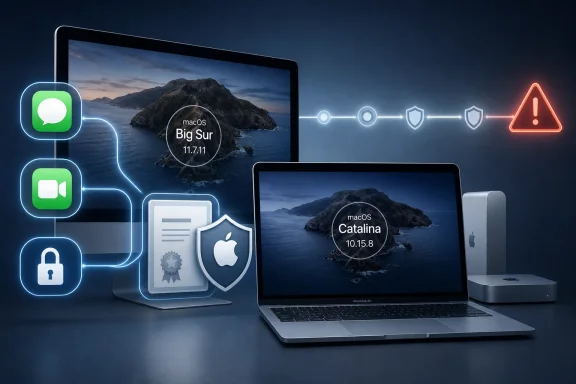
Apple’s current macOS version reference identifies Catalina’s final updated release as 10.15.8 and Big Sur’s as 11.7.11. Those builds exist, and the February release was real. Neither fact means the systems have rejoined Apple’s normal patch cadence.
That is a familiar but hazardous problem in endpoint management: an operating system can still receive a one-off installer, certificate refresh, or compatibility fix after its mainstream security servicing has ended. Seeing an update notification is not the same as seeing a renewed support commitment.
The February update was about Apple services, not new exploit fixes
The practical purpose of the February 2 releases was service continuity. Apple updated older versions of iOS, iPadOS, watchOS, Catalina, and Big Sur together because certificates used by services such as Messages, FaceTime, and device activation were approaching expiration.
Without the refresh, users could have encountered failures after January 2027—particularly painful on machines being reactivated, restored, or handed to another user. A Mac that cannot complete activation cleanly or use expected communication services is a problem even if it otherwise still boots and runs local software.
That makes Catalina 10.15.8 and Big Sur 11.7.11 essential maintenance releases for anyone deliberately keeping those systems online. Calling them security updates is understandable in the loose sense that certificates are part of a platform’s trust infrastructure. But calling them evidence that Apple is actively remediating unknown vulnerabilities on Catalina and Big Sur goes beyond the public record.
Apple did not publish CVE entries for either release. Heise Online reported that the macOS releases contained no security-relevant bug fixes beyond the new certificates, while TidBITS described the same service-expiration objective. No second body of reporting has established that Apple secretly bundled vulnerability remediation into the two packages.
This is more than terminology. A business that marks Catalina or Big Sur “supported” because the devices received a February update may leave users running browsers, system frameworks, and network-facing components without fixes for newly discovered flaws.
Apple’s three-version pattern is real, but it is not a policy promise
BGR is on firmer ground when it notes that Apple has generally supplied regular security fixes for its three newest macOS generations. Through 2026, that has meant Tahoe 26, Sequoia 15, and Sonoma 14. Apple’s late-July updates, for example, covered Tahoe 26.6, Sequoia 15.7.8, and Sonoma 14.8.8; security reporting described extensive vulnerability fixes across all three releases.
But Apple does not publish a formal, fixed end-of-life calendar for macOS in the way Microsoft publishes lifecycle dates for Windows releases. The three-version model is an observed pattern, not a contract administrators can plug into a compliance spreadsheet with a guaranteed retirement date.
That is why the forecast that Sonoma will lose regular updates once a successor arrives should be treated as a projection, even if it is a reasonable one. Apple can change its release schedule, extend a version for a particular issue, or issue an exceptional compatibility update to an older platform—as it did here. The company has not announced a Sonoma retirement date.
For planning purposes, administrators should assume Sonoma’s regularly serviced window is finite and build upgrade plans around hardware eligibility and application testing. They should not wait for an Apple end-of-life announcement that may never arrive.
Tahoe did not eliminate every Intel Mac
The BGR article also overstates Apple’s Intel transition by suggesting Tahoe represents “the final culling of all Intel devices.” Apple’s Tahoe compatibility list says otherwise.
macOS Tahoe 26 still supports several Intel Macs: the 2019 Mac Pro, the 2020 iMac, the 16-inch 2019 MacBook Pro, and the four–Thunderbolt port 13-inch 2020 MacBook Pro. The list is narrow compared with prior macOS releases, and many Intel models were left behind, but it is not an all-Intel cutoff.
That nuance affects upgrade decisions. An organization with one of the remaining supported Intel models can move to Tahoe and stay on Apple’s current release line. A fleet of older Intel hardware may be limited to Sequoia, Sonoma, Ventura, Big Sur, or Catalina depending on model—and those differences can split one Mac estate into very different patch and application-support categories.
The existence of a Big Sur or Catalina update does not solve that fragmentation. It only means those two older branches have received a certificate extension that keeps particular Apple services alive into 2027.
What Mac owners and mixed-fleet admins should do
The immediate action is straightforward: install Big Sur 11.7.11 or Catalina Security Update 2026-001 on any affected Mac that must retain iMessage, FaceTime, and reliable activation after January 2027. Treat the update as a required continuity fix, especially for machines that will remain in service, storage, or resale channels.
After that, the security posture needs a separate decision:
- Macs capable of running Sonoma, Sequoia, or Tahoe should be moved to the newest release that is compatible with required applications and peripherals, then kept on the current point release.
- Macs that cannot move beyond Catalina or Big Sur should be identified as legacy endpoints rather than silently counted as current because Software Update offered a package.
- Organizations using MDM should record the actual build numbers—10.15.8 and 11.7.11—and separate certificate-maintenance compliance from vulnerability-patch compliance.
- Devices kept for offline workflows, old hardware control, or archival access should have their network exposure minimized, since their operating systems do not receive the routine security fixes delivered to Apple’s current macOS branches.
The February releases are good news for people who need older Macs to keep functioning. They are also a reminder that Apple can preserve a service dependency without reviving an operating system’s security lifecycle. Catalina and Big Sur will remain usable after the certificate update; they should not be mistaken for fully maintained platforms.
