

BGR’s August 1 overview correctly identifies the central risk: skipped updates leave vulnerabilities, bugs, and compatibility improvements unaddressed. But several of its details flatten important distinctions that matter to anyone administering a MacBook rather than merely postponing an inconvenient reboot. The practical answer is not “always install every major macOS release immediately.” It is: install security updates promptly, defer major upgrades deliberately, and know when Apple has ended the support runway for your particular hardware.
As of August 9, Apple lists macOS Tahoe 26.6 as the current macOS release. It also released macOS Sequoia 15.7.8 and macOS Sonoma 14.8.8 on July 27, 2026. That three-version patch set is the key fact omitted by a blanket warning against skipping an annual upgrade: remaining on Sequoia or Sonoma does not presently mean abandoning security maintenance.
Automatic Updates Has More Than One Switch
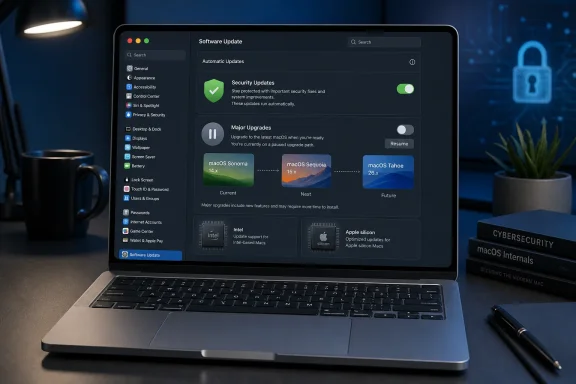
Apple does let MacBook owners choose when updates arrive. In System Settings, go to General, then Software Update, and use the information button beside Automatic Updates. The settings are separate: downloading available updates, installing macOS updates, installing App Store app updates, and installing system files and security updates are not one all-or-nothing control.
That distinction is where the supplied advice needs correcting. Switching off “Download new updates when available” prevents automatic downloads, while disabling “Install system data files and security updates” blocks smaller background protections as well. But a user can leave the latter enabled and still retain control over when a full macOS update installs. For a user who needs a maintenance window, that is the sensible configuration.
Apple calls these smaller protections Background Security Improvements, security-configuration updates, and system data files. They include updates to XProtect malware detection and remediation, Gatekeeper-related configuration, compatibility blocklists for kernel extensions, and other security data. Some apply without a restart; others take full effect after the next reboot. Disabling them removes a layer of protection that is specifically designed to arrive between conventional point releases.
For managed Macs, the equivalent policy should be clearer: permit rapid and background security delivery, stage point releases through a pilot group, and schedule major-version upgrades after validation. Treating a macOS 26.6 security release the same way as a move from Sequoia 15 to Tahoe 26 imposes the wrong operational trade-off.
A MacBook owner who simply clicks “Later” for a day or waits for a known application to be certified is making a normal maintenance choice. A MacBook that has not installed a point update in months is accumulating known defects that may already have public exploit details, proof-of-concept code, or malware coverage associated with them.
A Version Number Correction Changes the Timeline
BGR’s article refers to a move from “macOS 18 (Sequoia)” to “macOS 26 (Tahoe).” That is incorrect. macOS Sequoia is version 15, released in September 2024. Apple changed its operating-system naming scheme in 2025 to align the version number with the following calendar year, making Tahoe macOS 26.
The correction is more than cosmetic. Mac owners looking at System Settings need to compare the actual installed release against the versions Apple is still patching. At present, the relevant mainstream branches are Tahoe 26, Sequoia 15, and Sonoma 14. An owner on Ventura 13 or older should not assume that an offered background update means the system is receiving the same level of full security maintenance as those three releases.
Apple’s July 27 security release cycle illustrates the point. Tahoe 26.6, Sequoia 15.7.8, and Sonoma 14.8.8 were all issued together, which means an administrator with a critical legacy application can postpone Tahoe while retaining an Apple-supported patch path. That is a materially safer position than staying on an unpatched 13.x or 12.x installation because an upgrade might inconvenience a workflow.
It also means the claim that you must run “the latest version of macOS” to receive background security improvements is too broad. Apple documents background-update settings for Tahoe 26, Sequoia 15, Sonoma 14, Ventura 13, and earlier macOS versions, with wording that varies by release. The availability and usefulness of individual background protections can differ by OS generation, but they are not reserved solely for the newest annual release.
The same qualification applies to browser support. BGR warns that failing to upgrade macOS can break compatibility with Safari. Apple’s own release history shows Safari 26.5.2 shipping for Sonoma and Sequoia in June 2026, even though Tahoe was already current. Eventually, an old operating system will fall behind the Safari, WebKit, certificate, and developer support baseline—but “you did not install the newest macOS, so Safari breaks” is not how that transition normally occurs.
Security Patches Are the Part You Cannot Safely Ignore
Minor macOS releases are not merely polish. Apple’s security advisories tie many releases to CVE entries across components such as the kernel, WebKit, Bluetooth, Wi-Fi, sandboxing, graphics drivers, and system services. The risk is not that a skipped update inevitably makes a MacBook slow. The risk is that it leaves the machine on vulnerabilities for which the vendor has already made a fix available.
That risk increases sharply for MacBooks used for work, banking, privileged administrative access, software development, or corporate VPN connections. A local vulnerability might require an attacker to first gain code execution through a malicious download or compromised account, but that is precisely why layered maintenance matters: browser fixes, malware definitions, system hardening data, and operating-system patches compensate for one another.
The ability to delay an update should not be confused with a safety guarantee. Apple’s Software Update pane may offer the most appropriate update available to the device, but it does not promise that all old installations will remain patched forever. Apple does not publish a fixed, contractual “every Mac gets security updates for X years” policy for its operating systems.
The article’s statement that Apple generally supports MacBooks for “at least eight years” mixes two separate lifecycles. Apple’s vintage and obsolete classifications describe hardware repair eligibility based on when a product was last distributed for sale. A product is generally vintage after more than five years and less than seven years, then obsolete after more than seven years. Those labels tell an owner about parts and service availability; they do not establish a guaranteed macOS-security-support period.
Software support is determined by the Mac model and the macOS version it can run. A Mac can be vintage while still receiving a supported macOS update, or it can lose the newest macOS release before it becomes vintage. Anyone planning around an eight-year rule is planning from the wrong calendar.
Intel MacBooks Still Have a Patch Window, Not an Upgrade Path
The looming exception is Intel hardware. Apple has confirmed that macOS 27, expected later in 2026, requires Apple silicon. Tahoe 26 is the final annual macOS release compatible with the remaining supported Intel Macs, including the 2019 16-inch MacBook Pro, selected 2020 13-inch MacBook Pro configurations, the 2019 Mac Pro, and the 2020 Intel iMac.
BGR is right that Intel Mac owners will soon be unable to move to the newest macOS, but wrong to suggest that Apple will then have no obligation to patch a serious flaw. Apple has stated that Intel Macs on macOS Tahoe will continue receiving security updates for three years after macOS 27 arrives. Ars Technica’s reporting on Apple’s transition details likewise places the remaining Tahoe-on-Intel security and Safari support at roughly two more years after the release of macOS 27, depending on when in the release cycle the count is measured.
The more durable conclusion is that a compatible Intel MacBook is entering a defined maintenance-only phase, not immediate abandonment. For the next several years, the right action is to keep Tahoe’s point releases current and verify that security and background update settings remain enabled. There is no defensible reason for an Intel Mac owner to skip Tahoe 26 security updates merely because macOS 27 will be unavailable later.
After Apple’s stated Tahoe security window ends, the equation changes. A MacBook still capable of daily browsing and email may no longer be appropriate for sensitive accounts, enterprise access, or work involving untrusted documents and downloads. It may remain useful with a supported alternative operating system, isolated tasks, or a restricted local role, but that is a retirement plan—not an update strategy.
The Safer Deferral Policy
A cautious MacBook owner does not need to race into every annual redesign on day one. Major releases can change driver behavior, remove legacy components, alter security controls, and expose application incompatibilities that matter in production. The real failure is letting that caution become an indefinite freeze.
A practical policy is straightforward:
- Leave automatic installation of security responses, system data files, and background security improvements enabled.
- Install macOS point releases such as Tahoe 26.6, Sequoia 15.7.8, or Sonoma 14.8.8 promptly after a short validation period.
- Defer an annual major release only while testing essential applications, peripherals, VPN clients, endpoint-security software, and management tools.
- Keep a tested backup before any major upgrade, because Apple does not make routine downgrades simple or supportable.
- Check the exact Mac model against Apple’s compatibility list and plan a replacement before its final supported macOS branch reaches end of security maintenance.
The immediate action for a MacBook that has been “skipping updates” is not necessarily to install macOS 27 when it arrives. It is to open Software Update, identify the installed version, and move to the newest security release available for that supported branch. On August 9, 2026, that means Tahoe 26.6, Sequoia 15.7.8, or Sonoma 14.8.8—not an indefinite wait for the day an old MacBook is forced out of the patch stream.