

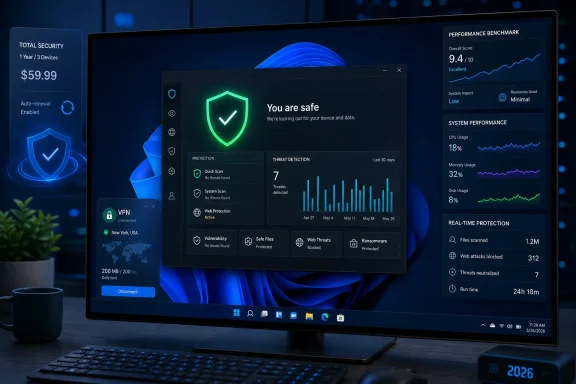
The useful conclusion for Windows users is more specific: Bitdefender is a top-tier protection suite with an unusually broad consumer feature set, but it is not the independently verified lightest suite and its pricing is more volatile than the review suggests. It is a sensible choice for households that want cross-platform coverage, but buyers should validate the checkout total, renewal terms, and which features are actually enabled on every device.
The detection claim holds up — as a top tier, not a solo winner
The supplied Gizmodo review reports 99.8% detection in its own malware set and calls it the highest result measured on that test PC. That is a valid result for that review’s sample set, but it cannot be generalized into a claim that Bitdefender out-detects every competitor across the market.
The independent record puts Bitdefender among the leading group rather than alone at the front. AV-TEST’s May–June 2026 Windows 11 test gave Bitdefender Total Security 27.0 a perfect 18 out of 18: six points each for protection, performance, and usability. It scored 100% against widespread malware in both months, while its real-world zero-day result was 99.9% in May and 100% in June. That is an excellent result, and it confirms that the basic case for Bitdefender is not marketing fiction.
AV-Comparatives’ March 2026 Malware Protection Test tells the more nuanced story. Bitdefender produced a 99.94% online protection rate across 10,000 test cases, with four false alarms. That is strong, but F-Secure and TotalAV posted 99.98%, while Avast, AVG, Kaspersky, McAfee, and Norton reached 99.97%. Bitdefender’s four false alarms were lower than many competitors, yet Kaspersky and Microsoft Defender each recorded fewer in that particular test.
The lab’s February–May 2026 Real-World Protection Test is arguably more relevant to ordinary Windows use because it evaluates web-delivered threats and the protection layers that come into play before a file runs. Bitdefender blocked 398 of 400 cases for a 99.5% protection rate. Kaspersky led that test at 99.8%; Avast, AVG, and Norton each posted 99.3%; Microsoft Defender came in at 99.0%.
That evidence supports describing Bitdefender as an excellent protection choice. It does not support presenting a 99.8% result from a private sample set as an industry-wide win. For admins and advanced users, the distinction matters: a home-lab malware collection is useful for regression testing, but it is not a substitute for a published methodology, a controlled sample corpus, or a comparison of contemporaneous product builds.
“Lowest system cost” conflicts with the public benchmark
The sharper discrepancy is performance. The Gizmodo review says Bitdefender was the lightest suite tested on its Ryzen 7 5800X desktop, using 0.1% CPU and roughly 190 MB of memory at idle, adding eight seconds to boot time, and reaching 11% CPU during a full scan. Those are credible-looking measurements from a fast Windows 11 Pro system, and they suggest Bitdefender will not turn a reasonably equipped PC into a sluggish one.
But AV-Comparatives’ April 2026 Performance Test ranks Bitdefender ninth out of 19 products by its impact score, where lower is better. Bitdefender’s score was 9.6. McAfee led that test at 3.3, followed by Kaspersky at 3.5, ESET at 4.2, Trend Micro at 4.7, Norton at 5.3, and Avast and AVG at 5.5.
This is not proof that the Gizmodo benchmark is fabricated. The two tests measure different workloads: a reviewer’s idle RAM, boot-time, and live-scan observations are not the same as AV-Comparatives’ standardized application-launch, install, copy, download, and website-loading tests. But the discrepancy does prove that “lowest system cost” is an overstatement.
Bitdefender may be exceptionally quiet on a particular system, especially once its Photon optimization has learned the machine’s stable files. It is not the lightest product in the latest comparable public performance ranking. For an older PC, the practical advice is to trial it rather than buying on a performance superlative alone. The product supports a 30-day trial, and a week of normal use with your own line-of-business apps, browser extensions, games, VPN client, and OneDrive configuration will answer more than a benchmark from somebody else’s desktop.
The VPN limitation is real, and the higher tiers are doing more work
The Gizmodo review is right to call Bitdefender’s standard VPN allocation restrictive. Bitdefender’s own Total Security documentation confirms that the included VPN is limited to 200 MB per device per day, or 6 GB per month. That is enough for occasional use on public Wi-Fi, checking a bank account from a hotel, or a short privacy-sensitive session. It is not enough for streaming, frequent remote work, cloud backup, large downloads, or leaving the VPN connected full-time.
That limit changes the value calculation. Total Security remains a feature-rich suite at its advertised first-year price, particularly for users who want Windows, macOS, Android, and iOS coverage under one subscription. But it should be bought for endpoint protection, password management, device optimization, web filtering, and parental tools — not because it includes a meaningful VPN service.
Premium Security and the Ultimate plans include unlimited Premium VPN access. For a household already paying separately for a reputable VPN, the higher tier can make arithmetic sense. For a user who already has a VPN they trust, or who only needs basic antivirus protection across a few devices, the upgrade can be wasted spend.
The same caution applies to the identity-protection plans. Bitdefender’s Ultimate Security Plus service requires a valid Social Security number for its identity theft protection and restoration features. That makes the identity layer materially U.S.-specific, regardless of the fact that its endpoint security component is sold across platforms and markets. Windows users outside the United States should not pay a premium for a feature whose core benefits are unavailable to them.
The pricing record already disagrees with the review
The supplied review lists Total Security at $59.99 for the first year and $109.99 at renewal, with the 25-device Total Security Family plan at $79.99 and $139.99. Those numbers are central to its recommendation that the Family tier is unusually cheap at renewal.
Bitdefender’s own U.S. Total Security page currently shows a different structure: $59.99 for an individual five-device first year, $79.99 for the 25-device Family first year, then $119.99 and $159.99 respectively for a two-year purchase option displayed on the page. The exact relationship between those figures and auto-renewal pricing is not clearly explained in the visible product-page pricing data. Meanwhile, the related Gizmodo comparison page shows $54.99 for Total Security’s first year and a $109.99 annual renewal figure.
Those are not trivial differences. A buyer following the review could budget around a $139.99 Family renewal, while the vendor’s product page now presents a higher $159.99 figure in its displayed pricing configuration. The likely explanation is a mix of campaign pricing, region-specific offers, checkout state, and different subscription terms. The important point is that the review’s pricing table is not a durable price list.
Before purchasing, check these three items in the final checkout flow:
- Confirm whether the displayed amount is a one-year promotional price, a two-year bundle, or an automatic-renewal price.
- Confirm the exact number of accounts and devices included, because “Family” plans are marketed separately from individual plans even when both use the Total Security name.
- Turn off auto-renewal if you intend to reassess at term end, then record the expiration date rather than relying on a review’s renewal estimate.
Verify ransomware remediation rather than assuming it is active
The supplied review’s most consequential usability claim is that Ransomware Remediation ships disabled and requires a manual trip to the Protection page. Bitdefender’s documentation confirms that the feature has its own switch and that Automatic Restore is separately configurable. It also states that users should keep Ransomware Remediation enabled. What the documentation does not establish is a universal default state for every new 2026 consumer installation, region, product tier, or Windows configuration.
That leaves the review’s default-off claim insufficiently corroborated. It may have been true on the reviewer’s Windows installation, but no independent reporting or Bitdefender support document located for this review establishes it as the standard default across all consumer deployments.
The operational response is straightforward. After installation, open the Bitdefender Windows client, go to Protection, and inspect the Ransomware Remediation panel. Confirm the feature is enabled, then open its settings and decide whether Automatic Restore is appropriate for the device. On a managed Windows machine, that check belongs in the deployment checklist, alongside confirming firewall policy, web protection, update status, backup health, and exclusions for trusted in-house software.
Bitdefender’s core value remains real: AV-TEST and AV-Comparatives both place it in the leading protection group, and its 99.5% real-world result is better than Microsoft Defender’s 99.0% in the latest AV-Comparatives test. The corrected buying case is simpler than the headline. Choose Bitdefender Total Security when you want strong third-party-tested protection and multiplatform household coverage; choose Premium only if the unlimited VPN replaces a service you would otherwise buy; and do not pay based on a claimed “lowest system cost” or a renewal price that the vendor’s own live store no longer consistently shows.