
ZDNET’s July 31 guide on keeping AI conversations private arrives as consumer chatbots become less like disposable search boxes and more like persistent assistants. They remember details, accept files and voice recordings, connect to cloud services, browse pages, and can pass requests to third-party tools. Each useful feature can create another copy of data or another organization that handles it.
For Windows users, the practical goal is not to find a magic “private” button. It is to minimize what leaves the PC, stop optional training and memory where appropriate, limit connected services, and understand the difference between a chat that is excluded from training and one that is never retained.
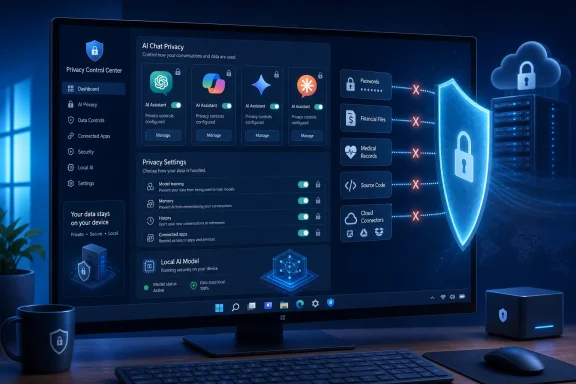 The Prompt Is Still the Largest Privacy Decision
Privacy controls matter only after a user has decided what to send. A chatbot can redact, summarize, translate, debug, or draft from a sanitized extract just as well as it can from the original document in many everyday cases.
Instead of uploading a complete employee spreadsheet, replace names with roles and remove addresses, phone numbers, account numbers, and unique identifiers. Instead of dropping a production log into a consumer chatbot, isolate the relevant error messages and scrub hostnames, IP addresses, tokens, internal URLs, and customer references. For source code, provide a reduced reproduction of the bug rather than a repository export.
This is especially important with files, screenshots, and voice mode. A screenshot may reveal browser tabs, notification banners, account names, location clues, document metadata, or a second monitor reflected in an image. Voice conversations can contain other people’s information, while a seemingly harmless PDF may include tracked changes, hidden sheets, comments, or embedded metadata.
The rule for IT departments is straightforward: if the organization would not permit the information in a public ticket, do not let employees put it into a personal AI account. The answer is not necessarily to ban AI; it is to set an approved path for the work that genuinely needs it.
“Not Used for Training” Does Not Mean “Not Stored”
The most common privacy mistake is treating model-training opt-out, chat-history deletion, and temporary-chat modes as the same control. They are not.
OpenAI says ChatGPT users can disable “Improve the model for everyone” in Data Controls, preventing new conversations from being used for training while leaving chats in account history. Its Temporary Chat mode does not appear in history, does not create or use normal memories, and is not used for model improvement. OpenAI also says it may retain a copy for up to 30 days for safety purposes.
Google draws a similarly important distinction in Gemini. Turning off Keep Activity prevents future chats from appearing in Gemini Apps Activity and from being used to train Google’s AI models unless the user submits feedback. But Google says those chats can still be retained for up to 72 hours to provide the service, process feedback, and protect users and the platform.
Microsoft’s consumer Copilot has separate privacy controls for conversation-history training, voice-conversation training, personalization, and memory. Microsoft says consumer Copilot chats are stored by default for 18 months, though users can delete individual conversations or their full history. Opting out of training applies to future conversation activity; it does not remove all other processing for security, service improvement, advertising, or compliance described in Microsoft’s privacy terms.
That is the operating principle users should carry across every service: an opt-out can be meaningful and worth using, but it is not an end-to-end confidentiality guarantee.
Turn Off Memory Before It Becomes a Second Chat Archive
Persistent memory is convenient because it lets an assistant retain preferences, names, projects, dietary restrictions, travel habits, writing style, or coding context. It is also a separate category of data worth reviewing.
Disable memory or personalization where it is not needed, then inspect whatever the service says it remembers. Deleting a chat thread may not necessarily clear a separate saved-memory store, depending on the product and the setting. If you used an assistant to discuss a sensitive subject before tightening controls, remove the conversation, review saved memories, and revoke any shared links associated with it.
Microsoft makes the separation explicit: a user can opt out of generative-AI training while keeping personalization enabled. That may be the right trade-off for some people, but it is not the maximum-privacy configuration. The most private consumer setup normally means disabling both training and memory, then using a temporary session for the limited conversation that remains.
Feedback buttons deserve the same caution. OpenAI says that when a ChatGPT user submits thumbs-up or thumbs-down feedback, the associated conversation may be used to train models even if the user has otherwise opted out. Anthropic similarly says feedback can preserve the full related Claude conversation for analysis and model-improvement purposes. Do not attach sensitive material to a bug report or feedback submission merely because the normal chat setting is restrictive.
Copilot on Windows Requires an Account-Aware Approach
Copilot’s privacy posture depends heavily on where and how it is used. Microsoft’s consumer Copilot policy applies to personal Microsoft accounts and standalone Copilot experiences; it is not the same policy surface as Microsoft 365 Copilot accessed through a work or school Entra ID account.
For a personal Copilot account on Windows, open Copilot’s settings and review Privacy. Disable training on conversation activity and voice conversations if maximum privacy is the priority. Then review personalization and memory separately, and delete earlier chats that no longer need to be retained.
For organizational users, the larger question is governance. Microsoft says content and conversations from organizational Entra ID users are excluded from consumer Copilot model training, but that does not automatically make every AI workflow approved for confidential data. Administrators still need to determine which Copilot product is in use, whether it is covered by the tenant’s compliance controls, what connectors and plugins can reach, and where audit, retention, eDiscovery, and data-residency obligations apply.
A staff member signed into a personal chatbot in Edge is not transformed into an approved enterprise AI workflow merely because the task originated on a managed Windows PC. The account boundary matters as much as the application icon.
Connected Apps and Custom Bots Expand the Exposure Surface
A regular chat is only one path for data to leave your device. Modern AI products can connect to email, cloud drives, calendars, code repositories, browsers, plug-ins, and custom actions. Those features should be treated as delegated access, not as harmless conveniences.
OpenAI warns that a Temporary Chat with a custom GPT can still send information to third parties if that GPT uses actions. The temporary status governs OpenAI’s own chat handling; it does not override the recipient’s privacy policy or retention choices. Google likewise notes that Gemini features can process page content, URLs, uploaded files, audio, and data from connected apps depending on the service and settings.
Before connecting OneDrive, Google Drive, Outlook, Gmail, GitHub, or another service, ask what the assistant needs access to and whether a manual upload of a cleaned excerpt would accomplish the same task. Revoke unused connections. Avoid community-built bots for sensitive work unless their data handling, developer identity, and third-party integrations are clear.
Browser-based AI sidebars require particular care. They may receive webpage content from the active tab, selected text, URLs, or browser history. Do not invoke them while viewing payroll portals, health records, internal admin consoles, password-manager pages, or private support cases.
The Highest-Privacy Option Is Often Local Processing
When a task involves genuinely sensitive information, the safest consumer-cloud setting is still less private than keeping the workload local. A local model running on a Windows PC can avoid transmitting prompts to a chatbot provider, though it introduces different responsibilities: device encryption, malware protection, backup security, physical access, model provenance, and local log retention.
Local tools are not always the right answer. They may be slower, less capable, harder to manage, or unsuitable for teams that need centrally governed collaboration. But for offline document summarization, code assistance on protected repositories, or experimentation with private notes, they can sharply reduce exposure to third-party cloud services.
For organizations, a managed enterprise AI platform may be a better fit than either an employee’s personal chatbot or an unmanaged local model. The choice should follow the data classification: public information can tolerate broad tools; internal material needs a controlled service; confidential, regulated, or security-sensitive content may require a dedicated environment or no generative AI at all.
The private AI conversation is therefore not defined by a single toggle. It is defined by the smallest possible prompt, the least persistent mode, no unnecessary memory, no unneeded connectors, and a platform appropriate to the sensitivity of the work. On Windows, that means treating Copilot and every other assistant as a data-handling decision—not simply another app in the taskbar.
