
For Windows users who have treated the blue and red squiggles in Word as the final line of defense before publishing, sending, or submitting a document, that conclusion deserves attention. It does not mean Microsoft Editor has suddenly become worthless, nor does it establish a universal benchmark in which one AI model beats another in every form of English writing. It does reveal something more practical: the gap between a rules-driven proofing tool and a generative AI reviewer is increasingly visible in everyday work.
The important distinction is not simply that Copilot and Gemini can “write.” It is that they can be prompted to act as an editor, explain a proposed change, assess a sentence within the surrounding paragraph, and surface mistakes that are technically valid words but plainly wrong in context. That is a different class of assistance from traditional spellcheck.
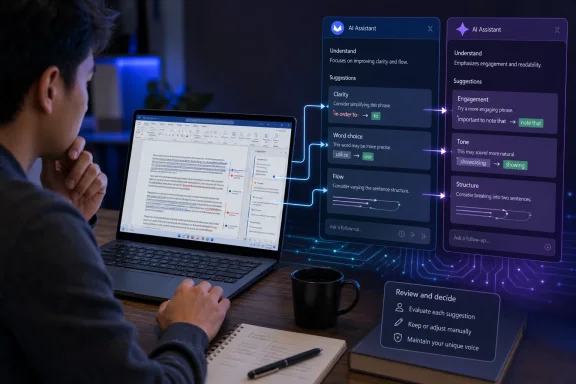 Overview: A Proofreading Test, Not an AI Writing Experiment
The reporting is especially notable because the trial was deliberately constrained. Endicott did not use Copilot or Gemini to generate articles for publication. Instead, he wrote the material himself and used the free AI services to proofread it afterward, a workflow designed to preserve human authorship while testing whether AI could provide a better editorial safety net. Windows Central describes the exercise as a month of reviewing real articles and documents rather than a one-off prompt comparison.
That matters. Generative AI is often evaluated through dramatic demonstrations: drafting an essay, summarizing a complex report, producing a block of code, or answering a factual question. Those are useful tests, but they do not necessarily reflect the daily reality of professional writing. Most writers do not need a chatbot to replace their first draft. They need a reliable second pair of eyes.
In that role, the key questions are much less glamorous:
- Can the tool spot a transposed word that spellcheck accepts?
- Can it distinguish a deliberate phrase from a typo?
- Does it preserve a publication’s style and voice?
- Can it explain why a sentence feels awkward?
- Does it identify a genuine issue without manufacturing one?
- Can the writer trust it with unpublished or sensitive text?
Microsoft Editor, Copilot, and Gemini answer those questions in fundamentally different ways. Editor is embedded in familiar Microsoft productivity workflows and categorizes suggestions around spelling, grammar, clarity, conciseness, formality, and related refinements. Microsoft says Editor in Word can analyze documents for spelling, grammar, and stylistic issues, while allowing users to focus on a category such as Grammar or Clarity. Microsoft Support
Copilot and Gemini, by comparison, begin as conversational systems. A writer must supply a prompt, decide how much text to share, inspect the response, and make the final editorial judgment. That extra effort is a cost, but it also gives the writer more flexibility. The assistant can be instructed to ignore brand names, retain a house style, list only objective errors, avoid rewrites, or provide rationale for every suggestion.
Why Context Is the Decisive Difference
The clearest criticism in the trial centers on context-sensitive proofreading. Traditional writing tools can be excellent at catching a misspelling such as “definately,” an incorrect verb agreement, or a repeated word. They have historically struggled more with errors that use valid English words in the wrong place.
A writer can type “or” when they meant “of,” for example, and a conventional spelling checker may not object because both words are correctly spelled. The sentence may still be nonsensical to a human reader. Endicott found that Copilot and Gemini routinely detected this class of error more effectively than Microsoft Editor in his own documents. Windows Central
The inverse issue is just as important: a proofing tool must avoid “correcting” text that is already correct. In one example from the test, Microsoft Editor reportedly suggested replacing “over time” with “overtime” in the sentence, “Footballs wear down over time.” That proposed change would have turned a natural phrase into an incorrect one in context. Neither Copilot nor Gemini made the same mistake. Windows Central
This is where generative AI can feel dramatically more capable. Rather than evaluating a phrase only against a limited rule or pattern, a large language model can infer the intended meaning of a sentence and compare words against that inferred meaning. It is not literally “reading” like a human editor, and it can still be wrong. But it can process relationships between words across a longer span of text.
Microsoft Editor Is More Capable Than the Simplest Spellchecker
It would be unfair to describe Microsoft Editor as a basic dictionary lookup. Microsoft positions Editor as an AI-powered service that offers grammar and writing help in more than 20 languages, with basic grammar and spelling features available free and more advanced refinement categories tied to Microsoft 365 subscriptions. Microsoft Support
In Word, users can customize many checks and disable individual categories that clash with a preferred writing style. Microsoft also supports different writing styles and refinement controls, meaning an overzealous suggestion does not have to become a permanent annoyance. Microsoft Support
That configurability remains a significant advantage. Editor is immediate, unobtrusive, and integrated directly into the application where millions of people compose documents. A red underline is faster to address than copying paragraphs into a chat window, crafting a prompt, and reviewing a multi-paragraph response.
But the Windows Central test highlights the limitation of an interface built around discrete suggestions. A chat-based assistant can discuss a sentence’s meaning, identify a potentially ambiguous reference, recommend moving a paragraph, or explain why an otherwise grammatical construction has poor rhythm. Editor can make refinements, but Copilot and Gemini can sustain an editorial conversation.
Copilot’s Strength: Flow, Voice, and Editorial Collaboration
In the comparison, Copilot came across as the more conversational and personal assistant. That personality was not always an advantage. Professional proofreading does not need praise, filler, or chatbot-style acknowledgments before getting to the edits. Still, Copilot’s conversational approach became useful when the writer asked follow-up questions about a correction or challenged a recommendation. Windows Central
The report found that Copilot was usually better at understanding a piece’s flow and recommending changes to phrasing, structure, and organization. That makes sense for opinion writing, analysis, product reviews, and feature articles, where the quality of a paragraph depends on more than punctuation. A paragraph may be grammatically perfect yet bury the key point, repeat the prior section, over-explain a concept, or shift tone without warning.
Copilot’s value in this role is not that its rewrite should be accepted automatically. It is that it can provide a credible alternative, forcing the writer to see their own sentence from another angle. A strong editor often performs the same function: not dictating the final line, but revealing that the existing one can be clearer.
Microsoft’s own guidance recognizes that Copilot output requires validation. The company advises users to check source material, independently verify key details, assess whether context is missing, and test whether an answer remains sound across different scenarios. Microsoft Support That caution applies just as much to prose edits as it does to summaries or research.
Copilot’s Conversational Style Can Also Become a Liability
The same traits that make Copilot approachable can slow down a proofreading workflow. If a user asks for a list of corrections and receives an enthusiastic preamble, a restatement of the task, softening language around obvious mistakes, and an invitation to continue, the tool has added friction rather than value.
There is also a style risk. Generative AI tools tend to prefer certain rhythms and rhetorical habits. The Windows Central trial observed familiar AI tendencies in both Copilot and Gemini, including excessive use of words such as “actually,” an affection for em dashes, and canned conversational openings. Windows Central
That tendency is a reminder that a good proofreading assistant should not quietly homogenize writing. Clean copy is not the same thing as generic copy. Editors, journalists, developers, marketers, students, and technical writers all need different voices. The best prompt will explicitly tell Copilot to preserve the author’s tone and flag issues rather than rewrite every sentence into a default AI style.
Gemini’s Strength: Mechanical Precision and Directness
Gemini was judged less bubbly but often more useful in the particular proofreading workflow. According to the trial, it generally supplied more thorough and accurate corrections for mechanical issues while spending less time on social pleasantries. The writer characterized Gemini as feeling more like an upgraded version of Microsoft Editor, whereas Copilot felt closer to a modern, conversational Clippy. Windows Central
That is a meaningful distinction. A proofreading workflow benefits from directness. A writer who has finished a 1,500-word article does not always need an assistant to brainstorm angles or improve engagement. They may simply need a clean, structured list of:
- Definite errors.
- Likely errors.
- Ambiguous or awkward wording.
- Optional stylistic improvements.
- Facts, product names, and dates that require verification.
Gemini can be directed to produce exactly that. Google also supports follow-up modifications to its responses, allowing users to ask for simplification, more detail, different tone, or another version of the answer. Google Gemini Help For writers, that means the first response does not have to be treated as the final editorial pass.
Fresh Product Names Remain a Trap
The report identifies an important weakness in Gemini: it could attempt to “correct” product names because its internal knowledge was outdated, unless specifically prompted to search the web for context. Copilot required some nudging on this point too, though reportedly less often. Windows Central
This problem is especially relevant for Windows and technology coverage. Product names, internal codenames, Windows Insider build numbers, feature branding, chipset nomenclature, game titles, and company rebrands are precisely the kinds of terms a general-purpose language model may misread as typos.
The solution is procedural rather than magical: instruct the AI not to alter proper nouns, brand names, version numbers, or quoted text without flagging them separately. When current information matters, explicitly ask it to use available web-search grounding and verify cited claims outside the chatbot before publication.
Google itself warns that Gemini Apps can make mistakes and tells users to double-check responses rather than rely on them for professional advice. Google Gemini Help Its double-check feature can use Google Search to locate material likely to support or conflict with claims in a response, but Google notes that a surfaced link is not necessarily the source Gemini used to generate its answer. Google Gemini Help
That is useful assistance, not an editorial guarantee.
Microsoft Editor’s Real Strengths Should Not Be Dismissed
The headline conclusion that Copilot and Gemini “crushed” Microsoft Editor is compelling, but the underlying test should be read as a personal field comparison rather than a controlled benchmark. It does not publish a fixed corpus, error categories, false-positive rate, acceptance rate, language settings, prompts, or repeatable scoring methodology. That does not invalidate the experience; it simply means readers should not convert one writer’s month-long result into a universal percentage claim.
Microsoft Editor retains several strengths that chatbots do not automatically replace:
- Frictionless integration: It works inside Word and can present suggestions while the writer is working.
- Fast first-pass checking: It is ideal for catching obvious errors without leaving the document.
- Configurable rules: Users can tailor the types of grammar and writing refinements they want checked. Microsoft Support
- Document-centric workflow: Suggestions appear in the same environment as comments, Track Changes, formatting tools, citations, and collaboration features.
- Predictability: A conventional tool may make fewer expansive suggestions, which can be a virtue when the goal is a narrow proofreading pass.
Editor also remains broadly accessible. Microsoft says the free service handles the basics of grammar and spelling, while Microsoft 365 adds advanced grammar and style improvements such as clarity, conciseness, formality, and vocabulary suggestions. Microsoft Support
For many people, that is enough. A student checking an essay, an employee writing an email, or a user cleaning up a short Word document may reasonably prefer Editor’s instant underlines over the more involved process of prompting an AI assistant.
The problem appears when writers mistake that first pass for a complete editorial review. Microsoft Editor is valuable, but it should be viewed as one layer of quality control, not the only layer.
The Privacy and Data-Handling Question
Proofreading is not always harmless. A draft could contain unpublished reporting, personal information, legal language, internal company plans, customer data, source material, or confidential financial details. Copying that text into a consumer AI chat service creates a separate risk that users must understand before they focus on the quality of the edits.
Microsoft says signed-in consumer Copilot users can control personalization, memories, whether conversation activity is used for training, and the retention of conversation history. Copilot conversation history may retain interactions for up to 18 months, although users can delete individual entries or clear history. Microsoft Support Microsoft Support
Google’s Gemini documentation similarly makes clear that user activity, uploaded files, and account settings affect how the service works. Gemini supports uploading documents for analysis, but users should understand the applicable account type, activity controls, and storage rules before submitting sensitive material. Google Gemini Help Google’s Privacy Hub also notes that some content shared through Gemini can be used to improve Google services with human review when relevant activity settings are enabled. Google Gemini Help
The practical rule is straightforward: do not paste confidential text into a consumer AI service unless its privacy terms, account settings, and organizational policies clearly permit it. A company using Microsoft 365 Copilot under an enterprise arrangement has different controls and commitments from an individual using a free consumer chatbot. Those environments should not be treated as interchangeable.
A Better Proofreading Workflow for Windows Users
The strongest lesson from this comparison is not “replace Microsoft Editor.” It is to use the right tool at the right stage.
A practical multi-layer workflow can look like this:
- Write the first draft without chasing every squiggle.
Get the facts, structure, argument, and voice onto the page first. Constantly accepting micro-suggestions can interrupt thought and lead to timid prose. - Run Microsoft Editor inside Word.
Correct obvious typos, punctuation errors, repeated words, and standard grammar issues. Use its categories to identify a quick set of mechanical fixes. Microsoft Support - Use Copilot for flow and editorial review.
Ask it to identify weak transitions, repeated points, unclear paragraphs, inconsistent tone, and areas where the argument arrives too late. Insist that it preserve your voice and show suggested edits separately. - Use Gemini for an independent mechanical pass.
Ask for a concise list of grammar, tense, word-choice, agreement, and contextual word errors. Tell it not to rewrite unless asked. - Verify names, numbers, quotations, and current claims independently.
Neither chatbot should be the source of record. Microsoft explicitly advises validating Copilot output against trustworthy sources when the stakes matter. Microsoft Support - Read the final version aloud or slowly on screen.
AI can identify patterns, but human attention still catches cadence problems, missing words, accidental repetition, and sentences that are technically acceptable yet simply do not sound right.
A useful prompt for either chatbot is:
Proofread the following text without rewriting its voice. List only: (1) definite grammar, spelling, punctuation, or context errors; (2) possible clarity issues; and (3) facts, names, version numbers, or claims that should be independently verified. Do not change proper nouns or quoted material unless you flag them separately. Explain each recommended correction briefly.
That prompt imposes an editorial boundary. It reduces the risk of receiving a glossy AI rewrite when what the writer actually needs is disciplined proofreading.
The Bigger Problem for Microsoft Editor
Microsoft’s challenge is not that Copilot and Gemini can generate more words. It is that they make users expect contextual judgment from every writing tool. Once a writer sees an assistant catch “or” instead of “of,” avoid the “over time” versus “overtime” blunder, explain a tense correction, and discuss paragraph order, a conventional proofing pane can start to feel narrow.
Microsoft already owns the pieces required to close that gap. It has Word, Editor, Copilot, Microsoft 365, and a vast installed base of Windows users. The opportunity is to make advanced contextual proofreading feel native to Word rather than something users seek in a separate chat session.
That does not require turning every Word document into an AI-generated document. In fact, the Windows Central test makes a persuasive case for the opposite model: human-written work, strengthened by AI review, with the author retaining responsibility for every final word.
Copilot and Gemini did not eliminate the need for editors, writers, or careful verification in this month-long test. They demonstrated that modern AI can be more perceptive than traditional proofing software when language depends on intent and context. Microsoft Editor still has a place as the quick, integrated first pass. But for writers who need deeper proofreading on Windows, it is increasingly difficult to justify stopping there.
