
TechTarget’s evaluation gets the central hardware distinction right: a Copilot+ PC is a Windows 11 device with an NPU rated at more than 40 trillion operations per second, plus a minimum 16GB of memory and 256GB of storage. Microsoft uses that threshold to distinguish the machines eligible for its advanced local-AI experiences. The label now spans Qualcomm Snapdragon X systems as well as Intel Core Ultra and AMD Ryzen AI models, so choosing Copilot+ no longer automatically means choosing Windows on Arm.
But the label is a feature eligibility threshold, not a benchmark promise. An NPU does not make every application faster, reduce every cloud bill, or transform ordinary Microsoft 365 work. It accelerates AI models only when Windows or an application has been deliberately built to send appropriate inference work to it.
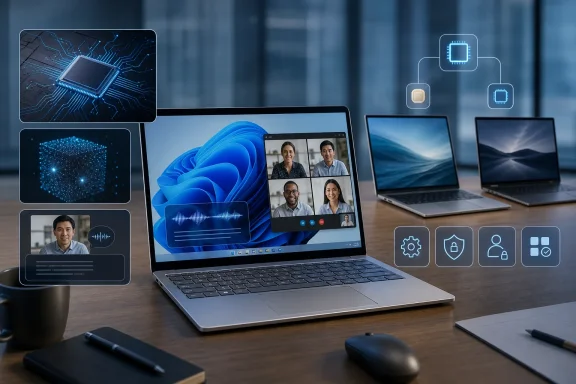 The NPU Is Useful, but It Is Not a General-Purpose Accelerator
The main practical benefit of an NPU is efficient, sustained inference: speech recognition, visual effects, image processing, optical character recognition, and smaller AI models that can run locally without keeping a GPU fully active. Microsoft’s own developer guidance describes the NPU as one processing resource alongside the CPU and GPU, with Windows choosing hardware according to the workload. That is a much narrower claim than “AI workloads are offloaded to the NPU.”
For example, Windows Studio Effects can apply camera framing, background effects, eye-contact correction and voice processing at the operating-system level. Because the effects are available to applications through Windows rather than separately implemented by every conferencing client, they are a straightforward benefit for workers who live in Teams, Zoom, Webex, or browser-based meetings. Live Captions with translation has a similarly concrete use: it can process supported audio locally, including audio from applications that do not offer their own transcription tools.
Those are credible reasons to prefer a Copilot+ PC for a frequent traveler or meeting-heavy executive. They are also benefits that can be evaluated in a pilot without trying to attach a speculative productivity percentage to them.
The much larger promise—that local AI will replace cloud AI—does not follow. Cloud services remain necessary for many Copilot functions, Microsoft 365 Copilot workloads, large language models, collaborative document processing, and enterprise data retrieval. Local processing can keep a particular model and its inputs on the device, but it does not automatically mean that every prompt, document, or business record stays there.
Microsoft’s newer Windows AI tooling also weakens the idea that Copilot+ PCs own all local AI. Its Foundry Local and Windows ML frameworks can use CPUs, GPUs and NPUs, while Microsoft has expanded some local capabilities, including Phi Silica, to non-Copilot+ PCs using the GPU. A 40-TOPS NPU provides access to certain Windows AI APIs and exclusive shell features; it does not create a wall between “AI PCs” and every other modern PC.
For graphics-heavy generation, large models, and high-throughput creative workloads, a discrete GPU can still be the more appropriate accelerator. IT buyers should therefore ask an application vendor a specific question: Does this release use Windows ML, Windows AI APIs, or a vendor-specific NPU runtime on the hardware we plan to buy? If the vendor cannot answer, the supposed NPU value belongs in the future roadmap column, not the deployment business case.
Recall Should Be Governed, Not Treated as an Inevitable Risk
Recall remains the feature that makes Copilot+ procurement a security and privacy discussion rather than a normal notebook refresh. It creates searchable, locally stored snapshots of on-screen activity so a user can retrieve past work with natural-language queries. Microsoft redesigned Recall after the early criticism of its security model, and its current commercial documentation says the feature is disabled and removed by default on managed devices.
That is a meaningful change in operational terms. On a managed commercial Copilot+ PC, an administrator can keep Recall unavailable; a user cannot override that decision. If an organization allows it, the user must opt in before snapshots begin. Microsoft’s current management guidance also covers policy controls and data-loss-prevention protections for Recall.
The right conclusion is neither that Recall makes every Copilot+ PC unsuitable nor that the redesigned implementation ends the governance question. Recall captures what is displayed, which can include information from line-of-business applications, browser sessions, remote desktops, confidential documents, and systems whose own access controls were designed around preventing export or copying. Local storage reduces one class of exposure, but it does not erase retention, discovery, insider-risk, regulated-data, or endpoint-compromise concerns.
A responsible deployment starts with Recall disabled and treats any enablement as a separate, documented business decision. Security teams should identify which device groups, users, information classifications, and support processes would be in scope before turning it on. They should also verify how their endpoint detection, data-loss-prevention, incident-response, and legal-hold practices apply to the feature.
This is an area where TechTarget’s recommendation to weigh privacy and compliance is sound, but the more useful operational point is simpler: buying a Copilot+ PC does not require deploying Recall. The hardware can still deliver Studio Effects, translated captions, Click to Do, improved Windows search, and compatible third-party local-AI features with Recall kept out of the environment.
Arm Compatibility Still Requires a Real Inventory
Windows on Arm has improved substantially. Windows 11 can emulate x86 and x64 desktop applications, and Microsoft’s Prism emulation layer is designed to improve the experience for legacy applications. For mainstream browser, Microsoft 365, collaboration, and web-based work, an Arm-based Copilot+ PC can be a practical machine rather than an experimental endpoint.
The remaining issue is not whether most ordinary applications launch. It is whether the organization’s complete workflow works.
Microsoft’s Windows on Arm documentation is unambiguous about the hard boundary: kernel-mode drivers, user-mode drivers, and print drivers must be native Arm64 binaries. They cannot be emulated. That can affect specialized printers, scanners, USB security keys, audio hardware, VPN and security components, smart-card middleware, virtualization tools, industrial peripherals, and legacy applications that depend on a driver or low-level plug-in.
This is why an x86 Copilot+ PC can be the safer enterprise default. Intel and AMD Copilot+ systems preserve the conventional Windows application and driver architecture while reaching Microsoft’s NPU threshold. An organization can deploy the same Copilot+ Windows features without converting its endpoint estate to Arm at the same time.
Arm remains attractive where its advantages are tangible: quiet thin-and-light hardware, battery endurance, always-connected options, and users whose software stack has been tested. It is a poor candidate for a broad deployment based only on the claim that emulation exists. A pilot needs more than a list of Office applications. It should include the VPN client, EDR agent, identity and certificate tooling, device-management scripts, remote-support client, printer fleet, specialty accessories, browser extensions, line-of-business applications, and every driver-backed dependency that help-desk staff will be asked to support.
The Best Use Case Is a Targeted Refresh, Not an AI Mandate
For a user who mainly edits documents, manages email, works in a browser, and attends occasional meetings, a standard Windows 11 PC with enough memory, strong battery life, and a supported security stack will usually deliver the same core work experience. Microsoft Copilot itself is not exclusive to Copilot+ PCs, and Microsoft 365 Copilot licensing is a separate decision from PC hardware. Buying an NPU does not include a Microsoft 365 Copilot subscription or turn its cloud features into local ones.
Copilot+ hardware becomes easier to justify when a normal refresh already has a reason to happen. A mobile field team replacing aging laptops can obtain longer unplugged time and use local captioning and camera processing. A design, accessibility, communications, or customer-facing team may find immediate value in image features, translations, and video enhancements. Developers building Windows AI applications have a stronger case still, because Microsoft’s Windows AI APIs are designed around Copilot+ hardware and the NPU can be observed and profiled through Windows tools.
The procurement mistake would be issuing Copilot+ PCs to employees simply because “AI-ready” has become a requirement on a spreadsheet. The useful test is role-based:
- A Copilot+ PC is a credible default for people whose daily work benefits from mobility, video enhancement, caption translation, or a verified local-AI application.
- An x86 Copilot+ PC is the low-risk path where an organization wants those features without expanding Arm compatibility work.
- An Arm Copilot+ PC should follow application, driver, peripheral, and management validation—not precede it.
- A conventional PC remains the sensible choice for shared kiosks, basic task workers, recent refreshes, GPU-dependent creative workstations, and roles with no demonstrated local-AI need.
The NPU is likely to become more important as Windows software adopts local inference, but “future-proofing” is not a substitute for a current workload. Organizations should use their next refresh cycle to build a tested Copilot+ standard for the roles that benefit now, while keeping the rest of the fleet on hardware that solves today’s compatibility, security, and cost requirements.
