
That cost boundary is the material detail missing from much of the launch coverage. The WinCentral report describes the GitHub Copilot harness as generally available and emphasizes autonomous workflows, markdown skills, and advanced reasoning. Microsoft’s own Copilot Studio documentation, updated on August 3, confirms the harness, its usage-based billing model, and the new authoring surface. But Microsoft’s current documentation does not plainly attach a general-availability label to the feature, and the company’s June 9 Copilot Studio announcement was corrected on June 17 after initially calling the rebuilt experience generally available; it said the experience was instead in preview, though available in production environments.
For IT teams, that makes this a live platform change worth testing, not a green light to treat every new agent as a settled, fixed-cost production workload.
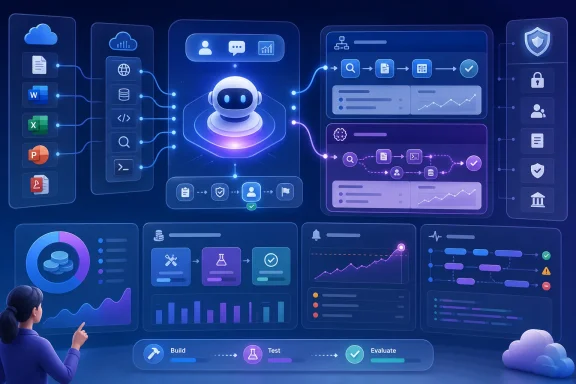 The harness changes how Copilot Studio agents are built
Microsoft describes a harness as the runtime layer between the selected language model and the agent configuration. It decides what context goes to the model, when tools are invoked, how responses are interpreted, and how the agent proceeds through a task.
The older standard harness is built around explicit topics, triggers, prompts, and branching paths. That remains the right mental model for a service-desk bot that answers known questions, routes a request to a defined Power Automate flow, or must follow a tightly prescribed sequence. Microsoft says standard-harness agents remain supported alongside the new option.
The GitHub Copilot harness replaces much of that explicit construction with natural-language instructions and an enhanced orchestration runtime. A maker defines the purpose, boundaries, data sources, available tools, skills, and model; the agent then determines which resources to use as it tries to fulfill the request. Microsoft positions it for reasoning-heavy work involving files, knowledge stores, connectors, Model Context Protocol servers, and connected agents.
That is a real shift in capability, but it also shifts where reliability lives. With a topic tree, an administrator can point to the branch that handles a policy exception. With the GitHub Copilot harness, the policy, permitted actions, retrieval sources, and tool constraints must be well specified enough for the runtime to make sound choices. The visual complexity decreases for the maker; the importance of instructions, permissions, test data, and evaluation rises.
Microsoft’s documentation says the harness can create, edit, and reason over Word, Excel, PowerPoint, and PDF files, and can retry or choose alternative paths during longer tasks. Those features make invoice matching, vendor onboarding, report production, and exception handling feasible candidates. They also make a poorly bounded agent more capable of making an expensive or inappropriate call across a connected system.
Billing begins before an agent reaches users
Microsoft’s billing documentation is unusually direct: GitHub Copilot harness agents use a new consumption model, and the meter starts during construction rather than after publication. Creating an agent through natural language, using the preview experience, testing it, and generating or running evaluations can all consume Copilot Credits.
The charge covers more than model output. Microsoft says credits account for LLM tokens, tools, knowledge and MCP connections, and the harness itself. In practical terms, a seemingly simple test prompt can trigger document retrieval, tool selection, a connector call, model reasoning, and a generated response. Teams that treat the Preview tab as a free design sandbox need to change that assumption for this harness.
Microsoft’s general Copilot Studio billing guidance still lists several standard-harness scenarios as no-charge for authenticated Microsoft 365 Copilot-licensed users, including classic answers, generative answers, and certain agent actions. Those inclusions should not be casually carried over to GitHub Copilot harness agents. Microsoft documents the new harness separately, under usage-based Copilot Credits, and says its billing applies to using, building, testing, and evaluating agents.
That distinction is significant for organizations that have already bought Microsoft 365 Copilot licenses and expect internal agent usage to be covered by those per-user subscriptions. The licensing conversation is now partly a runtime selection conversation. A maker can create a standard-harness agent for a predictable workflow or choose the GitHub Copilot harness for harder work, and those choices can lead to fundamentally different cost behavior.
Microsoft says administrators can allocate Credits to environments and monitor consumption through Copilot Studio and the Power Platform admin center. It also provides per-agent monthly consumption limits. Those controls are useful, but a cap is an enforcement mechanism, not cost forecasting. Before enabling broad maker access, administrators should build a representative agent, run the evaluation suite and realistic test conversations, observe the consumed Credits, and model usage against expected traffic.
Skills are reusable instructions, not a substitute for controls
The new experience organizes authoring around instructions, knowledge, tools, skills, model selection, and connected agents. Of those elements, skills are the most likely to be misunderstood.
A skill is a reusable, structured behavior that can be loaded when a task calls for it rather than placed permanently in the agent’s core instructions. Microsoft supports skills written as structured instructions and says makers can import existing GitHub Copilot or Claude Code skills. This is useful for repeatable work such as producing a management briefing, validating supplier paperwork, or following a document-review procedure.
It does not turn a markdown file into a deterministic workflow. Skills guide the model’s behavior; permissions, connector scope, approval points, and data-loss controls still govern what the agent can actually do. A vendor-onboarding agent may be able to read an uploaded contract, look up a supplier record, generate an approval summary, and route an exception. It should not be granted the authority to create a supplier, amend payment terms, or release a purchase order simply because its instructions describe the desired outcome.
The same applies to knowledge sources. Copilot Studio can ground agents in SharePoint, uploaded files, websites, connectors, and enterprise data. Grounding can reduce unsupported answers, but it also makes source permissions and content hygiene part of the agent’s security posture. A knowledge source that is too broad will not become safe because the agent has a well-written system prompt.
The harness offers a secure sandbox for individual tasks, according to Microsoft, but the sandbox is not a substitute for least-privilege connections. Review every connector and MCP server as an execution boundary. Restrict write operations where possible, require human approval for consequential actions, and use separate environments for development, test, and production.
The debugger reveals more—and may expose more
Microsoft’s new authoring experience has Build, Preview, Evaluate, and Monitor areas rather than the older spread of configuration tabs. The standout operational feature is the activity trace, which Microsoft says presents a chain-of-thought view to makers alongside the test chat.
The trace can show the knowledge source consulted, the tools and connectors invoked, input parameters, output results, execution timing, errors, flows, and skills. That is substantially more useful than a chatbot transcript when an agent has selected an incorrect source, passed a malformed value to an API, or halted during a long-running operation.
It also deserves a security review before the feature is handed to a large maker population. If the trace contains filled tool parameters and returned results, it can reveal data that a casual builder should not be able to inspect merely because they can test an agent. Microsoft’s documentation confirms that the trace is a maker-facing view, so tenant owners should validate the role model, environment access, connector ownership, and data classification in their own configuration rather than assuming that normal end-user permissions answer every question.
The model-selection controls deserve similar attention. Microsoft says administrators can allow or block preview and experimental models at the environment level, and external models require separate controls. The company warns that data processed by preview or experimental models might be processed or stored outside the organization’s geographical boundaries, with cross-region movement requiring an administrator-enabled setting. Any deployment involving regulated files or regional data-residency requirements needs a deliberate model policy, not a default selection in a maker’s Build tab.
Existing agents stay where they are
Microsoft has not positioned the GitHub Copilot harness as a transparent upgrade for existing Copilot Studio agents. Agents created on the two harnesses cannot be transferred between them, and the standard harness remains fully supported. There is no documented conversion path from a topic-and-branch agent to the new natural-language-first architecture.
That means the migration decision is architectural, not cosmetic. A team cannot safely assume it can rebuild a complex existing agent on the new harness, discover an unacceptable Credit burn or behavior change, and flip the same asset back to the standard runtime. It must preserve the original agent and treat the new implementation as a parallel build with its own validation, access review, evaluation data, and operating budget.
The strongest immediate use case is a bounded, high-value workflow where the old topic model has become brittle: a document-heavy process with several data lookups, defined tools, recoverable exceptions, and a human approval step before a material action. The weakest is a simple internal Q&A agent that already works predictably under the standard harness and gains little from autonomous orchestration.
Microsoft has made Copilot Studio more capable, but it has also made runtime choice a procurement and governance decision. The next agent a maker creates may no longer be a free extension of a Microsoft 365 Copilot license; it may be a metered, tool-using workload from its first test prompt.
