
Security researcher Michael Grafnetter is scheduled to present the “Pass-the-Passkey Family of Attacks” at Black Hat USA in Las Vegas, running August 1 through August 6. His preview says the work concerns real-world passkey implementations vulnerable to attacks comparable in concept to Pass-the-Hash and NTLM relay, including paths involving cloud services, Windows-stored authentication artifacts, privileged identities, and MFA enforcement. Grafnetter’s Black Hat preview and the Black Hat USA 2026 schedule both list the session.
For Windows 11 users and, especially, Microsoft Entra ID administrators, the message is nuanced but urgent: keep moving to passkeys, because they remain a substantial improvement over passwords and OTP-based MFA. But do not mistake a phishing-resistant authenticator for a complete identity-security strategy. A passkey rollout needs patch discipline, carefully designed recovery, protected administrator accounts, and the removal of old password paths that would otherwise remain the easiest route into an account.
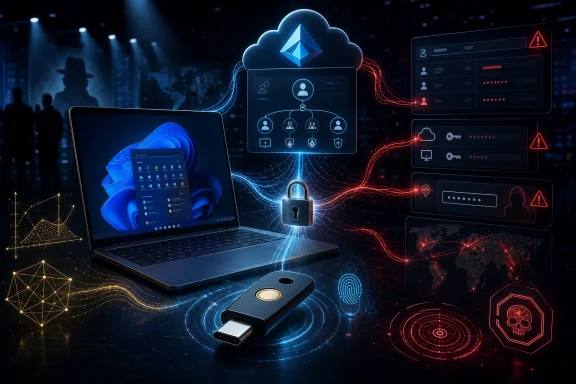 Overview: What Pass-the-Passkey Changes—and What It Does Not
The phrase Pass-the-Passkey deliberately echoes Pass-the-Hash, the long-standing Windows attack pattern where an adversary reuses a stolen password hash instead of recovering the original password. In both cases, the operational goal is similar: obtain a usable authentication artifact and present it in a way the target accepts, without ever learning the secret in a human-readable form.
That comparison should not be overextended. A conventional password is a shared secret: the user knows it, the service keeps a verifier derived from it, and phishing pages can simply ask for it. A passkey uses asymmetric cryptography. The service stores a public key, while the private key stays under the control of an authenticator; at sign-in, the authenticator signs a fresh server challenge after local user verification. Microsoft describes the flow as an origin-bound public-key mechanism in which a credential cannot simply be replayed against a malicious site. Microsoft’s Entra passkey documentation explains that the service sends a nonce, the authenticator signs it with the private key, and Entra validates the resulting signature using the registered public key.
That design is why passkeys remain phishing-resistant. A fake sign-in page at a lookalike domain cannot obtain a valid signature for the genuine service’s relying-party identity. Nor does a database leak hand criminals a password they can try elsewhere. The FIDO Alliance’s technical overview emphasizes that passkeys avoid shared secrets, are unique to each service, and are designed to resist both phishing and password-database compromise.
Pass-the-Passkey research does not reverse those cryptographic properties. Instead, it focuses attention on the consequences when an endpoint or identity platform accidentally exposes valuable credential material, fails to bind it correctly to context, or permits an authentication result to be accepted more broadly than intended. That is a classic identity lesson: the protocol can be sound while the implementation around it remains vulnerable.
The most relevant publicly documented Windows issue is CVE-2026-34348, which affects the Windows Event Logging Service. The National Vulnerability Database describes it as a protection-mechanism failure that lets an authorized attacker disclose information over a network; Microsoft assigned it a 6.5 Medium CVSS 3.1 score, with network access, low attack complexity, and low privileges required. NVD’s CVE-2026-34348 record lists the Microsoft advisory and notes that the CVE was received from Microsoft on July 14, 2026.
The Notebookcheck reporting that brought the research to wider attention says Grafnetter identified a chain involving Windows 11 logging behavior and Entra ID handling that, in combination, could have enabled reuse of passkey-related data against privileged cloud accounts. It reports that Microsoft addressed the Windows issue on July 14 and fixed the cloud-side behavior as well. Notebookcheck’s report frames the central concern correctly: the attack is more complex than password theft, but its potential impact is significant in managed enterprise environments.
Why Passkeys Are Still Better Than Passwords
It would be a mistake to read about a high-end implementation flaw and decide that passwords are somehow safer or simpler. They are neither. Passwords are routinely reused, phished, guessed, sprayed, leaked, and intercepted. Adding text-message codes or app-generated one-time passwords helps, but those methods can still be socially engineered or relayed through adversary-in-the-middle phishing infrastructure.
Passkeys address the primary weakness of password authentication: a password is both the proof of identity and a secret that must be typed into a remote service. If a user enters it on the wrong page, the criminal has it. With a passkey, the user usually approves an on-device prompt with a face scan, fingerprint, device PIN, or security-key PIN. The website never receives that biometric data or PIN; it receives a cryptographic response to a unique challenge.
The FIDO Alliance notes that passkeys can replace legacy flows such as password-plus-SMS verification because they combine possession of the authenticator with local user verification. It also stresses that biometric data remains local to the device rather than being sent to the service. FIDO’s passkey FAQ describes the model as a replacement for passwords and explains that the server receives only proof that the local verification succeeded.
For Windows users, this means the familiar Windows Hello experience is part of a larger security story. Windows Hello can use a locally stored credential unlocked by a biometric gesture or PIN. In enterprise deployments, Windows Hello for Business provisions a device-bound asymmetric key pair and registers its public portion with Microsoft Entra ID. Microsoft’s Windows Hello for Business deployment guidance confirms that model.
The key word is device-bound. A local Windows Hello credential is not automatically the same as a synchronized credential manager passkey, nor is it the same as a physical FIDO2 security key. They all use related authentication principles, but the storage model, portability, recovery process, and administrative controls can differ.
Passkeys eliminate the most common phishing failure
A conventional phishing campaign succeeds when it persuades a user to submit a reusable secret. A modern phishing proxy can even capture a password and relay a one-time MFA code in real time. Passkeys narrow that opportunity because the authenticator binds the login to the legitimate relying party.
Microsoft says passkeys use origin-bound public-key cryptography and local user interaction, characteristics intended to make remote phishing attacks dramatically harder. Microsoft’s Entra FIDO2 guidance specifically contrasts passkeys with passwords, SMS codes, and email one-time passcodes that attackers may steal or relay.
That security benefit continues to matter after Pass-the-Passkey. The new research is about sophisticated implementation and identity-environment weaknesses—not a return to the world where an attacker can create a convincing Microsoft 365 sign-in page and harvest a password from every employee who types into it.
Password breaches become less useful
A breach of a passkey-supporting service should not expose a centralized vault of reusable passwords, because the service stores a public key rather than the private signing key. The private key is used by the authenticator to sign a challenge, not transmitted as a normal login secret.
This is a fundamental shift in risk. With password authentication, a stolen hash may be cracked offline or used in credential-stuffing operations if the victim reused the password. With passkeys, an attacker who steals a service’s public-key database does not receive a collection of passwords to test against other sites. The FIDO Alliance explanation of passkey security identifies this elimination of server-side shared secrets as a core defense against password database breaches.
Synced Passkeys vs. Hardware Security Keys
The most practical question prompted by the new research is whether everyone should abandon cloud-synced passkeys and buy a hardware key. The answer is no—but security-sensitive users and organizations should understand the trade-off.
Synced passkeys prioritize usable security
A synced passkey is managed through a credential provider such as Apple iCloud Keychain, Google Password Manager, Microsoft Password Manager, or a third-party password manager. The credential can become available on the user’s other enrolled devices through the provider’s protected synchronization system.
This model solves a serious usability problem. If every passkey were permanently stranded on the first device where it was created, replacing a phone or moving to a new PC would often force users back into weaker recovery methods. The FIDO Alliance says synchronization is end-to-end encrypted and makes passkeys available across a user’s signed-in devices, preserving convenience while retaining phishing resistance. FIDO’s synchronization guidance also notes that cross-device sign-in can use QR-code-based flows with proximity verification.
Microsoft’s own passkey documentation distinguishes synced passkeys from device-bound passkeys. In its description, synced credentials are encrypted locally and synchronized through the cloud provider, while device-bound credentials are created and retained on a single physical device. Microsoft’s Entra documentation explicitly says that a device-bound private key never leaves that device.
For the average Windows 11 user, a synced passkey is still a major upgrade. It is easier to deploy, easier to recover, and much less likely to be defeated by a generic credential-harvesting campaign. Security that users can successfully adopt is usually stronger than a theoretically ideal system they circumvent with weak recovery settings and forgotten passwords.
Hardware keys prioritize isolation and control
A FIDO2 hardware security key—typically USB-A, USB-C, NFC, or a combination—stores a device-bound passkey on a dedicated physical authenticator. The private key does not synchronize to a cloud credential manager, and the user must physically possess the device to use it.
Microsoft recommends FIDO2 security keys for highly regulated organizations and users with elevated privileges, while acknowledging the operational costs of purchasing keys, training users, handling loss, and supporting recovery. Microsoft’s guidance on selecting passkey types specifically identifies hardware keys as an option for users with elevated privileges and sensitive access requirements.
That makes a hardware key especially sensible for:
- Global Administrators and other privileged Microsoft Entra roles.
- Financial, healthcare, legal, government, and critical-infrastructure accounts.
- Domain administrators, break-glass operators, and security responders.
- Executives who are frequent phishing or account-takeover targets.
- Users who need a credential separate from their primary phone and laptop.
- Organizations requiring attestation or tightly controlled authenticator provenance.
A security key is not magic, though. It may be stolen, lost, damaged, or replaced. The owner still needs a secure recovery plan. In the wrong configuration, a backup password, recovery email, telephone number, or help-desk verification procedure can become the weakest link.
“Private key never leaves the device” is not the same as “invulnerable”
Hardware-bound credentials reduce the risk of cloud-account compromise yielding synchronized credential access. But secure elements, firmware, implementations, and surrounding workflows can still contain flaws.
The EUCLEAK issue is a useful cautionary example. Yubico disclosed that certain YubiKey 5 Series and Security Key Series devices with firmware earlier than 5.7.0 used an affected Infineon cryptographic library. In a sophisticated, targeted attack, an adversary with physical possession, specialized equipment, and—in some scenarios—additional information such as a PIN or account details could recover affected private keys. Yubico Security Advisory YSA-2024-03 rates the issue as moderate and lists newer firmware versions that are not affected.
The practical takeaway is not that hardware keys are unsafe. Yubico continues to recommend FIDO over weaker methods such as OTP or SMS, and the attack conditions were demanding. But organizations should not assume that a familiar brand name alone answers the security question. They should evaluate:
- Firmware version and known vendor advisories.
- FIDO certification and supported transports.
- Attestation requirements where appropriate.
- PIN and user-verification policy.
- Lost-key reporting and rapid deregistration procedures.
- Availability of at least one separately stored backup key.
The Windows 11 and Entra ID Angle
Pass-the-Passkey is particularly relevant to WindowsForum readers because it sits at the intersection of Windows 11, Windows Hello, event logging, and Microsoft Entra ID. These are technologies that enterprise administrators increasingly deploy together as they replace passwords and SMS authentication.
Grafnetter’s preview says the Black Hat session will demonstrate past YubiKey signatures stored in cleartext and readable by authenticated, unprivileged users, including remote users. It also promises a demonstration involving privileged-identity impersonation, bypass of phishing-resistant MFA enforcement, and evasion of popular XDR products. His research announcement is a preview rather than the full technical disclosure, so administrators should treat specific attack-chain details as preliminary until the complete presentation and tools are published.
Still, the CVE record makes clear that Microsoft recognized a Windows Event Logging Service information-disclosure problem. The associated CVSS vector—network reachable, low complexity, low privileges, no user interaction, and high confidentiality impact—explains why enterprise defenders should prioritize the relevant updates. NVD’s CVE entry provides the official vulnerability description and Microsoft’s severity information.
Patch management remains part of identity security
A passwordless deployment cannot be managed separately from endpoint patching. If endpoint telemetry, logs, credential containers, browser components, or local authentication infrastructure expose material that identity systems assume remains protected, even a strong FIDO2 design can be undermined.
For affected Windows environments, the immediate operational rule is simple:
- Identify Windows 11 devices and servers that require the July 2026 security updates.
- Apply Microsoft’s updates through the organization’s normal servicing process.
- Confirm installation through endpoint-management reporting rather than relying on user claims.
- Review high-privilege workstations first, including administrator laptops, identity-management servers, and jump hosts.
- Audit local and remote access paths available to ordinary authenticated users.
The details of an exploit matter, but the defensive priority does not depend on reproducing it. A security update that closes an information-disclosure path tied to authentication artifacts should be treated as an identity-protection update, not merely an operating-system maintenance task.
Entra Conditional Access remains essential
A passkey can be phishing-resistant and still be used in an environment where access controls are too broad. Conditional Access, device compliance requirements, privileged identity management, restricted administrator workstations, and risk-based policies continue to matter.
A well-designed Entra deployment should avoid treating successful authentication as the sole trust decision. The system should consider who is signing in, what role they hold, where the request originates, what device is involved, whether the device is compliant, and whether the account is performing an unusually sensitive action.
This is especially important for administrator accounts. A privileged credential should not have the same recovery methods, sign-in locations, session duration, and authentication flexibility as an ordinary employee account. The more valuable the identity, the more conservative the credential choice and the tighter the policy should be.
The Biggest Everyday Failure: Leaving the Password Behind
For most users, the greatest remaining risk is not a Black Hat research chain. It is the ordinary password that still works.
Many services let users add a passkey without removing their password. That is sensible during migration, because account recovery and cross-device setup can otherwise become difficult. But it means the account may remain exposed to password reuse, credential stuffing, password spraying, phishing, and legacy recovery abuse.
A passkey does not compensate for a weak password that an attacker can still submit at the same login page. It is an additional secure method until the service and account configuration make it the primary or exclusive method.
The Notebookcheck report correctly identifies this as a major practical weakness. If the old password route remains available, attackers will generally choose it over attempting a specialized attack against a FIDO credential.
A better passkey migration checklist
For personal accounts, the right approach is progressive hardening rather than reckless removal of every recovery path:
- Create at least one passkey on a trusted device or in a reputable credential manager.
- Add a second recovery-capable authenticator where the service permits it, such as another device-bound passkey or a hardware security key.
- Generate recovery codes and store them offline—printed, locked away, or placed in a well-protected offline archive.
- Remove passwords entirely when the service supports a truly passwordless account model.
- If removal is impossible, replace the password with a long, randomly generated, unique value stored only in a trusted password manager.
- Review recovery email addresses, phone numbers, and support-verification processes, because these may bypass the passkey.
- Remove old devices and unused passkeys from account-security pages.
- Revoke a lost hardware key immediately from every service where it is registered.
Microsoft’s consumer support guidance shows that passkeys can be saved to synchronized credential managers, mobile devices, Windows Hello, or physical security keys. It also notes that organization policy may limit which options are available for work or school accounts. Microsoft’s passkey setup instructions are a useful reminder that credential choice is not just technical—it is shaped by the account type and the administrator’s policy.
Microsoft’s Coming Push Makes Preparation More Urgent
The timing of Pass-the-Passkey is notable because Microsoft Entra ID is moving passkeys closer to the center of its authentication strategy. Starting September 1, 2026, Microsoft says passkeys will become the default authentication experience in Entra ID for users currently enabled for SMS or voice authentication. Those in-scope users will be automatically enabled for passkeys and prompted to register one during MFA sign-in. Microsoft’s Entra retirement timeline sets out that rollout.
Microsoft also plans to retire its native SMS and voice delivery for Entra MFA on February 1, 2027, subject to the stated customer-managed-provider option for organizations that retain those methods. Users whose sole available MFA method remains SMS or voice will be required to register a passkey to continue signing in after that point. Microsoft’s documentation says there will be no opt-out from the February 2027 enforcement behavior.
That shift is strategically sound. SMS and voice calls are familiar but weak: they are vulnerable to social engineering, SIM-swap attacks, telecommunications abuse, and real-time phishing relays. Passkeys offer an opportunity to improve both security and user experience—but only if organizations do the supporting work.
What Entra administrators should do now
Before automated passkey prompts begin, administrators should build a deployment plan around actual user groups and risk levels.
- Segment users by privilege. Ordinary information workers, developers, help-desk staff, executives, and global administrators should not necessarily receive the same passkey policy.
- Use hardware keys for privileged roles. Consider requiring device-bound, attested authenticators for the highest-risk accounts where organizational policy and licensing support it.
- Maintain two authenticators for critical users. A primary hardware key plus an offline backup key is often more resilient than a single credential tied to one phone.
- Test recovery before enforcing policy. Lockout scenarios should be rehearsed with real help-desk and identity teams.
- Eliminate legacy authentication and password fallbacks. An attacker will always choose the cheapest available bypass.
- Review Conditional Access exclusions. Temporary exceptions have a habit of becoming permanent attack paths.
- Patch Windows endpoints promptly. Windows 11 passkey security depends on endpoint integrity as well as cloud policy.
- Monitor authentication changes. New passkey registrations, deleted keys, recovery-method updates, unusual device enrollment, and administrator-role changes should be visible to security operations teams.
The Real Lesson: Passkeys Move the Target
Passkeys are not a magic spell that makes account compromise impossible. They move the battle away from bulk password theft and into harder, more targeted areas: compromised endpoints, flawed credential handling, cloud-account recovery, security-key theft, privileged access policy, and implementation bugs.
That is still an enormous improvement. The fact that researchers can find and responsibly disclose defects in Windows event logging or cloud credential validation is evidence of a security ecosystem doing what it should: testing assumptions before criminal groups exploit them at scale.
The most defensible response to Pass-the-Passkey is therefore not panic and not passkey abandonment. It is layered modernization. Patch Windows promptly. Use FIDO2 and WebAuthn-based credentials. Prefer hardware-backed, device-bound passkeys for privileged and regulated use cases. Keep synchronized passkeys for the broad user population where usability and recovery matter most. Harden recovery. Remove old passwords where possible, and make remaining passwords unique, random, and inaccessible to users’ memory.
Passkeys remain the password’s most credible successor because they eliminate the everyday weaknesses that have made passwords so costly for decades. Pass-the-Passkey is a reminder that identity security does not end when the password field disappears—it begins with the systems, policies, devices, and recovery routes that remain behind it.
