
The reports are anecdotal rather than a confirmed, model-wide failure, but they are appearing across Samsung’s community forums and Reddit. One Galaxy S25 Ultra owner said the handset was losing roughly 5% to 7% of charge per hour while idle, leaving it with only about two hours and 10 minutes of usable battery life. Other posts describe handsets running unusually hot and taking longer to charge after the update.
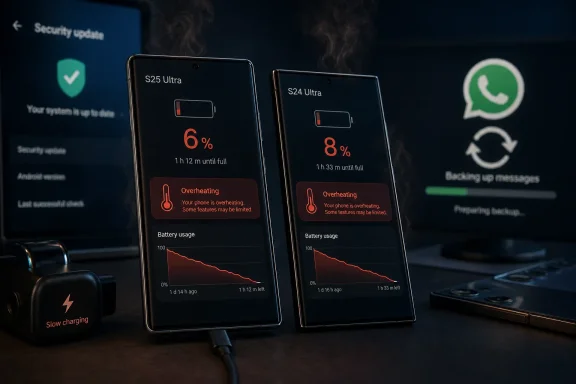 A WhatsApp Backup Loop Is Emerging as a Possible Trigger
Several affected users have pointed to WhatsApp’s backup process rather than the Galaxy firmware alone. In those accounts, a stalled or repeatedly processing WhatsApp backup appears to keep the phone active in the background, preventing normal deep-sleep behavior and generating heat.
One Reddit user reported that disabling WhatsApp backup stopped the excess drain and overheating. That is not a clean fix: it also left the user unable to resume backups, which creates an obvious data-protection trade-off. It is also not proof that WhatsApp is the sole cause, particularly as some owners report similar symptoms without identifying that app as the culprit.
The more useful takeaway is that an update can expose or aggravate a background-service problem without necessarily being the only faulty component. IT teams see the same pattern on PCs after monthly patching: a change in the operating system, driver stack, or app behavior can surface as one broad “post-update” complaint even when the root cause differs between devices.
Check the Battery Page Before Rolling Back Anything
Galaxy owners seeing the issue should first open Settings > Battery and device care > Battery and look for abnormal background use. WhatsApp is a sensible place to inspect, but it should not be the only suspect; cloud sync clients, VPNs, carrier services, location-heavy apps, and recently updated Galaxy Store software can all sustain background activity.
Useful low-risk checks include:
- Install pending app updates from both Google Play and the Galaxy Store, then restart the phone.
- Confirm whether WhatsApp backup is progressing normally before disabling it, and ensure chats are backed up elsewhere if changes are made.
- Review Battery usage after several hours of ordinary use rather than judging consumption immediately after the firmware installation.
- Submit an error report through Samsung Members if the phone remains hot or drains rapidly, including battery screenshots and the precise update version.
Samsung’s own support guidance notes that background activity can increase battery use and warmth after an update, but that generic advice does not establish the cause of these July reports. Owners experiencing persistent overheating, unexpected idle drain, or impaired charging should treat the device as potentially unstable rather than simply accepting a shorter battery day.
Security Updates Still Matter
The awkward part is that the July package is a security update. Skipping it indefinitely can leave a phone exposed to known Android and Samsung vulnerabilities, while installing it may coincide with the behavior now being reported.
For now, the safest course is diagnosis rather than a factory reset or an unofficial firmware downgrade. If a stuck WhatsApp backup or another runaway background task is responsible, Samsung and Meta can address it with an app or service-side correction; if it is firmware-related, affected owners will need a follow-up Samsung patch.
