
linux-zen default and onto a new linux-garuda kernel derived from CachyOS work, while making KDE’s Plasma Login Manager the standard graphical login screen in its Plasma editions. Linuxiac first reported the release on August 19, describing it as Garuda’s first major refresh in more than a year; the practical consequence is larger than the themed ISO suggests: fresh installs now begin with a different kernel and a different display-manager stack.For Windows users evaluating Linux as a gaming or secondary-boot option, Temeraire is primarily a new-install release, not a clean dividing line between old and new systems. Garuda is a rolling distribution, and its project says many of the components have already reached existing installations through normal updates. That makes the ISO useful for a fresh machine or a reinstall, but it also means users should not assume that installing Temeraire is a way to freeze a known-good configuration.
Garuda’s own package repository corroborates at least one of the headline changes: the Dr460nized desktop package now depends on plasma-login-manager. Its source tree also includes the renamed Garuda Toolbox package family, evidence that the consolidation is more than a marketing screenshot. The wider release claims—covering the new default kernel, Hyprland rewrite, Sway changes, installer behavior, FireDragon, and mirror infrastructure—remain reported chiefly by Linuxiac; no second independent outlet had published a detailed Temeraire account at publication time.
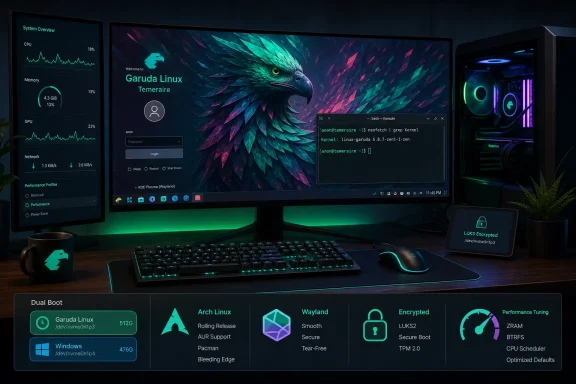 Plasma Login Manager is the consequential desktop change
The replacement of SDDM with Plasma Login Manager deserves more attention than the wallpaper and branding adjustments around it. The display manager is the service that presents the login screen, authenticates the user, launches the selected desktop session, and runs before the desktop environment has loaded. A defect there can block access to every graphical session on the machine.
KDE describes Plasma Login Manager as a display manager forked from SDDM with a new Plasma-integrated frontend. Its development goals include improved handling for multi-monitor setups, high-DPI displays, HDR, keyboard-layout switching, accessibility functions, Bluetooth pairing, and remote-access scenarios. Those are meaningful targets for a distribution positioning itself around polished desktop and gaming installations—particularly on modern laptops, ultrawide displays, and systems that dual-boot with Windows.
But KDE’s own project documentation carries an important warning: it does not recommend installing the latest development version on real hardware, saying a manual installation can leave behind files that are difficult to remove and potentially leave a system non-functional. Garuda is therefore taking a more aggressive stance than a user who simply follows KDE’s upstream build instructions. It is packaging and integrating the login manager as a distribution component, which is different from asking users to build it from source, but the upstream caution still tells readers what category of software this is.
The immediate advice for existing Garuda Plasma users is straightforward: do not manually disable SDDM or enable Plasma Login Manager merely because Temeraire is available. Let Garuda’s tested package and update path perform that transition, and retain a bootable recovery option before major rolling-release upgrades. Users with custom SDDM themes, login scripts, unusual GPU setups, encrypted-home arrangements, or complicated multi-seat configurations should be especially cautious, because those are precisely the areas where a display-manager migration can surface assumptions that ordinary desktop testing misses.
For prospective switchers from Windows, the change may improve the first-run experience on high-resolution or multi-display hardware. It is not, however, proof that every NVIDIA, HDR, remote-desktop, or accessibility scenario has been solved. KDE lists those areas as project goals, not as a compatibility guarantee for every distribution and hardware combination.
The CachyOS-derived kernel changes the baseline, not the need for testing
Garuda’s linux-garuda kernel replaces linux-zen as the default in Temeraire, according to Linuxiac. The distinction matters because a distribution kernel is not a cosmetic package choice. It determines which patches, scheduler decisions, configuration options, hardware workarounds, and update cadence an installation receives by default.
CachyOS has built a reputation around performance-oriented desktop and gaming tuning, so Garuda’s move brings its default closer to that approach. Yet users should resist reading “CachyOS-based” as an automatic performance result. Neither the Temeraire reporting nor Garuda’s available package metadata supplies reproducible benchmarks comparing linux-garuda with linux-zen across games, laptops, NVIDIA systems, AMD systems, storage workloads, or battery life.
That missing comparison is important. A kernel can improve responsiveness or game performance on one machine while offering no measurable advantage—or introducing a regression—on another. This is especially true for Windows converts whose systems include vendor-specific laptop firmware, hybrid graphics, Secure Boot, unusual Wi-Fi adapters, audio interfaces, RGB controllers, or anti-cheat-dependent games.
The right interpretation is that Garuda has changed its default bet. It has not established that the new kernel is universally better. Temeraire’s Toolbox consolidation may make switching kernels less intimidating, but users should keep a fallback kernel installed until they have tested sleep and wake behavior, external displays, gaming stability, VPN connectivity, Bluetooth, and the applications they actually rely on.
Garuda’s ability to package alternative kernels is useful precisely because the default will not fit every PC. Treat the new kernel as a starting configuration rather than a mandate.
The installer changes have security and migration implications
Linuxiac reports that Temeraire’s installer now selects the largest sector size supported by a drive instead of unconditionally using 512-byte sectors, and that encrypted installations use LUKS2 with Argon2 while matching encryption-sector size to the drive. These are lower-level changes, but they can be more significant than a desktop theme because they affect how a disk is laid out before the operating system ever boots.
For a new Linux-only installation on a modern SSD, aligning the installation with native 4K-sector capabilities can be sensible. For an encrypted installation, LUKS2 and Argon2 are contemporary choices designed to make password-guessing attacks more costly than older defaults. The catch is that disk-layout decisions are not casually reversible. Changing encryption parameters, sectors, or partitions later is a migration project, not a toggle in a settings panel.
Windows users who plan to dual-boot should therefore read Temeraire’s installer improvements as an argument for better preparation, not faster clicking. Back up the Windows recovery key and important files, confirm whether BitLocker is enabled, preserve the EFI System Partition, and ensure that the Windows installation can still boot independently before altering partitions. A rolling Arch derivative can be a capable second operating system, but it should not be the first place a user learns recovery procedures on a machine that also carries irreplaceable work data.
The announcement does not spell out how Temeraire’s new defaults behave during a conversion of an existing encrypted Garuda installation. That omission is appropriate if the ISO is primarily for new installations, but it means existing users should not expect garuda-update to silently rewrite their storage stack. It should not.
Hyprland and Sway changes target Wayland users with uneven hardware support
Temeraire also brings a broad rewrite of Garuda’s Hyprland edition, with configuration moved to Lua and settings delivered as Lua-based presets. Linuxiac reports changes to the screen locker, terminal emulator, wallpaper utility, Waybar styling, emoji selection, brightness controls, low-battery notifications, and keyboard-layout detection. These are meaningful quality-of-life changes for people already using a tiling Wayland compositor.
They do not make Hyprland equivalent to KDE Plasma, Windows 11, or a conventional desktop environment. The rewrite changes configuration architecture and bundled defaults; it still leaves users in a compositor-centric environment where diagnosing broken keybindings, portals, screen sharing, input methods, and application-specific Wayland behavior can require more technical familiarity.
The claimed NVIDIA improvements for Garuda’s Sway edition are potentially valuable because NVIDIA support has long been a practical dividing line for Linux desktop choices. Yet “works out of the box,” including in the live environment and installer, should be read as a distribution integration claim rather than a universal promise. Test suspend, external displays, refresh-rate selection, video playback, screen recording, VRR, and the specific games or professional apps that matter before replacing a Windows installation.
Garuda also says it has adopted nwg-displays in place of prior output and HiDPI scripts. A graphical display-management tool is a real usability improvement for Sway users, but it does not eliminate the need to understand fallback configuration files when a display manager, dock, projector, or GPU driver behaves unexpectedly.
Toolbox consolidation makes Garuda easier to administer—and more opinionated
Garuda Toolbox now replaces the distribution’s older administration utilities, according to Linuxiac. The resulting interface covers kernels, systemd services, locales, users and groups, networking, boot settings, gaming tools, diagnostics, key configuration files, and curated Arch Wiki software recommendations.
Centralizing those functions should reduce the number of project-specific interfaces new users need to learn. It also increases the importance of understanding what the tool is doing on their behalf. A GUI that turns on a systemd service, changes a bootloader option, alters a kernel package, or adjusts networking is still making system-level changes. The safest habit is to note the underlying package, service, or configuration file before applying a change, so it can be audited or reversed outside the GUI if the desktop becomes unavailable.
Temeraire’s most tangible benefit is therefore a more coherent initial experience: a new kernel baseline, a unified management entry point, and a Plasma-native login screen. The release may appeal to enthusiasts who want an Arch-derived, gaming-oriented system with more preconfigured choices than a minimal Arch installation.
Its real test will happen after installation. Users should approach Temeraire as a rolling Linux distribution with ambitious defaults, keep recovery paths available, and test the hardware they depend on before deciding that the new kernel and login stack have earned a permanent place beside—or instead of—Windows.