
For Windows musicians, this is more than an iOS curiosity. GCS Model 8 is also available as a standalone application for Windows 10 and Windows 11, positioning the iPhone release as a potential sketchpad, tape-loop device, and creative companion to a more expansive PC-based workflow. The promise is familiar—capture ideas anywhere, then develop them at a desktop—but the implementation is unusually committed to the limitations, instability, and tactile character associated with magnetic tape. Gulf Coast Synthesis lists Windows 10/11 support for the desktop Model 8 release
 Overview: An Eight-Track DAW Built Around Tape Behavior
Most mobile DAWs approach recording as an exercise in convenience. They emphasize clip launching, piano-roll editing, non-destructive correction, unlimited undo histories, and pristine digital audio. GCS Model 8 Mobile takes a deliberately different path. Its central design idea is that the recorder itself should shape the music.
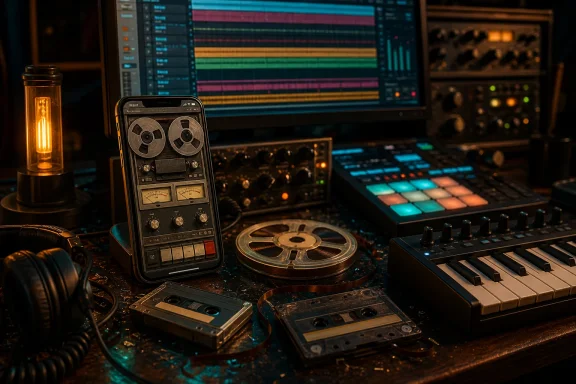
The iPhone version is an eight-track tape-based DAW, rather than a stripped-down audio editor with a retro skin. According to the developer, it uses a custom physics engine and tape emulator intended to reproduce behavior associated with cassette and reel-to-reel recording. The desktop and iPad versions describe controls over variables including wow, flutter, oxide aging, tape “stick-slip” behavior, and frequency response characteristics across formats from cassette through one-inch tape. Gulf Coast Synthesis describes the tape transport model and its adjustable magnetic-tape parameters
That distinction matters. A conventional tape plug-in may add saturation, noise, compression, or pitch drift after the fact. A tape-based DAW instead tries to put tape character closer to the center of the recording process: at the input, during capture, and throughout playback. In theory, that encourages users to make decisions earlier, commit to a sound, and treat arrangement limits as part of composition rather than as obstacles to be removed.
The app’s eight-track ceiling is equally important. It is not a technical limitation to be apologized for; it is a workflow statement. Eight tracks can accommodate a surprisingly complete production—drums, bass, harmony, lead material, vocals, percussion, and effects returns—but it also forces decisions about bouncing, doubling, arrangement density, and which performances truly deserve their own track.
For musicians accustomed to infinite tracks in a Windows DAW such as REAPER, Ableton Live, Cubase, Studio One, or FL Studio, that may sound restrictive. For artists who find endless options creatively paralyzing, it could be precisely the point.
Tape Formats: Cassette Through One-Inch Reel-to-Reel
A core attraction of GCS Model 8 is its effort to model more than one generic “warm tape” sound. The supplied release information identifies cassette, 1/4-inch, 1/2-inch, and 1-inch tape formats as selectable sonic territory. That is a meaningful range because tape width, transport behavior, head geometry, and operating level all affect the way a recording responds to signal level and frequency content.
The developer’s wider Model 8 documentation frames those choices as a spectrum that runs from cassette to one-inch master tape, with controls for dynamic frequency curves, tape aging, wow, flutter, and stiction. The official Model 8 feature page presents the format range and tape-transport controls
Why tape width is more than a visual preset
In a real tape workflow, format choices affect more than cosmetic coloration:
- Cassette-style recording is often associated with narrow bandwidth, stronger noise character, imperfect speed stability, and an intimate, degraded texture.
- Quarter-inch tape evokes classic home-studio, portable recorder, and smaller reel-to-reel workflows.
- Half-inch tape suggests more capable multitrack recording, with added headroom and a different balance of density and clarity.
- One-inch tape is positioned as the more expansive, higher-fidelity end of the app’s modeled tape spectrum.
No software model can recreate every mechanical and material variable of a particular physical machine, tape stock, or maintenance condition. The results will depend on the implementation, monitoring chain, source material, and user settings. Still, the decision to expose multiple tape contexts is more useful than a single saturation knob because it gives producers a reason to choose a recording identity for a project.
That identity can influence arrangement. A cassette-like mode may encourage sparse drum loops, murky ambient layers, or lo-fi songwriting. A wider-tape setting may invite cleaner vocal tracking, more open stereo material, and denser arrangements. The sound is only part of the story; the limitations and expectations attached to each tape format can shape the music before mixing even begins.
Manipulating the tape rather than merely emulating it
The broader Model 8 ecosystem also emphasizes tape manipulation: varispeed-style behavior, reverse recording, and physical-style tape defects such as crinkles, dropouts, and flutter. A user discussion detailing the iOS release describes drawing defects onto the tape and allowing it to age over playback, alongside reverse and speed-based techniques. An early iOS discussion outlines Model 8’s tape manipulation and degradation features
This is where GCS Model 8 looks most distinct from a standard “vintage” DAW theme. The tape is not supposed to be invisible infrastructure. It is an instrument in its own right.
For experimental producers, that creates opportunities for warped loops, unstable sustained chords, degraded transitions, and feedback-like effects that are harder to achieve naturally in a clean, grid-first mobile environment. For conventional songwriters, the same capabilities can be used with restraint: slight drift on an electric piano, a worn texture on a vocal double, or a subtle loss of fidelity on a bridge section.
Built-In Instruments Turn the Phone Into a Self-Contained Studio
A compelling mobile music app needs to do more than record external sources. If the user is on a train, backstage, outdoors, or away from audio interfaces and microphones, internal sound generation is what separates a serious sketchpad from a recorder.
GCS Model 8 Mobile includes the app’s built-in instruments and effects, according to the developer. The announced selection includes an Ondes Martenot-style expressive synth, a Prophet-10-inspired synth, and an MPC-style sampler, while the supplied release information highlights a pad sampler with an 808 drum machine and a vintage drum kit. The iPhone release announcement identifies the included instruments, effects, and sampler-oriented workflow
The desktop version’s integrated rack is described as housing the A-10 Poly Synth, Voxtone Rhythm Machine, MonoBass, and Glissandio, with MIDI and audio routing inside the application. Gulf Coast Synthesis documents the desktop Model 8’s integrated instruments and routing approach The exact iPhone UI and feature layout may naturally differ from the desktop application, but the mobile edition is explicitly positioned as retaining the built-in instrument and effect concept rather than as a bare-bones recorder.
Pads, drums, and the value of immediate rhythm
The pad sampler is likely to be one of the app’s most practical components. On a phone, tapping pads is often faster than programming a piano roll, especially for quick beat ideas, rough drum arrangements, and chopped samples. Pairing the sampler with 808-style sounds and a vintage drum kit gives the app a wide creative range:
- 808 sounds can anchor hip-hop, trap, electro, Miami bass, techno, and modern pop sketches.
- Vintage acoustic-style drum sounds are useful for indie, rock, soul, boom-bap, and more organic electronic tracks.
- Sample pads allow found sound, voice notes, guitar hits, field recordings, and one-shot textures to become part of a composition quickly.
- Tape processing can glue otherwise disconnected samples into a more coherent sonic scene.
This combination is especially well suited to a tape loop station mindset. Instead of beginning with a finished song plan, users can build a rhythm, layer a bass part, add a sampled hook, record a voice or instrument, and manipulate the tape until a new direction emerges.
Effects that match the concept
The main GCS Model 8 platform includes effects modeled after classic hardware categories, including tape echo, spring reverb, optical compression, FET-style compression, EQ, and modulation. The official Model 8 page lists its analog-style effects rack and processor categories These are sensible choices for an app built around vintage recording behavior.
A spring reverb is not clean or neutral in the way a modern algorithmic hall can be. Tape echo is not merely a delay; it introduces feedback, softening, instability, and rhythmic blur. Optical and FET-style compressors suggest contrasting approaches to shaping dynamics. Collectively, they offer more than utility processing. They push toward color.
The risk is that a mobile screen can make rich routing and effect control visually dense. One user in the iOS music community praised the app’s tape behavior but commented that UI elements could be very small, particularly when decorative elements compete for screen space. A Loopy Pro Forum participant specifically raised concerns about small interface elements in the iOS version On an iPhone, this is not a trivial criticism. A vintage-console look can be attractive, but a phone is less forgiving than an iPad or PC monitor when precision controls are involved.
Free Means Free—And That Is a Meaningful Difference
The strongest practical headline is the price: GCS Model 8 Mobile is free with no in-app purchases, according to the developer’s launch post. The developer explicitly says the iPhone edition is free and has no in-app purchases In mobile music production, that deserves attention because “free” frequently means a restricted demo, an ad-supported utility, or an app that places fundamental features behind a subscription or upgrade prompt.
The pricing stands in contrast with the larger Model 8 products. The iPadOS version is listed at $14.99 and is free to test, but saving projects requires the paid Pro unlock; the desktop license is listed separately at $59.99. Gulf Coast Synthesis’ licensing page distinguishes the paid desktop and iPadOS versions from the free iPhone offering The developer has also clarified in community discussion that the iPad edition can be tried for free but cannot save in free mode, whereas the iPhone version is completely free. The developer clarified the different iPad and iPhone arrangements in the launch discussion
That makes the iPhone app unusually accessible. It lowers the barrier for several groups:
- Producers curious about tape-based DAWs but unwilling to commit to a desktop purchase.
- Students and beginners who need a self-contained music-making tool.
- Windows users who want to audition the Model 8 creative philosophy before considering the PC edition.
- Hardware musicians seeking a compact loop and sound-design device.
- Songwriters who need an always-available capture environment that does more than record voice memos.
There is also a strategic benefit for Gulf Coast Synthesis. A fully capable free mobile edition can function as a demonstration of the larger platform. If musicians enjoy the eight-track workflow on a phone, a 24-track desktop environment with more screen space, plug-in hosting, and conventional studio connectivity becomes easier to understand as a next step.
That does not mean the iPhone app should be treated merely as an advertisement. Its eight-track limitation gives it a distinct use case. Many users will get more value from a focused, free mobile tape machine than from a complicated desktop replacement squeezed onto a small screen.
Bluetooth MIDI and Wired Headphones: Small Details With Large Workflow Consequences
The release notes recommend pairing the app with a Bluetooth keyboard and wired headphones. That advice reflects a basic truth about making music on an iPhone: the software can be sophisticated, but the physical interface determines whether it feels playful or frustrating.
A Bluetooth MIDI keyboard changes the experience immediately. It enables faster melodic input, real two-handed performance, velocity-sensitive playing where supported, and more expressive use of synth instruments. The phone remains the recording engine, effects rack, and tape machine, while the keyboard becomes the performance surface.
Wired headphones are an equally sensible recommendation. They provide a direct monitoring path without the obvious complications that can arise from wireless audio latency during live performance or overdubbing. A serious mobile workflow can remain compact:
- An iPhone running GCS Model 8 Mobile.
- A small Bluetooth MIDI keyboard.
- Wired headphones for dependable monitoring.
- Optional external input hardware for instruments or microphones.
- A power bank for longer sessions away from a wall outlet.
This is a much more capable setup than the phrase “music production on a phone” might imply. It cannot replace a full Windows workstation with a large display, a multi-input interface, monitors, and extensive plug-in libraries. It can, however, deliver a complete creative environment for beat construction, demo recording, loop work, sound design, and performance experiments.
What the iPhone Edition Does Well
The launch has several clear strengths beyond its price.
A coherent creative identity
Many apps can record audio. Many apps can simulate analog warmth. GCS Model 8’s more ambitious idea is to build the entire working environment around tape behavior. That makes it easier for the app to feel like an instrument rather than a collection of unrelated production features.
Purposeful limits
Eight tracks are enough to build meaningful productions while remaining restrictive enough to demand choices. Bouncing is no longer an archaic inconvenience; it becomes an arrangement technique. A musician who has to decide whether a harmony stack deserves four tracks is likely to listen differently than one who can add another 40 tracks without consequence.
Strong sound-design potential
The combination of tape degradation, speed manipulation, sampling, drum programming, and synthesizers should appeal to artists working in lo-fi hip-hop, ambient, vaporwave, experimental electronic music, indie pop, soundtrack work, and beat-oriented genres. The feature set also has obvious appeal for musicians who use tape effects as events rather than as constant background coloration.
A realistic bridge to Windows production
Because the wider GCS Model 8 family includes a Windows standalone application, the iPhone release sits within a cross-device story rather than a disconnected mobile experiment. The official site lists a desktop edition with a 24-track design, integrated effects and instruments, third-party plug-in hosting, and support for Windows 10/11. Gulf Coast Synthesis details the desktop edition’s track capacity, plug-in support, and Windows compatibility
For a WindowsForum audience, that is the central takeaway. The app is not a Windows program, but it is a low-cost way to explore a Windows-compatible recording philosophy on an iPhone.
Limits, Caveats, and the Practical Risks
The free iPhone release is promising, but prospective users should approach it with realistic expectations.
An iPhone is still an iPhone
Eight tracks, effects, instruments, and active tape modeling can make for a feature-rich app, but phone displays impose real constraints. Detailed mixing, routing, automation, precise editing, and effect parameter work are inherently easier on a PC monitor with a mouse, keyboard, and dedicated audio hardware.
The app may be best viewed as a creative recorder and composition environment, not an all-purpose substitute for a Windows studio setup. Its strength is immediacy and character. A conventional desktop DAW remains stronger for long-form editing, extensive mixing, complex session management, and collaboration workflows.
Tape realism can become tape inconvenience
A tape-based workflow intentionally introduces friction. Saturation can blur transients. wow and flutter can destabilize pitch. degradation can obscure a vocal. reverse and varispeed techniques can complicate timing. In the right moment, these qualities are musical. In the wrong moment, they can simply make a recording less clear.
The key is to use the app’s character deliberately. Not every track needs audible degradation. A clean drum pattern may benefit from a subtly worn keyboard layer; an intimate vocal may need less warble than an ambient transition. The most effective tape productions usually use contrast rather than covering every element in the same effect.
The surrounding Model 8 ecosystem has demanding performance characteristics
The full Model 8 platform says its tape modeling uses real-time RAM allocation rather than disk streaming, and recommends a modern CPU; it also offers a Low CPU mode for audio-dropout situations. Gulf Coast Synthesis explains the RAM-oriented processing model and its Low CPU option That statement applies directly to the broader product family, not necessarily as a published performance specification for every iPhone model, but it illustrates why users should test demanding projects carefully.
Older phones, heavy instrument use, multiple effects, and extended recordings can all expose resource limitations. A free app removes financial risk, but it does not remove the need to assess stability in a particular device-and-headphones setup.
Documentation and discovery may lag behind the creative scope
An early community discussion included requests for clearer documentation and observations that the Model 8 workflow may be less obvious than standard DAW conventions. Users discussing the iOS release noted workflow and manual-related concerns That is understandable: a tape-machine metaphor does not behave exactly like an arrangement-first DAW.
The learning curve may be part of the appeal for experienced recordists and experimental musicians. Beginners, however, may need time to understand track arming, input routing, bouncing, tape manipulation, and the specific logic of the interface. The right mindset is not to expect GarageBand or a miniature version of a Windows DAW, but to learn a different instrument.
Why This Matters for Mobile and Windows Music Makers
GCS Model 8 Mobile arrives at a moment when music production tools often compete by offering more tracks, more plug-ins, more automation, more AI assistance, and fewer permanent decisions. Gulf Coast Synthesis is moving in the other direction. It offers a smaller canvas, deliberate recording behavior, and a sonic identity that can change the result before the user reaches the mix stage.
That approach will not suit everyone. Producers who rely on extensive MIDI editing, transparent audio capture, and large-scale mixing sessions will still want a conventional Windows DAW at the center of their work. Yet for songwriting, sound design, beat construction, portable loop recording, and the pursuit of imperfect texture, the iPhone version could be an unusually generous entry point.
The release also underlines a useful principle for Windows creators: mobile tools are most valuable when they do something a desktop workflow does not naturally encourage. A phone is not a replacement for a well-equipped PC studio. It is a different creative object—immediate, limited, tactile, and always nearby.
GCS Model 8 Mobile leans into that difference. By making an eight-track tape DAW free on iPhone, complete with instruments, effects, sampling, and deliberately unstable tape character, Gulf Coast Synthesis has created a compelling companion for musicians who want their next idea to begin with commitment, constraint, and a little bit of mechanical chaos.
