
That makes the IT13 Max less a simple “Linux-ready AI PC” than a capable small desktop for people prepared to manage its software stack. Windows users considering a dual-boot installation should find the hardware detection reassuring; developers expecting every accelerator-aware application to discover Meteor Lake hardware automatically should temper expectations.
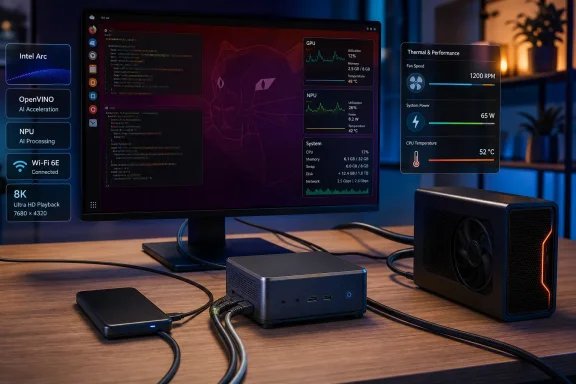 Ubuntu 26.04 detects nearly all of the IT13 Max hardware
CNX Software installed Ubuntu 26.04 LTS alongside Windows 11 by shrinking the Windows partition and creating a conventional dual-boot installation. The review reports no installer-specific workaround, and the resulting system identified the Core Ultra 9 185H’s 16 cores and 22 threads, Intel Arc integrated graphics, the two Intel I226-V 2.5GbE controllers, BE200 Wi‑Fi 7 and Bluetooth 5.4, Kingston NVMe storage, USB controllers, and audio.
The Core Ultra 9 185H is a Meteor Lake mobile processor with six performance cores, eight efficiency cores, and two low-power efficiency cores. That asymmetric arrangement is visible in the Linux CPU topology: the high-performance Redwood Cove cores peak at up to 5.1 GHz, the main Crestmont efficiency cluster reaches 3.8 GHz, and the low-power cluster tops out at 2.5 GHz.
GEEKOM’s own specification page confirms that the IT13 Max combines that processor with two USB4 ports, dual 2.5GbE, Wi‑Fi 7, HDMI 2.0, and either socketed DDR5 or soldered LPDDR5 configurations. The particular review unit used 24GB of LPDDR5-5600 memory and a 500GB Kingston NVMe SSD. Buyers should pay attention to that distinction: GEEKOM also sells a 16GB DDR5 plus 1TB configuration with SO-DIMM upgradeability, while the 24GB LPDDR5 model trades that flexibility for onboard memory.
The review’s most useful baseline is simply that the machine did not need an out-of-tree Ethernet, Wi‑Fi, graphics, or Thunderbolt driver to become a usable Linux desktop. It drove a 4K display and a 6144×3456 display at 60Hz, and Firefox handled the tested 4K and 8K YouTube streams smoothly enough to be credible as a media machine.
The 45W sustained power limit defines the performance ceiling
The IT13 Max was not configured to let the Core Ultra 9 185H run without constraints. CNX Software found a 45W long-term package limit, a 70W short-term limit, and a 120W peak limit under Linux — values it says matched its Windows 11 measurements. The 45W limit has an unusually long reported time window of roughly 56 seconds, allowing the mini PC to burst before settling into sustained behavior.
That pattern appeared in the reviewer’s repeated 7-Zip results: 65,756 MIPS on the first pass, 63,899 MIPS on the second, and 60,936 MIPS on the third. The gap is not catastrophic, but it confirms that short benchmark runs flatter the system more than sustained compiling, encoding, or local-model inference workloads will.
Under an all-thread stress test, package temperature reportedly rose to 99°C, lingered in the mid-90s briefly, then fell and stabilized around 82°C to 85°C. The performance cores settled near 2.6GHz to 3.0GHz, the main efficiency cores around 2.3GHz to 2.5GHz, and the low-power cores near 1.6GHz. In other words, the cooling system reaches equilibrium rather than failing under load, but it does so by reducing clocks and becoming audible.
CNX Software measured 56.0 to 57.7 dBA at roughly five centimeters above the case during the stress run, compared with approximately 38 dBA at idle and 36 to 37 dBA ambient noise. Those are close-mic measurements rather than across-the-desk noise figures, but the practical conclusion holds: this is quiet for ordinary desktop work, not silent under sustained multicore load.
The wall-power results support the same reading. Idle draw was reported at 8.6 to 9.0W with a monitor and typical USB peripherals attached; an 8K60 YouTube stream consumed 22.5 to 26.6W; and CPU stress drew 84.0 to 90.7W at first before declining to 62.0 to 66.7W. For a 0.9-liter machine, that is reasonable performance-per-watt, but it is not a low-power always-on server profile.
Intel Arc acceleration works, but it is not fully configured out of the box
The first meaningful software complication involved Intel’s integrated Arc GPU. Geekbench AI initially showed only CPU backends for TensorFlow Lite, ONNX, and OpenVINO. CNX Software added the Kobuk Intel graphics PPA and installed Intel’s OpenCL and Level Zero components before OpenVINO could enumerate the Arc GPU.
After that work, the GPU appeared as an OpenVINO device. The review then recorded GPU-backed local-model results using llama.cpp built with Vulkan support: a quantized Llama 3.2 3B model generated at 20.57 tokens per second, Phi-4 Mini reached 16.75 tokens per second, and a quantized Llama 3.1 8B model produced 11.14 tokens per second. Those are usable interactive rates for a local assistant, though the results are specific to the models, quantization, prompt length, Vulkan backend, memory configuration, and test build.
The key practical lesson is that Intel Arc graphics support and AI runtime support are separate jobs. A desktop that renders correctly through the in-kernel i915 driver may still lack the OpenCL and Level Zero components a compute application needs. Administrators deploying similar Meteor Lake systems should validate their actual framework — OpenVINO, ONNX Runtime, PyTorch, llama.cpp, or another stack — rather than treating a working desktop as proof that the GPU is ready for acceleration.
The review’s standard graphics test also puts the integrated GPU in perspective. Unigine Heaven 4.0 scored 1,866 points at 1080p, or 74.1 frames per second. Heaven is an old OpenGL workload and should not be read as a modern game-performance forecast, but it does confirm the Arc iGPU is materially more than a basic display controller.
The NPU works through OpenVINO, not every benchmark frontend
The NPU findings are more nuanced — and more useful than a simple pass/fail label. Intel’s current Linux NPU driver release explicitly lists Meteor Lake among its supported platforms, but its published verified configuration is Ubuntu 24.04 with a 6.17-series kernel. CNX Software tested Ubuntu 26.04 with Linux 7.0 instead. That newer combination is outside the exact validation environment Intel publishes for the driver release, which helps explain why application behavior can differ even when the device itself is functional.
The reviewer installed Intel’s v1.35 NPU driver packages and built Intel’s npu-umd-test utility. The test suite completed with 163 passed tests and 99 skipped, without reported failures. Yet Geekbench AI still listed CPU and, after additional setup, GPU backends — but no NPU backend.
That does not establish that the NPU is broken. It establishes that Geekbench AI did not enumerate it in that configuration. Intel’s NPU driver documentation treats runtime installation, Level Zero libraries, firmware compatibility, device permissions, and application-level discovery as separate layers. Passing a low-level user-mode driver test is valuable evidence that the hardware path exists; it is not a guarantee that every benchmark or framework has implemented a compatible route to that hardware.
OpenVINO GenAI did use the NPU. CNX Software measured 22.0 tokens per second on an int4 TinyLlama 1.1B model, with a 1.85-second time to first token. A larger int4 Qwen2.5 7B model ran at 5.3 tokens per second, but its first token took 9.47 seconds. The smaller model is responsive enough for lightweight local tasks; the 7B result demonstrates capability rather than a compelling chat experience.
For developers, the conclusion is clear: Intel’s Meteor Lake NPU can now be productive on Linux, especially through OpenVINO and appropriately converted models, but it remains a framework-specific deployment target. A benchmark that claims an “AI PC” result without identifying model format, runtime, device backend, driver version, and first-token latency says very little about what an end user will experience.
USB4 and networking are the uncomplicated parts
The IT13 Max performed well where Linux mini PCs often encounter less glamorous problems. Both Intel I226-V Ethernet ports reached 2.35Gbps in each direction in 60-second iperf3 tests. One port registered retransmissions during a unidirectional upload test, but throughput remained at line rate and bidirectional testing reported 2.35Gbps in both directions without retransmissions.
The Wi‑Fi 7 module was tested only against a Wi‑Fi 6 router, so the review cannot establish Wi‑Fi 7 throughput. It did record approximately 1.46Gbps downstream and 1.49Gbps upstream over 5GHz Wi‑Fi 6. That is excellent real-world performance for the test environment, while remaining distinct from a certification of Wi‑Fi 7 operation.
USB storage testing showed around 1GB/s through the 10Gbps USB 3.2 ports and roughly 2.4GB/s to 3.0GB/s through the USB4 ports using the reviewer’s enclosure. The internal SSD reached approximately 4.6GB/s reads and 3.2GB/s writes in the Linux iozone test. These figures align with a competent PCIe 4.0 OEM drive and confirm that the USB4 implementation is doing more than merely negotiating a connection.
An RTX 5060 Ti in a Khadas Mind Graphics 2 eGPU dock was also detected over USB4. Initial OpenGL performance through the open-source Nouveau driver was worse than the Intel iGPU, scoring only 592 points in Heaven. Installing NVIDIA’s 610 open-kernel-module driver corrected the stack selection and improved the situation, though CNX Software did not include the final Heaven score. The documented result is detection and driver handoff, not a finished eGPU performance verdict.
The IT13 Max therefore looks like a strong dual-boot and Linux desktop option for users who need fast wired networking, USB4 storage, several displays, and reasonably capable local AI experimentation. Its limits are equally concrete: sustained workloads invoke thermal management and fan noise, the 24GB LPDDR5 model cannot be upgraded, and Linux AI acceleration still demands more than installing Ubuntu and opening a benchmark.
