

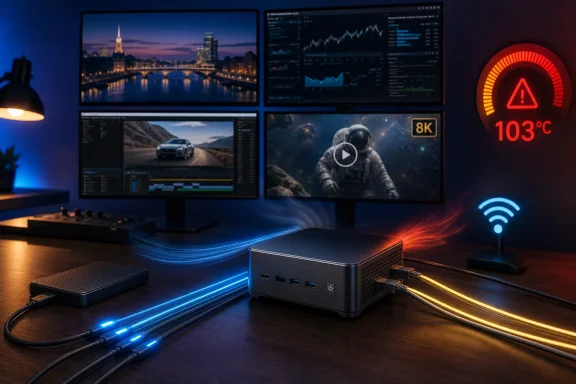
The result is a more useful verdict than a benchmark chart alone. The IT13 Max is not a failed machine; CNX measured stable 2.37Gbps transfers on both Intel I226-V 2.5GbE ports, smooth 8K60 YouTube playback in Firefox with just 18 dropped frames across five minutes, and roughly 3.15GB/s reads through either USB4 port. But buyers deciding between its two memory-and-storage configurations should treat the 24GB model as a deliberately fixed appliance, not a long-life workstation.
The Windows 11 Pro hardware checks mostly hold up
CNX Software tested the 24GB LPDDR5-5600 and 500GB Kingston NVMe version under Windows 11 Pro 25H2. Windows recognized Intel AI Boost in Task Manager, the Intel Wi‑Fi 7 BE200 adapter, Bluetooth 5.4, two I226-V Ethernet controllers, Intel Arc graphics, and the complete complement of USB ports. In practical terms, there was no missing driver, unidentified controller, or obvious Windows integration problem in the review sample.
The port testing is unusually valuable because mini PC product pages often blur USB nomenclature into a single “USB 3.2” label. CNX found approximately 1,032–1,036MB/s writes and 1,035–1,062MB/s reads on the six 10Gbps USB-A ports, about 44MB/s in each direction from the lone USB 2.0 port, and approximately 3,154–3,162MB/s reads with 2,745–2,746MB/s writes through each 40Gbps USB4 Type-C port.
That is consistent with GEEKOM’s official configuration: four front USB-A ports, two rear USB-A ports, two USB4 ports, two HDMI 2.0 ports, dual 2.5GbE, Wi‑Fi 7 and Bluetooth 5.4. The USB4 ports also worked with a Khadas Mind Graphics 2 external GPU dock in CNX’s test, albeit only after a reboot. That reboot requirement is worth retaining in deployment notes; works after a restart is different from reliable hot-plug eGPU behavior.
Intel’s own specifications support the broader connectivity story. The Core Ultra 9 185H has four-display support, AV1 hardware encode and decode, and an Intel Arc integrated GPU with eight Xe cores. CNX’s four-monitor test across both HDMI and both USB4 outputs therefore validates a platform capability rather than extending it.
The 24GB model is the configuration that defines the purchase
GEEKOM sells two materially different IT13 Max systems under one product name. The reviewed version couples 24GB of soldered LPDDR5-5600 with a 500GB PCIe 4.0 SSD. The alternative ships with 16GB of socketed DDR5 and a 1TB SSD, with GEEKOM advertising support for up to 96GB of memory and up to 6TB total M.2 storage.
Those are not minor retail variations. The 24GB LPDDR5 system begins with more memory, but it has no memory upgrade path. The 16GB DDR5 system starts at a less attractive capacity but can become a much better fit for virtual machines, Docker-heavy development, local databases, large Adobe workloads, or an eGPU setup that needs system memory headroom.
CNX’s tested Kingston 500GB drive produced 5,446MB/s reads and 3,280MB/s writes in CrystalDiskMark, so the drive is reasonably fast. Capacity is the larger limitation. TechRadar independently reached the same conclusion after testing the same 24GB/500GB variant: it found the soldered memory restrictive for demanding work, and reported that the available space became a real constraint when installing larger applications and games.
The external review also found fan noise reaching 59.5dB under load. CNX measured lower maximum figures—55.2 to 56.8dBA during Cinebench R23 multi-core—but its meter was positioned about 5cm above the chassis, while TechRadar used a different environment and method. Those figures cannot be directly compared as a laboratory result. They do agree on the part that matters: under a long render, compile, game, or all-core benchmark, this mini PC is audible.
The cooling claim does not survive the published test results
GEEKOM’s U.S. product page says the IT13 Max cooling design “prevents thermal throttling” during extended rendering, AI workloads and intensive multitasking. CNX Software’s testing directly contradicts that claim in the 24GB LPDDR5 sample.
During 3DMark Fire Strike, CNX recorded a peak CPU temperature of 103°C and thermal-throttling flags on three performance cores. After a reboot, Cinebench R23 again reached 103°C and reported throttling on five performance cores. Intel lists 110°C as the Core Ultra 9 185H’s maximum operating temperature, so the system remained below Intel’s published ceiling. But operating below the emergency limit is not the same thing as avoiding thermal throttling.
This is not a hypothetical concern inferred from the small chassis. It was observed in a published review, and the fan behavior reported separately by TechRadar points in the same direction: the IT13 Max can maintain substantial performance, but it does so at elevated heat and noise once all CPU and GPU resources are loaded together.
CNX’s comparison with GEEKOM’s 2024 GT1 Mega complicates the picture further. Both machines use the same Core Ultra 9 185H processor and, according to CNX, both throttled under testing. Yet the newer IT13 Max scored lower in most of the review’s Windows benchmarks: 7,040 in PCMark 10 versus 7,808 for the GT1 Mega; 14,895 versus 15,696 in Cinebench R23 multi-core; and 1,792 versus 1,955 in single-core.
The review suggests the lower PL4 setting, slower storage, and lower memory performance as potential factors. The PL4 comparison should be treated carefully: a system firmware power-limit number is not directly interchangeable with Intel’s published 45W processor base power or 115W maximum turbo power, and CNX did not provide clock, package-power, or sustained-frequency telemetry sufficient to isolate a single cause. The practical conclusion is firmer than the explanation: this is not a performance uplift over every earlier 185H GEEKOM design, even though its Windows driver and NPU software support have improved.
AI support has improved, but this is not a Copilot+ PC
The Core Ultra 9 185H is a first-generation Meteor Lake Core Ultra mobile chip from late 2023, not a current Copilot+ platform. Intel rates its NPU at 11 TOPS, while its combined CPU, GPU and NPU figure is 35 TOPS. Microsoft’s Copilot+ PC requirement concerns the dedicated NPU and calls for more than 40 TOPS, which puts the IT13 Max outside that hardware class regardless of the combined platform number.
That distinction matters for Windows buyers because the machine can still run AI workloads without receiving every Copilot+ PC experience. CNX successfully ran Geekbench AI through OpenVINO and, unlike its 2024 GT1 Mega test, detected and measured the Intel AI Boost NPU. The NPU posted 13,674 points in the quantized run, versus 21,699 for the Arc GPU and 7,229 for the CPU.
The GPU winning that benchmark is unsurprising given Intel’s own ratings: 19 TOPS for the Arc graphics and 11 TOPS for the NPU. For developers, the more meaningful progress is software recognition. An NPU that appears correctly in Task Manager and is usable through OpenVINO is more valuable than a theoretical AI block invisible to common tooling. Still, anyone buying specifically for Recall-class features, Copilot+ exclusive capabilities, or a 40+ TOPS NPU should choose a newer platform.
Network and media performance suit its strongest use cases
The IT13 Max’s best case is a compact Windows endpoint that spends more time moving data, driving displays, decoding media, or running moderate services than maxing out all 16 cores. CNX’s iperf3 results reached 2.37Gbps in both directions on each Ethernet port, close to the usable ceiling expected from 2.5GbE after network overhead. Its Wi‑Fi 6 test through a Xiaomi AX6000 router recorded 1.78Gbps downstream and 1.74Gbps upstream.
The Wi‑Fi result verifies compatibility and good throughput, but it does not establish Wi‑Fi 7 performance. CNX did not have a Wi‑Fi 7 router, so the review correctly tested the Intel BE200 adapter at Wi‑Fi 6 instead. Buyers planning a Wi‑Fi 7 rollout should regard the radio as supported hardware, not assume those Wi‑Fi 6 measurements forecast its 320MHz Wi‑Fi 7 performance.
CNX also found no dropped frames in its 4K30, 4K60, or 8K30 Firefox playback tests, and only 18 dropped frames at 8K60. Combined with four-display support, dual USB4 and dual Ethernet, that makes the IT13 Max credible for digital signage, conference-room systems, a compact desk workstation, a lab controller, or an office PC attached to fast network storage.
At current pricing, the critical buying decision is not whether the Core Ultra 9 185H can perform—it can. It is whether the fixed 24GB/500GB configuration fits the machine’s entire service life. For a compact Windows 11 Pro endpoint with fast I/O and predictable moderate workloads, it does. For a workstation expected to expand with local VMs, large media projects, games, or sustained CPU rendering, the socketed-memory, 1TB version is the safer starting point, and neither configuration should be purchased on the promise of throttle-free all-core operation.