
Install_PCIE_Win11_11.10.0720.2022_11222022.exe, delete any saved copy, and treat a machine that executed it as a potential security incident rather than a routine driver-update problem.The issue was first detailed by VideoCardz and then independently reported by igor’sLAB, Clubic, and Tom’s Hardware. Their reporting identifies the same executable in the LAN-driver portion of a shared GEEKOM archive downloaded from the vendor’s own infrastructure. GEEKOM’s August 17 statement acknowledges that several security tools flagged a driver file associated with the company, calls the resource outdated, and says current driver pages are unaffected.
That response settles one important point: this was not merely a file circulating on a forum or a third-party mirror. A suspicious installer was available through GEEKOM support resources. It does not settle the more important forensic questions—whether the executable was a false positive, a compromised upstream component, or a deliberately altered archive.
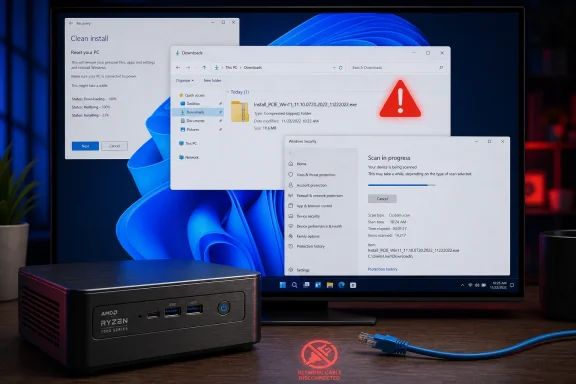 The affected file was a driver installer, not a preinstalled Windows image
The reporting consistently distinguishes this incident from the 2024 AceMagic case, in which malware was found on factory Windows installations. The GEEKOM finding concerns a separately downloadable driver archive, and GEEKOM says the preinstalled operating system and its hardware are not affected.
That distinction changes who should act. Owning one of the listed mini PCs is not, by itself, evidence of compromise. A system is in scope if its owner or administrator downloaded the legacy LAN package and, more importantly, launched the flagged executable. The filename points to a Windows 11 PCIe-network installer, and the file sits within the LAN directory of archives shared among several AMD models.
But calling it “only a driver download” should not minimize the risk. A driver installer is normally expected to make system-level changes and may request administrative elevation. A suspicious program run under that expectation has a more favorable path to persistence and privileged changes than an ordinary untrusted download blocked by Windows SmartScreen or left unopened in Downloads.
GEEKOM’s statement tells customers not to run the installer and advises those who did download it to run a full Windows Security scan, obtain networking drivers from Windows Update or Realtek, and consider reinstalling Windows from Microsoft media. That is appropriate emergency guidance. It is also an implicit acknowledgment that deleting the ZIP archive alone is inadequate if the executable was launched.
GEEKOM has not supplied the evidence needed to close the case
GEEKOM describes the package as an old resource that was not removed from legacy pages promptly enough. It says current driver pages contain no comparable anomaly and says it is strengthening its resource-management and review processes. The company has apologized, but its public explanation stops short of a technical incident report.
There is no public root-cause account explaining how the file entered the archive, when the archive first went online, when it was last modified, or whether GEEKOM has determined that its hosting environment was compromised. The statement also does not publish a cryptographic hash for the flagged executable, a versioned inventory of affected archives, a signed replacement package, or a clean-file hash customers can use to verify remediation.
Those omissions matter. “Use the updated package” is not a sufficient verification mechanism for an administrator rebuilding several systems. A support page can change without leaving a useful audit trail, and the phrase legacy page describes where GEEKOM says the file was reached—not why multiple detection services reacted to the same binary.
The available reporting establishes that several scanning and analysis services flagged the installer, including VirusTotal, FileScan.IO, MetaDefender, and YARAify. Clubic reported detections associated with Malware.Agentb and Asruex signatures, while VideoCardz said the same file hash had earlier reports dating to December 2024. Multiple detections deserve action, but they do not replace reverse engineering, behavioral evidence, or a vendor-provided chain of custody.
So far, no public technical analysis cited by the reporting conclusively demonstrates the executable’s behavior after launch. That is why calling every affected GEEKOM system infected would go beyond the record. The responsible conclusion is narrower: an executable distributed through an official support channel triggered enough independent warnings that it should be handled as unsafe until its provenance and behavior are independently established.
What affected Windows users should do now
For a GEEKOM A7, A8, AE7, AE8, AX7 Pro, or AX8 Pro, first determine whether the package was merely downloaded or actually executed. Check browser download history, the Downloads folder, archive-extraction folders, and any saved driver backup created during a clean Windows installation.
If the executable was downloaded but never launched, delete it and scan the extracted archive or directory with Microsoft Defender. Then use Windows Update to look for recommended and optional driver updates. Microsoft documents that Windows 11 can automatically install recommended drivers and exposes available optional driver packages under Windows Update’s Advanced options. Where Windows Update does not supply a required network driver, source it directly from the component vendor only after confirming the exact Ethernet controller installed in Device Manager.
If the installer was executed, the response should be stronger:
- Disconnect the mini PC from networks if there are signs of unexpected activity, and do not use it for sensitive logins or financial activity until it has been assessed.
- Update Microsoft Defender security intelligence, run a full scan, and then run Microsoft Defender Offline from Windows Security’s Virus & threat protection scan options. The offline scan restarts the PC and scans outside the normal Windows session, reducing the chance that persistent malware can hide while Windows is running.
- Review Defender’s Protection history after the scan and retain relevant detections, timestamps, and the original archive name for support or incident-response records.
- Change passwords from a separate, known-clean device if the affected system held browser-saved credentials, administrator passwords, remote-access keys, or business data.
- For managed endpoints, record the model, archive source, execution date, local account used, Defender findings, and network logs. A device that ran the installer should be triaged as a possible endpoint compromise, not closed solely because a first scan returns clean.
A clean installation of Windows from Microsoft’s official installation media is the highest-confidence consumer remediation if the installer ran and the machine handled sensitive work. It is not automatically necessary for every owner who never executed the file. GEEKOM itself correctly separates those two groups, although its public statement does not offer enough technical detail to establish a less conservative remediation boundary for users who did run it.
The support-page route is part of the failure
GEEKOM’s recommendation to use the Support button rather than older search-engine results is sensible as a short-term precaution. It is also a poor long-term answer to the trust problem. Search indexing is how many owners find drivers after a fresh installation, a failed network adapter, or a missing Bluetooth device; a downloadable vendor file does not become less official from the user’s perspective because it was reached through a still-indexed historical page.
For Windows enthusiasts, the practical lesson is to make driver sourcing more deliberate on compact PCs from smaller OEMs. Begin with Windows Update, then obtain only the missing components from the silicon or adapter manufacturer where possible. Preserve the exact model and hardware IDs before wiping a system, because Wi-Fi, Bluetooth, audio, storage-controller, and power-management components may require OEM-specific packages even when graphics and chipset drivers come from AMD or Intel.
GEEKOM now needs to provide more than a cleaned link. A credible closeout would include a model-by-model list of affected download archives, removal dates, SHA-256 hashes for the flagged and replacement files, signature details, an explanation of the internal review, and a clear statement of whether the file has been submitted to Microsoft and other security vendors for classification. Until then, the safe operational position is unchanged: do not execute the named LAN installer, and investigate any system where it already ran.
