

That mismatch matters more than a disappointing benchmark. It can turn a camera card, dashcam card, handheld-console expansion card, or Windows backup device into a delayed data-loss event. The useful response is not panic over every inexpensive card, nor blind faith in a label. It is to separate three questions that are too often treated as one: does the card provide its advertised usable capacity, is it reliably functioning in the current setup, and is its claimed brand authentic?
A full write-and-read test on Windows can give a strong answer to the first question. It cannot, by itself, answer all three.
What false-capacity cards actually misrepresent
Counterfeit removable storage can be altered so that its controller reports a capacity much larger than the installed flash can hold. The computer sees the declared size and may initially write files normally. The problem emerges only after writes exceed the real physical capacity, at which point later data may be unavailable or corrupted. The SD industry’s anti-counterfeiting body has used the example of a card packaged and reported as 256GB but physically holding 16GB.
Capacity is not the only claim that can be manipulated. Counterfeiters may also copy or misuse performance markings, including Speed Class symbols. That means a card can fail in at least two distinct ways:
- It may have far less usable storage than Windows reports.
- It may have the advertised capacity but fail to sustain the write performance implied by its label.
These are different failures and require different evidence. A successful capacity test does not establish sustained-video suitability. Conversely, a quick file copy that appears fast does not establish that the entire advertised capacity can hold recoverable data.
The issue is longstanding rather than hypothetical. Independent testing has found purported 256GB and 512GB microSD offerings that contained only 16GB or 32GB of storage. Investigators also found suspicious marketplace listings associated with Amazon, eBay, Wish, and Joom. That evidence supports caution with online marketplace listings and third-party sellers, but it does not prove that fake cards are currently “everywhere,” or that every card on those platforms is suspect.
Why a suspicious price deserves attention—but not a verdict
Price is a useful screening signal. In 2026, retail prices for USB flash drives, SD cards, and microSD cards have risen substantially year over year, according to a retail-price investigation. Separate industry forecasting points to continued pressure on some specialty flash categories, including NOR flash and SLC NAND, during the second half of 2026.
That makes a remarkable bargain worth questioning, especially when a listing combines a huge capacity, premium-looking branding, and unusually low pricing. But the evidence does not show that higher flash prices have caused counterfeit-card sales to increase. Nor does price alone distinguish a clearance sale, an older model, a parallel-import listing, and fraud.
Capacity needs the same context-sensitive approach. A 2TB microSD card is no longer automatically implausible: Lexar announced a 2TB microSDXC card in April 2026. A capacity that sounded impossible a few years ago is not necessarily fake today. Instead, compare the exact model, capacity, seller, and price against current products from the claimed manufacturer and the capabilities of the device that will use it.
The Windows test that checks real usable capacity
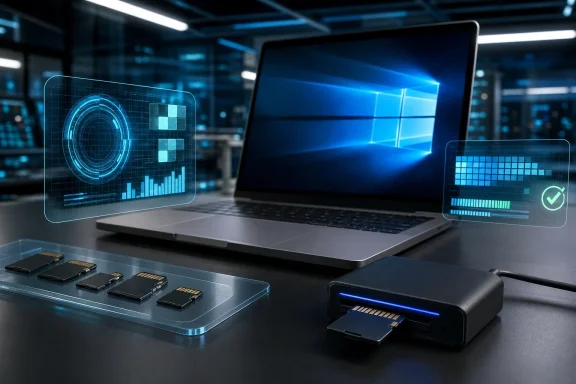
For Windows users, H2testw remains a practical tool for investigating usable capacity and data integrity. Its basic method is straightforward: it generates data, fills the selected storage medium, then reads the data back and compares it with the originals.
That is precisely the kind of test a false-capacity card struggles to pass. A card that merely reports 256GB but has far less physical flash may appear normal until the test writes beyond its genuine limit. A full test then checks whether the files written across the claimed space can actually be read back correctly.
Before testing, copy off anything you need. A comprehensive capacity test writes extensively to the card, and preparation may involve formatting or otherwise dedicating the media to the test. Do not use the only copy of photos, project files, camera footage, or application data as a test subject.
A cautious Windows workflow is:
- Back up the card’s contents elsewhere. Treat the test as destructive or at least disruptive until you have protected the data.
- Use a dependable reader and connection. If possible, use a known-good card reader connected directly to the PC rather than a questionable hub or adapter.
- Run the test over the full available capacity. A partial test can be useful as an early warning, but it cannot validate untested space. The false-capacity fraud becomes visible specifically when writing reaches the area the card cannot truly store.
- Let the write and read-back phases finish. Large cards and slow media can take a long time. Interrupting the process removes the value of a full-capacity result.
- Preserve the result and investigate failures methodically. Note the apparent capacity, the amount successfully tested, and whether errors occurred during writing or verification.
The time commitment is inconvenient, but it is the trade-off for a meaningful result. A few minutes of copying familiar files is not an equivalent test of a card advertised as hundreds of gigabytes or more.
What a clean result proves—and what it does not
If a full write/read comparison completes without errors, that is valuable evidence that the tested card and connection could store and retrieve the tested volume correctly. For someone deciding whether to trust a new card with data, that is a much stronger basis than File Explorer’s capacity display.
It is not proof that the product is genuine.
A counterfeit card can contain enough authentic flash to pass its advertised capacity test while still using copied packaging, fake branding, or a misrepresented model number. The capacity test establishes behavior under the test setup; it does not authenticate origin, licensing, or branding. If the claimed manufacturer offers visual-marking checks, serial-number validation, or model-specific verification, those are separate steps.
This distinction avoids two bad conclusions:
- “The test passed, so the brand must be authentic.” Not established.
- “The label looks wrong, so the capacity test is unnecessary.” Also unwise. A label inspection may raise suspicion, but a capacity test answers whether the card can safely hold the advertised amount of data.
A failed test also needs careful interpretation. It may indicate false capacity, failing storage, or another integrity problem, but testing software can encounter false alarms caused by faulty RAM, cables, USB ports, adapters, or the host system. Before declaring a card counterfeit or worn out, repeat the test with a different reader, cable where applicable, USB port, and ideally another PC. Consistent failure across known-good setups is much more persuasive than a single result from an uncertain connection.
Avoid rules such as “a small percentage of missing capacity means the card is near end of life.” The available evidence does not support a fixed threshold for diagnosing wear, counterfeiting, or replacement urgency. The pattern of errors and the ability to reproduce them in another setup are more useful than an arbitrary cutoff.
Performance labels need a different kind of validation
Windows copy results are still useful. If a card marketed for demanding recording or app use is conspicuously slow in ordinary transfers, that is a sensible reason to investigate further or return it. But a copy test is only diagnostic evidence, not a certification-grade validation of every logo on the label.
SD Speed Class markings represent minimum performance under defined test conditions, particularly sustained sequential access. Application Performance Classes add random-I/O requirements. A test involving one file size, one reader, one USB connection, and one Windows PC cannot necessarily recreate those standardized conditions.
In practical terms, use performance testing to answer a narrower question: Does this card perform adequately in my actual device and workflow? For a camera, that may mean reliable recording at the selected mode. For a Windows handheld or mobile device, it may mean acceptable app or game behavior. A good result is reassuring; it is not independent confirmation that every printed speed class is valid.
Format only for the card and host you actually have
“Format it as exFAT” is not universal advice. SD-family compatibility varies by standard and by host device. SD and SDHC cards use FAT12/16 and FAT32 respectively, while SDXC and SDUC use exFAT. Most importantly, SDUC cards must be used with SDUC-capable hosts.
This matters after a test, when users often want to put a card back into service. Before formatting, identify the card’s SD standard and check what the target camera, console, recorder, laptop, or reader supports. A format that seems convenient in Windows can impair compatibility or expected performance in the device that matters.
The SD Association recommends its dedicated SD Memory Card Formatter rather than a generic operating-system formatter. Regardless of the tool chosen, the safe principle is to format for the target device’s supported card standard—not according to a one-size-fits-all filesystem rule.
Safer buying and a realistic response to a bad card
The most effective prevention remains buying through the manufacturer, its licensees, or authorized sellers. This does not promise perfection, but it reduces exposure to the weak chain of anonymous listings, unclear fulfillment, and copied product descriptions. The SD industry body specifically warns that e-commerce sites do not always police third-party sellers effectively.
When evaluating a listing, scrutinize the seller identity and fulfillment details as carefully as the product name. Treat unclear branding, inconsistent packaging details, implausible price claims, and vague specifications as reasons to pause. Keep the receipt, order record, packaging, and test result while a return or dispute is possible.
If a full-capacity test repeatedly fails in multiple known-good setups, stop using the card for important data. Preserve evidence of the result, pursue the seller’s return or marketplace dispute process, and report the suspect listing through the relevant channel. Do not keep it in service merely for “nonessential” files if those files would still matter when they disappear.
The key lesson for Windows users is simple but precise: reported capacity is a claim, not proof. A full write/read test can verify whether a card delivers usable space and recoverable data in your setup. It cannot certify the logo, serial number, origin, or every performance marking. Combining disciplined testing with authorized purchasing and host-compatible formatting is the practical way to reduce the risk before a cheap card becomes an expensive loss of data.