

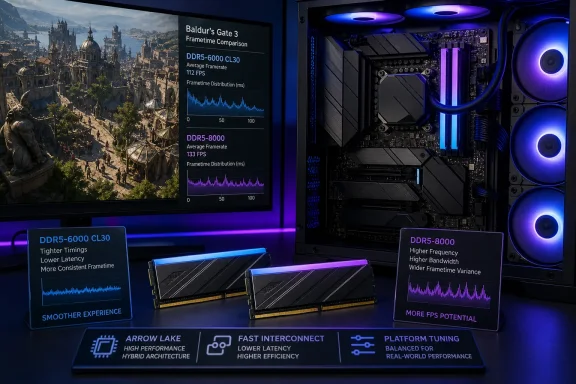
In its August 13 review, TechPowerUp tested the 32 GB, two-stick NOVAKEY kit in Baldur’s Gate City, one of the game’s most CPU-limited areas. With its standard XMP profile, the DDR5-6000 CL30 kit trailed faster 32 GB memory configurations. Once Intel 200S Boost was enabled, however, the same memory moved ahead of several DDR5-6000, DDR5-8000, and DDR5-8800 results in the review’s chart.
That result is easy to misread as a victory for lower-clocked memory over higher-speed kits. It is not. It is evidence that Arrow Lake gaming performance is unusually sensitive to settings outside the DIMM’s advertised transfer rate, including the interconnect and fabric clocks that Intel’s 200S Boost changes alongside memory behavior.
For anyone building around a Core Ultra 9 285K, the practical message is simple: buy a sensible low-latency DDR5 kit, but do not evaluate it by XMP-only gaming numbers if the platform supports Intel’s profile. Conversely, do not assume an expensive DDR5-8000 or DDR5-8800 kit will deliver its expected advantage merely because the label carries a larger number.
Baldur’s Gate 3 exposes the Arrow Lake memory problem
TechPowerUp’s choice of Baldur’s Gate City is significant. The location is frequently used in CPU testing because NPC simulation and the game’s dense city workload can push the processor harder than the GPU. That makes it a useful test for memory latency and frame delivery rather than a conventional graphics-card benchmark.
The review does more than compare average frame rates. It tracks frametimes over the course of a run, reports 95th- and 99th-percentile minimum performance, and uses a histogram plus interquartile range to show how broadly individual frame measurements spread. A higher average FPS can conceal intermittent hitches; a tighter frametime distribution is often a better clue to whether a game actually feels consistently responsive.
TechPowerUp found a visible gap between the NOVAKEY’s XMP-only result and its result with XMP plus Intel 200S Boost. It also observed that a CL34 DDR5-7200 kit held a modest, consistent lead over the DDR5-6000 CL30 memory in its frametime run. The gap was smaller than comparable results commonly associated with Raptor Lake, but it did not disappear.
Independent testing supports the broader pattern. Tom’s Hardware measured Intel 200S Boost on the Core Ultra 9 285K and reported that Baldur’s Gate 3 was among the games with the larger gains, at 11.6% in its testing. PC Gamer’s later comparison of DDR5-6000 CL30 and DDR5-7200 CL34 on Intel’s refreshed desktop lineup also found a 4% average-frame-rate gain in the game with the faster memory, while 1% lows improved by 8%.
The exact percentages cannot be transferred from one test lab to another. GPU choice, resolution, game version, motherboard firmware, memory tuning, and the benchmark route all matter. But the direction is consistent: Baldur’s Gate 3 can reward faster or better-tuned memory on Arrow Lake, especially when the system is CPU-bound.
200S Boost changes more than the memory speed
Intel introduced 200S Boost in April 2025 as a BIOS-level overclocking profile for supported unlocked Core Ultra 200S desktop processors and select Z890 motherboards. The Core Ultra 9 285K is on Intel’s supported processor list.
The profile can raise more than the DDR5 data rate. Intel specifies settings of up to 3.2 GHz for the fabric, identified in its documentation as the SoC Tile or NGU, and up to 3.2 GHz for the die-to-die link. It also supports one DIMM per channel at memory speeds up to DDR5-8000, within Intel’s voltage limits.
That is why comparing “DDR5-6000 XMP” with “DDR5-6000 plus 200S Boost” is not a pure RAM-speed comparison. The latter alters the system paths a CPU uses to reach memory. Where a game is sensitive to access latency rather than raw bandwidth, lifting those related clocks can matter as much as, or more than, pushing the DIMMs to a higher transfer rate.
The TechPowerUp result therefore gives the NOVAKEY kit a more qualified endorsement than the chart placement alone suggests. The kit did not suddenly become inherently faster than every DDR5-8000 or DDR5-8800 configuration. In that test system, under that 200S Boost profile, the complete tuned platform delivered better results than several alternatives tested under their own settings.
That distinction matters when comparing memory reviews. Memory-kit rankings are often really rankings of a kit, motherboard BIOS, CPU sample, training behavior, and selected overclocking profile. Arrow Lake has made those dependencies difficult to ignore.
XMP remains the baseline buyers should expect
XPG positions NOVAKEY as an RGB DDR5 line with XMP 3.0 and AMD EXPO support. The reviewed kit is a 32 GB DDR5-6000 CL30 configuration, using two 16 GB modules. At that speed and primary CAS latency, it sits in a familiar enthusiast sweet spot: it should be easier to run than extreme DDR5-8000-class memory while offering much lower latency than value-oriented DDR5-5600 or looser-timed DDR5-6000 kits.
But the test results also show why buyers should separate a kit’s rated profile from an optional platform overclock. With XMP alone, TechPowerUp says the NOVAKEY lags the best 200S Boost results and falls further behind other 32 GB kits as resolution rises. At higher resolutions, the graphics card increasingly becomes the limiting component, reducing the practical value of RAM tuning even in a game with a demanding CPU workload.
For most gaming PCs, that means DDR5-6000 CL30 remains a rational capacity-and-latency choice, rather than a compromise that must be rescued by extreme tuning. The upgrade priority changes if the machine is paired with a top-end GPU, targets very high refresh rates, or spends substantial time in CPU-bound games such as Baldur’s Gate 3, simulation titles, or strategy games.
A gamer targeting 4K with demanding visual settings should be especially cautious about paying a large premium for extreme memory speed based on a single CPU-heavy benchmark. The NOVAKEY’s performance advantage from 200S Boost may be real in Baldur’s Gate City, but it will not turn a GPU-limited scenario into a CPU-limited one.
Compatibility is the part buyers cannot skip
Intel’s warranty treatment is one attraction of 200S Boost. Intel says applying the profile does not void the processor’s three-year limited warranty for eligible processors, unlike conventional manual CPU overclocking. That assurance applies to the processor warranty under Intel’s stated conditions; it does not guarantee that every motherboard-and-memory combination will boot or remain stable at the profile’s settings.
Intel requires a compatible Z890 motherboard, updated BIOS support, an unlocked supported Core Ultra 200S processor, XMP memory, and a one-DIMM-per-channel configuration. Two DIMMs per channel are outside the 200S Boost program. In normal consumer terms, that favors the 2×16 GB NOVAKEY setup reviewed by TechPowerUp over a four-stick configuration, but it does not establish support for every NOVAKEY part number on every Z890 board.
Intel’s published tested-memory list included an ADATA Lancer RGB DDR5-8000 kit when 200S Boost launched, but not the NOVAKEY DDR5-6000 CL30 kit. Intel also says that list is not exhaustive. The omission is therefore not proof that NOVAKEY is unsupported; it means buyers should not treat the existence of the review as a substitute for checking their motherboard’s memory QVL and the BIOS release notes.
The safest procedure is to update the Z890 board to a BIOS that explicitly offers Intel 200S Boost, enable XMP first, confirm stable operation, then enable the Intel profile and retest. A boot into Windows is insufficient validation. Memory-related instability can show up as application crashes, corrupted archives, game exits, or errors only after a long workload.
The useful buying conclusion
TechPowerUp’s data is less a case for chasing the highest printed DDR5 number than a reminder to tune the Core Ultra 9 285K as a platform. The NOVAKEY RGB DDR5-6000 CL30 kit appears capable of competitive Baldur’s Gate 3 frametimes when paired with Intel 200S Boost, while faster DDR5-7200 memory still retains a measurable edge in the review’s direct comparison.
For an Arrow Lake gaming build, 32 GB of low-latency DDR5-6000 plus a stable 200S Boost configuration may offer a better balance than spending heavily on ultra-high-speed memory and leaving the relevant interconnect settings at default. The deciding factor is no longer the DIMM label alone: it is whether the motherboard firmware can apply Intel’s profile reliably to the exact CPU and memory combination in the system.