
Neowin first highlighted the monthly additions on August 28. Microsoft’s own Learn documentation, updated August 26 and August 27, confirms the core changes and fills in the operational details missing from the broader announcement. It also shows that calling the report a list of all August additions overstates the case: Microsoft’s Intune record includes other newly documented work, including Apple VPP app management through Declarative Device Management, Android corporate eSIM actions, expanded SIM inventory, and the general availability of the operatingSystemVersion assignment-filter property.
For Windows administrators, the two changes worth immediate scrutiny are Windows Autopilot device association and unattended Remote Help. Both extend Intune’s reach earlier or deeper into the device lifecycle, and both need a controlled pilot before a fleet-wide policy change.
 Windows Autopilot device association moves trust ahead of enrollment
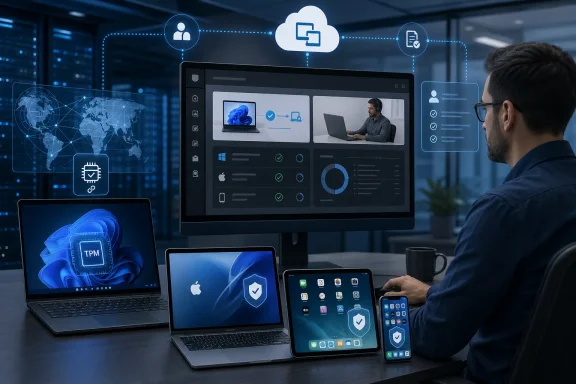
Windows Autopilot device association is now available for Windows Autopilot device preparation. Microsoft describes it as a way to establish a verifiable affiliation between a physical PC and an organization before the device enrolls in Intune, using TPM-backed identity checks and a tenant-affinity marker written to UEFI firmware.
The benefit is tangible for organizations handing out new machines, staging shared PCs, or having partners prepare devices. After an administrator pre-associates a device, Intune can treat it as corporate-owned, apply device-targeted policy, assign a device name, and tailor parts of the out-of-box experience before the first user enrollment. That avoids a common Autopilot weakness: policies that depend on knowing which employee signs in before the PC can be fully identified and configured.
Microsoft’s documentation makes clear that this is not a generic improvement for every Autopilot deployment. It applies to physical Windows 11 devices, not virtual machines or Windows 365 Cloud PCs. The supported baseline is Windows 11 24H2 or 25H2 with KB5120998 or a later cumulative update, on supported Pro, Enterprise, Education, and Enterprise LTSC editions.
The TPM requirement is also a hard gate. The device must have TPM 2.0 enabled and healthy, rather than operating in Reduced Functionality Mode, because TPM attestation is what proves the device’s identity during association. Organizations with older hardware, firmware problems, or inconsistent TPM provisioning should test their remediation path before treating association as a replacement for their current hardware-hash and enrollment workflows.
There is a lifecycle issue worth planning for, too. Association can be removed when a device leaves the tenant, but Microsoft says removal cannot be initiated from Intune itself; it requires clearing the association data on the PC. That makes decommissioning procedures important. A tenant marker in UEFI is useful precisely because it survives the early stages of provisioning, but IT teams should document who clears it when hardware is reassigned, sold, or returned to a leasing partner.
Remote Help can sign in without the user, but only for a narrow Windows scenario
The most consequential support change is Windows unattended control through Remote Help’s new remote sign-in workflow. An authorized helper can connect from the Intune admin center to a corporate Windows device and sign in with their own approved credentials without the end user being present or accepting a session request.
That changes the usefulness of Intune Remote Help for kiosks, shared systems, digital signage, lab PCs, and after-hours maintenance. Petri and Windows Report independently reported the feature this week, including Microsoft’s distinction between the technician’s session and a user’s existing session: unattended Remote Help creates a separate authenticated Windows session rather than simply taking over the desktop an employee left open.
That separation is an important security and privacy control, but the deployment prerequisites are substantial. Microsoft requires Intune-managed, physical corporate Windows devices for the unattended workflow. Administrators must deploy and sequence the Azure Virtual Desktop Agent and Azure Virtual Desktop Agent Bootloader, enable Remote Desktop through policy, ensure RDP traffic is allowed, and account for the relevant network endpoints.
The default Intune Help Desk Operator role does not grant the new capability. Microsoft requires a custom Intune role containing the “Windows unattended control remote sign-in” permission, which is precisely the sort of distinction that can get missed when an organization assumes its existing help-desk RBAC design carries over. This should be assigned to a tightly scoped operations group, not added casually to broad support roles.
Microsoft records Remote Help activity in Intune reports and audit logs, and administrators should pair that data with Entra sign-in monitoring. The more significant caveat is that Conditional Access protections described for user-participating Remote Help sessions do not apply to unattended access. Teams should therefore treat the helper’s role assignment, credential hygiene, privileged-access controls, device targeting, and audit review as the primary controls around remote sign-in.
Apple’s new controls are useful, but they are not a blanket Mac application-control system
For Apple administration, Intune now exposes Apple’s Declarative Device Management App Settings declaration through the Settings catalog. On supervised macOS 27 or later, administrators can define allowed or denied binaries and specify whether managed apps should always be allowed to run. The same configuration family also covers app controls for supervised iOS and iPadOS 27 devices.
This is a meaningful shift because Intune is surfacing native Apple management primitives rather than asking customers to construct an external workflow around app execution controls. Apple’s own platform documentation, however, puts boundaries around the claim: its App Settings declaration is available only on the new OS 27 generation, and macOS support applies to AppKit-based apps. Administrators should not assume an allow-or-deny configuration automatically governs every framework or every tool in an existing Mac fleet.
The implementation itself is a Settings catalog policy under the Declarative Device Management App Settings category. That makes this a policy-design exercise, not a switch to enable across production Macs. A rushed deny-binary rule can block legitimate signed utilities, updaters, or internal applications; a safer first use is an audit of the specific binaries an organization needs to permit or prevent, followed by a ringed deployment to supervised macOS 27 pilot systems.
Intune also now supports Apple’s Enhanced Logging device action for compatible supervised iOS, iPadOS, and macOS devices. An administrator can start an AppleCare diagnostic log collection session with an AppleCare-provided token and track the status reported through Declarative Device Management. The operational gain is reduced back-and-forth with an employee during a support case, but it is not a general forensic collection tool: it depends on an AppleCare case, a token, supervision, and a compatible operating-system release.
Microsoft’s Defender argument is a management claim, not a feature replacement
Neowin notes that Microsoft also used its roundup to argue that administrators do not need third-party tooling to manage Microsoft Defender for Endpoint at scale. The company’s position is that Intune can connect directly to Defender for Endpoint and apply Microsoft-recommended security baselines consistently.
That is a reasonable description of Microsoft’s integrated management path, but it should not be read as proof that every organization can retire its broader endpoint-management stack. Intune’s usefulness depends on the operating systems, licensing, policy model, existing Configuration Manager or third-party tooling, and operational requirements already in place. A security team using a separate product for asset discovery, privileged remote control, software deployment, compliance evidence, or cross-platform reporting is solving a different problem from configuring Defender settings.
The August release strengthens Intune where it has historically been more limited: establishing Windows device identity before enrollment, supporting noninteractive Windows troubleshooting, and exposing newer Apple management APIs. The immediate work for administrators is to inventory which Windows 11 devices meet the Autopilot association baseline, identify unattended systems that genuinely need Remote Help, and build narrow pilot policies before those capabilities become assumed parts of the standard build.
