
PCWorld first highlighted the update’s desktop responsiveness focus. Microsoft’s July 28 release notes are more specific: the patch improves Start menu and taskbar reliability during startup, preserves selected Start menu view preferences more consistently, and fixes keyboard navigation when focus is in the apps list. On touch devices in tablet posture, it also improves reliability when the taskbar system tray loads.
After installation, Windows 11 24H2 moves to build 26100.8973, while 25H2 moves to 26200.8973.
 Small interface fixes with daily value
File Explorer’s Details view now reports file sizes using appropriate units—KB, MB, and GB—rather than displaying everything in kilobytes. The update also adds middle-click support for opening folders in a new tab from the address bar and Home page.
Windows Search gets a practical refinement for installed applications: it should better recognize partial app names and tolerate typos. Settings results are also intended to rank more relevant options higher.
Microsoft says KB5101684 further improves explorer.exe reliability across Jump Lists, recent files, sharing, Task View, and multiple desktops. These are not flashy additions, but they target the shell components users encounter throughout a workday.
A meaningful fix for managed Windows devices
For IT administrators, the most important item may be a fix for newly provisioned or recovered devices enrolled in mobile device management services such as Microsoft Intune. Microsoft says devices running Windows releases dated July 14, 2026 or later could remain incorrectly marked noncompliant after enrollment, blocking access to corporate resources.
The preview also addresses a File Explorer issue affecting DFS mapped drives. Files could be incorrectly treated as Internet-originated after a device started offline and later reconnected, producing unwanted Mark of the Web behavior or preview-pane warnings. Microsoft also fixed File History backups to SMB network shares that failed with a false invalid-credentials error.
Secure Boot rollout continues
KB5101684 includes additional targeting data intended to expand automatic deployment of new Secure Boot certificates to eligible PCs. Microsoft says certificates used by most Windows devices began expiring in June 2026, though affected systems can continue starting and receiving normal Windows updates while newer certificates are delivered.
Microsoft reports no known issues with this preview at publication time. Still, because KB5101684 is a non-security optional update, organizations that do not need the MDM, DFS, SMB backup, or shell fixes immediately can wait for the next monthly security release, when the changes are expected to reach the broader servicing channel.
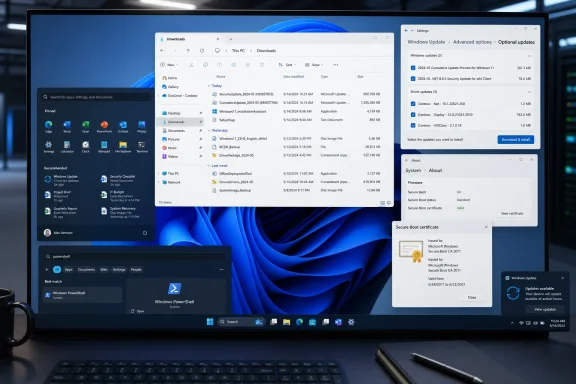
Consumers can find it under Settings > Windows Update > Advanced options > Optional updates.
