
The new patch also delivers fixes for battle crashes, online matchmaking controls, Arcadia Rumble stability, replay tools and a Peni Parker gameplay bug. EventHubs published the full notes, while MP1st identifies the release as update 1.003. The most consequential item for PC players is the explicit KB5121003 compatibility fix because the Windows update has been associated with game crashes, freezes, access-violation errors, and even unexpected PC restarts.
Microsoft’s August 11 KB5121003 update applies to Windows 11 24H2 and 25H2, bringing those releases to OS builds 26100.9168 and 26200.9168. Microsoft originally listed Marvel Tōkon: Fighting Souls, ARC Raiders, and The Finals among the games reported to fail after installation. That makes Arc System Works’ patch more than routine launch cleanup: it is a game-side response to a fault involving Windows and low-level PC hardware software.
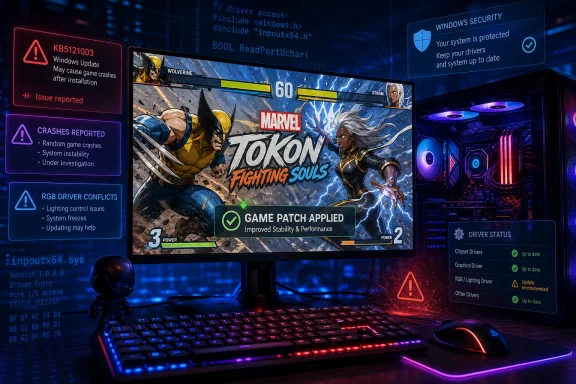 The KB5121003 fix has an important limitation
Arc System Works’ wording is straightforward: the August 28 patch “addressed an issue where Windows Update KB5121003 could cause the game to crash.” That is good news for players who had delayed playing, rolled back updates, or removed RGB utilities after the August Windows update. It also means the first sensible step for affected players is now to install the game patch, rather than treating the Windows update itself as automatically defective.
But the official Microsoft record adds a complication the patch notes do not explain. In its Windows 11 24H2 release-health entry, Microsoft says the crash issue is tied to RGB-capable peripherals or internal components that install a driver or code component with names similar to inpoutx64. Microsoft says launching certain games can trigger the problem when that driver is present.
Microsoft’s described fix is a block that prevents the inpoutx64 driver from loading. However, its August 26 update specifies that the block targets devices with ARC Raiders installed and says Microsoft is working to expand the block to devices with Marvel Tōkon: Fighting Souls. In other words, Microsoft’s remedy was not yet described as fully deployed for Tōkon when the game’s August 28 patch arrived.
That creates two layers of mitigation: Arc System Works has changed something in Marvel Tōkon to avoid or reduce the crash condition, while Microsoft is separately suppressing the problematic driver on systems it identifies. Players should expect the game patch to improve the immediate situation, but they should not assume it repairs an outdated or incompatible RGB driver used elsewhere on the PC.
Microsoft also makes a pointed attribution: its investigation says the issue is not caused by Windows updates, but by the RGB-related drivers or components exposed when the affected games launch. That is a meaningful correction to the early shorthand that “KB5121003 breaks games.” The update coincided with the problem and can trigger it in the affected configuration; Microsoft’s position is that the faulty component is third-party low-level hardware software.
Windows 11 24H2 and 25H2 do not show the same status
The release-health documentation is also internally awkward. The Windows 11 24H2 page now marks the issue resolved as of August 26, while still stating that the driver block is being expanded to Marvel Tōkon. Meanwhile, the Windows 11 25H2 known-issues page still describes the matter as under investigation, with an older August 21 update timestamp.
For gamers, the practical interpretation is more useful than the dashboard label: if the game begins working after update 1.003, leave KB5121003 installed. It is a monthly security update, not an optional game component, and removing it trades a gaming workaround for missed security fixes. If the crash, EXCEPTION_ACCESS_VIOLATION error, or sudden reboot continues after the game update, the next suspect is RGB, fan-control, monitoring, or motherboard utility software that may install a driver resembling inpoutx64.
Microsoft has not published a complete consumer-facing list of every affected RGB product or utility. That omission matters. “RGB-related” covers a broad collection of keyboards, mice, fans, memory modules, motherboard controllers, lighting suites, and low-level access tools. The useful action is therefore to update those utilities and their drivers from the hardware vendor, then test with their background services disabled if the symptom remains. Avoid uninstalling or disabling drivers blindly: an RGB controller can be bundled with fan control, telemetry, or motherboard functions that a system owner may actually rely on.
The game’s patch itself does not name the driver, describe its technical workaround, or say whether it detects incompatible hardware components. That means there is no basis to claim every KB5121003 crash has been eliminated. It does, however, remove the need to treat the Windows update rollback as the default first-line fix.
More than a Windows compatibility patch
The rest of the August 28 update addresses a collection of problems that matter most in a competitive online fighter. Arc System Works fixed crashes while transitioning into battle in Startup Battle, Battle Guide, and Character Lessons on both PC and PlayStation 5. It also corrected a Peni Parker issue in which striking multiple characters simultaneously with a grounded Link Attack could leave an opponent unable to move.
The online changes are more modest but potentially more useful over time. Arcadia Rumble received network-processing adjustments intended to improve multiplayer stability, plus a fix for CPU-controlled replacements becoming unresponsive after a player disconnects. The patch also repairs the network compatibility icon in lobby-related screens.
Ranked and Casual Matches now include a Play Area setting, which lets players choose the area used for opponent searches. Arc System Works recommends setting it to the player’s current region if matchmaking is slow. That is practical control, but it comes with an unresolved setting-text error: the game displays incorrect guidance about the relationship between Match Area and Connection Speed.
The developer’s actual recommendation is clear. When Match Area is set to All, a restrictive Connection Speed limit can lengthen matchmaking. Players who choose the worldwide search scope should also set Connection Speed to All if their priority is finding opponents rather than imposing a narrow latency filter.
The patch further fixes badge progress for Arcadia Rumble participation, replay-result character poses, replay-note editing behavior, and excessive Steam platform update calls on PC. The Steam fix is easy to overlook, but reducing needless background update activity is exactly the kind of maintenance change that can reduce friction without producing a dramatic visible feature.
Replays will break across the patch boundary
The most disruptive item in the patch notes is not the crash fix: replays from earlier game versions can no longer be searched or played after updating. Local replay files remain on disk, but the game will not play them back.
For casual players, that is a nuisance. For tournament organizers, lab-focused players, coaches, and content creators, it is a compatibility break. If there is a particular match, combo sequence, or suspected bug worth preserving, recording it as video is now the reliable option; retaining the native replay file alone is not enough once the client moves to a new version.
PC players should also complete the game’s shader warm-up before entering matches. Arc System Works says this produces a smoother, more optimal experience. That instruction is especially relevant after a fresh game patch, graphics driver update, or cleared shader cache, when stutter can be mistaken for an online or CPU-performance problem.
Wolverine suit arrives as the game keeps stabilizing
The update adds Wolverine’s Battle Reborn Suit for both the playable character and online-lobby avatar, with eight colors for each. PlayStation previously said the costume would be available free to all players beginning September 1, so the August 28 patch appears to put the assets into the game ahead of that announced availability date rather than changing the free-DLC plan.
That cosmetic addition will draw attention, but the patch’s real value is its attempt to end a particularly bad launch-week support loop for PC players: a security update is installed, a game fails, players blame Windows, and the suggested workaround becomes removing a security patch or random hardware software. The August 28 build gives Marvel Tōkon players a safer first move—update the game, complete shader warm-up, and investigate RGB-driver software only if the failures continue.
