

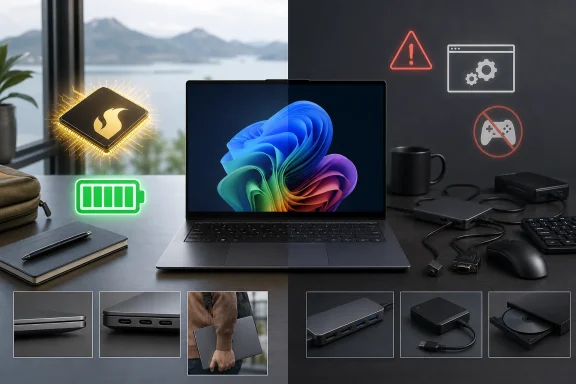
Lenovo announced the Yoga Slim 7x Gen 11 at CES in January 2026 as an early Snapdragon X2 system, promising a 14-inch laptop measuring 13.9mm thick with up to a 2.8K, 120Hz OLED panel and up to 29 hours of battery life. Independent testing supports the hardware story. Tom’s Hardware measured 19 hours and 25 minutes in its mixed web, video and light OpenGL rundown, while TechRadar recorded 23 hours and 30 minutes in a continuous movie test. Those are excellent figures, but they are not interchangeable with an all-day work result.
That distinction is the central finding from the broader review record: the Yoga Slim 7x is a very good laptop, but it is not a blanket recommendation for every Windows user. It is a compelling pick for browser-heavy work, Microsoft 365, video calls, native creative tools and developers whose stack has caught up with Arm64. It is a riskier purchase for anyone who needs a particular unsigned driver, a niche x86 utility, older enterprise software, anti-cheat-protected games, or a known-working docking and audio setup without adapters.
Snapdragon X2 Elite delivers, but emulation remains the dividing line
Qualcomm’s Snapdragon X2 Elite X2E-88-100 inside the higher-end Yoga Slim 7x configurations is a substantial increase in raw hardware capability. Qualcomm lists the chip as an 18-core Oryon design with an Adreno X2-90 GPU, 53MB of cache, 152GB/s of memory bandwidth and an 80 TOPS Hexagon NPU. Tom’s Hardware recorded a Geekbench 6 multi-core score of 20,563 from its X2E-88-100 test system, along with a 3,822 single-core result. Those numbers put the laptop squarely into premium-ultraportable territory.
The next-generation Adreno graphics also make this less of a strictly office-bound machine than Snapdragon X Elite laptops from 2024. T3 found that Cyberpunk 2077 could reach roughly 60 frames per second with settings compromises, and TechRadar found light gaming viable, including a playable run of Cyberpunk 2077. But that does not make the Yoga Slim 7x a thin gaming laptop. Its integrated GPU lacks the dedicated graphics memory, driver maturity, upscaling stack and frame-generation support available in Nvidia-equipped systems, and several modern games remain constrained by Arm compatibility before graphics performance becomes the issue.
PCWorld’s testing supplies the necessary counterweight to the exceptionally strong native numbers. It found the Yoga Slim 7x raced ahead in the native Arm build of Cinebench R24, but saw performance fall sharply when the x86 version ran through Windows emulation. Its HandBrake encoding result also lagged x86-based competitors because that workload did not enjoy the same native advantage. In other words, the Snapdragon X2 Elite has become very fast; Windows emulation has not become invisible.
That is a practical purchasing rule, not a theoretical complaint. A standard productivity mix of Edge, Office, Teams, Slack, Visual Studio Code and web apps is increasingly safe on Arm. Paul Thurrott reported reliable daily use across Edge, Typora, Notion, Affinity, Slack, Visual Studio and Visual Studio Code. But IT departments and enthusiasts should test their own critical applications rather than extrapolate from a native CPU benchmark. The question is no longer whether Windows on Arm works at all. It is whether the one tool you cannot replace has an Arm64 version, tolerable Prism emulation performance, and compatible drivers.
Battery claims need to be read alongside the workload
Lenovo’s CES claim of up to 29 hours belongs to the familiar category of vendor battery estimates: useful for comparing design intent, but not a forecast of ordinary working life. The independent results are still very good, although they vary with panel choice and test method. Tom’s Hardware saw 19 hours and 25 minutes; TechRadar saw 23 hours and 30 minutes in movie playback; PCWorld saw slightly more than 21 hours in offline video.
The complication is that video-loop tests can tell a different story from mixed office use. PCWorld found the laptop was tracking closer to eight to 10 hours in its normal office workload, while Thurrott averaged just under 8.5 hours over two months. Neither result makes the machine poor on battery. Both are reminders that the high efficiency of Arm silicon does not erase the energy cost of a bright OLED panel, collaboration apps, external displays, browser tabs, background synchronization and emulated software.
The Yoga Slim 7x’s battery result therefore looks strongest for travelers who spend long stretches offline, stream local or online video, write, browse, and work in applications with native Arm support. It is less extraordinary for a user running demanding x86 software, high brightness, external accessories and video conferencing all day. The machine’s 70Wh battery is respectable rather than enormous; its endurance advantage is generated by the platform’s efficiency and can narrow when the platform has to emulate.
The display configuration is more important than the product name
T3’s review unit uses the desirable 2.8K OLED specification: 2880 x 1800 resolution, 120Hz refresh, HDR True Black 1000 support, approximately 500 nits in typical content and a 1,000-nit HDR mode. Lenovo’s CES materials describe the panel as reaching up to 1,100 nits peak HDR brightness. TechRadar also tested the 2.8K, 120Hz option and reported a sharp, bright display, while noting reflections in unfavorable lighting.
The catch is that the Yoga Slim 7x Gen 11 does not have one standard screen experience. The entry configuration carries a 1920 x 1200, 60Hz OLED panel with HDR True Black 500 certification, while the upgraded panel adds the higher resolution, 120Hz variable refresh rate and much higher HDR ceiling. Tom’s Hardware tested the lower-resolution touchscreen and found it pleasant but relatively dim, explicitly calling the 2.8K upgrade tempting. A review that praises the 120Hz 2.8K screen should not be read as a verdict on the base model.
Prospective buyers should also be cautious with retailer listings. Reviewers have reported different CPU, RAM, storage and display pairings at different prices, while Lenovo’s configurator has at times permitted more flexibility than retail stock. Lenovo’s CES announcement gave the U.S. Yoga Slim 7x an estimated starting price of $949.99. TechRadar reported a $999.99 starting configuration, Tom’s Hardware listed $1,049 at the time of its review, and PCWorld described a $1,199 entry point. Those are not necessarily errors—the price has plainly moved as configurations and promotions changed—but they show why a headline “starting at” price is a poor basis for comparison.
The most consequential upgrade is likely the move from 16GB to 32GB of soldered LPDDR5X memory, especially when paired with the X2 Elite. Storage is replaceable, according to Tom’s Hardware’s teardown, but memory is not. A buyer who expects to keep the machine for several years, run local AI tools, use heavier browser workloads or work with virtualized development environments should prioritize RAM over paying extra for a larger factory SSD.
Lenovo cut the wrong ports for some professional users
At 1.17kg and 13.9mm thick, the Yoga Slim 7x is an impressively compact 14-inch system. Its aluminum chassis, strong keyboard, large glass touchpad and 9MP Windows Hello IR camera have earned consistently good marks across T3, Tom’s Hardware, TechRadar and Thurrott. Lenovo has also included a physical privacy shutter, which remains more dependable than a software switch for users who regularly work in meetings or travel.
The port layout is the main hardware compromise: three USB4 Type-C ports, with no USB-A, HDMI, SD card slot or 3.5mm headset jack. Three 40Gbps USB4 ports are technically capable connections, and placing ports on both sides helps with charging at a desk. Yet the omission of analog audio is especially awkward for podcasters, support staff and anyone with a wired headset or microphone; Thurrott called it the machine’s most notable omission.
For an enthusiast who already owns a quality USB-C dock, Bluetooth headset and USB-C accessories, that limitation is manageable. For a Windows administrator who needs to plug in a recovery drive, Ethernet adapter, HDMI display, serial adapter or wired headset without an extra bag of hardware, it changes the total cost and day-to-day convenience of the machine. The Yoga Slim 7x is optimized for a wireless, docked or dongled workflow—not for broad native connectivity.
The practical verdict is narrower than “Snapdragon superstar”
T3’s favorable assessment is supported by a substantial body of testing: the Yoga Slim 7x Gen 11 has excellent native CPU performance, unusually strong battery potential, a first-rate keyboard, a high-quality 9MP camera and an optional OLED screen that is among the best available in a 14-inch Windows ultraportable. Qualcomm’s X2 Elite has also moved integrated Arm graphics forward enough to make casual gaming and GPU-accelerated work more credible than on first-generation Snapdragon X systems.
But the review record does not support treating it as the automatic Windows laptop recommendation its benchmark results might suggest. PCWorld’s emulation findings, real-world battery observations from PCWorld and Thurrott, the USB-C-only design, and the continuing gaming and driver caveats all matter more than a peak score in a native benchmark.
Buy the Yoga Slim 7x Gen 11 for its configured screen, memory, portability and native Arm workflow—not merely for the Snapdragon badge. The best version is the one with 32GB of RAM and the 2.8K 120Hz OLED panel, provided its price premium does not push it into a better-equipped x86 or discrete-GPU class. For everyone else, the machine’s defining test remains simple: install the programs, drivers and peripherals you rely on before its return window closes.