
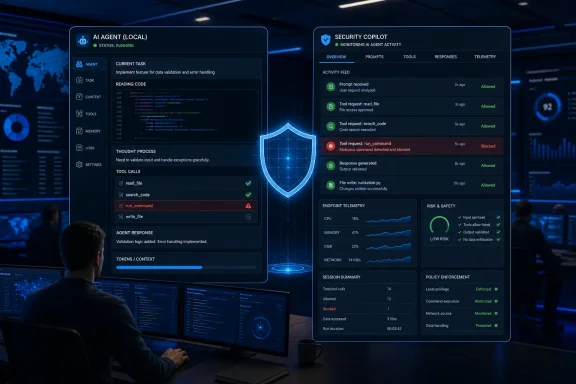
As reported by Petri, the capability is tied to Microsoft Agent 365 and extends Defender monitoring to agent prompts, tool calls, and tool responses. Microsoft’s own documentation confirms that the endpoint component is in preview and is designed to catch prompt injection and risky agent actions before a supported action executes.
 Defender moves into the agent loop
The practical concern is straightforward: a coding assistant or local autonomous agent can read a repository, browse a web page, access files, call tools, and execute commands with the user’s permissions. A malicious instruction hidden in documentation, a source file, or tool output can attempt to redirect that access toward data theft or unsafe commands.
Microsoft Defender for Endpoint inspects three key points: the user’s prompt, a tool request before execution, and the response returned by a tool. In block mode, Defender can stop a supported action and surface both an in-agent message and a Windows notification; in audit mode, it allows the activity but records the detection for review.
Microsoft lists Claude Code, Codex CLI, GitHub Copilot CLI, and the GitHub Copilot app among the agents supported through agent-native event inspection. A second network-inspection mode is intended to cover some agents that lack those event hooks, though it does not support certificate-pinned connections or HTTP/3.
Agent 365 is the cloud-side control plane
For cloud and Agent 365-managed agents, Defender’s real-time rules evaluate tool invocations before they run. Microsoft says the default policy audits activity, while custom rules can block matching actions for selected agents. Security events are recorded in the BehaviorInfo table for hunting, custom detection engineering, and downstream automation.
That distinction matters for administrators: endpoint protection for local agents is configured separately from cloud-agent protection. Local Windows devices must be onboarded to Defender for Endpoint, run Defender Antivirus in active mode with real-time protection enabled, and use a supported agent.
Microsoft’s setup guidance also identifies eligible licensing as Defender for Endpoint Plan 2, Microsoft 365 E5, Microsoft Agent 365, or Microsoft 365 E7. Native Intune policy support is not yet available; Microsoft currently recommends deploying the required Defender preferences with PowerShell scripts through Intune.
Start with audit mode, not blanket blocking
Microsoft recommends a phased rollout: test on a small device group, review detections for one to two weeks, broaden audit coverage, then move validated groups into block mode. That is sensible because a blocked tool call can interrupt legitimate development workflows, especially where agents operate on codebases, terminals, and internal documentation.
For Windows organizations experimenting with local coding agents, the immediate value is visibility. Defender can turn opaque agent actions into endpoint telemetry and SOC incidents—but the real test will be how accurately its detections distinguish malicious prompt injection from the messy, instruction-heavy content agents encounter every day.
