
The important story is no longer whether an AI help desk can answer routine questions. It is whether an organization can keep identity, policy, permissions, connectors, regional content, testing, escalation, and billing aligned closely enough for that agent to be trusted.
 What Microsoft’s rollout actually demonstrated
Microsoft’s internal rollout provides unusually large-scale evidence, but the numbers need careful interpretation.
- The agent eventually covered more than 300,000 employees and vendors in 103 countries and regions.
- The Europe North phase covered 21 countries with different languages, HR rules, and support practices.
- After six months, Microsoft says the agent accounted for more than half of support interactions in Europe North as use of an older bot and phone, email, and web support declined.
- Microsoft describes a long-term ambition to reduce human-led tickets by 40 percent. That is a target, not a reported global result.
Those figures show adoption and channel displacement. They do not, by themselves, establish answer accuracy, employee satisfaction, total cost, or a 40 percent realized ticket reduction. Microsoft’s public account does not provide an independent audit, a controlled comparison, or country-by-country quality data.
The most valuable evidence is the failure Microsoft disclosed. Early deployments in smaller European markets sometimes returned United States or otherwise irrelevant policies when local material was missing or incorrectly classified. The interface looked global, but the knowledge estate was not.
That is the central operational lesson: generative AI did not create the policy error. It made an existing content-governance problem easier to ask about and faster to distribute.
The hidden workload was knowledge engineering
Microsoft says its internal service was grounded in approximately 250,000 vetted knowledge articles and 15 to 20 internal SharePoint sites. Teams corrected categorization, added country-level tags, filled content gaps, and routed employee feedback to a dedicated knowledge-management function.
That work matters more than the chatbot surface. An employee asking about leave, device replacement, office access, or benefits needs an answer constrained by location, employment type, role, and entitlement. A fluent answer based on the wrong country’s policy is worse than a search result because it can sound complete.
Microsoft’s experience suggests four different controls are required:
- Source ownership: every policy area needs an accountable owner and review schedule.
- Scope metadata: content needs reliable geography, language, audience, and effective-date information.
- Answer boundaries: sensitive topics need deterministic topics, disclaimers, or escalation instead of unconstrained generation.
- Feedback operations: a thumbs-down control is useful only when it creates a triaged correction task with an owner and service target.
What customers are actually deploying
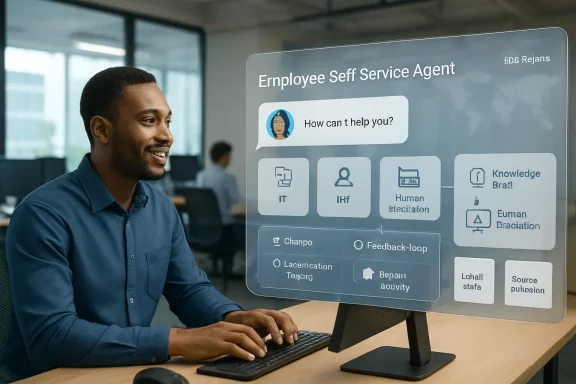
The customer-facing Employee Self-Service product is a customizable Copilot Studio agent rather than a finished universal help desk. Organizations can install HR, IT, or both starter packages. The architecture consists of the agent, domain-specific topic packages, knowledge sources, Power Platform connectors, and actions.
Supported integration paths include SharePoint knowledge and accelerator packages for systems such as ServiceNow, Workday, and SAP SuccessFactors. Built-in topics can retrieve employee information, create or inspect support requests, and perform configured HR or IT actions.
The Office 365 Users connector is required because built-in topics and flows look up the signed-in employee’s profile. Other connectors should be allowed only when the deployment uses them. Microsoft explicitly tells customers to review Power Platform data-loss-prevention policy, connector allowlists, outbound network access, single sign-on, and capacity planning before rollout.
This is not a one-click Copilot feature. A serious deployment crosses Microsoft 365 administration, Power Platform environments, Copilot Studio, identity, network policy, HR and IT systems, legal review, privacy review, and change control.
Hub routing and handoff are different security decisions
Employee Self-Service can operate as a hub that coordinates multiple agents or hand a conversation to a specialist agent.
A hub keeps the employee in one conversation and can combine work across HR and IT. A handoff transfers ownership and context to a specialist, which is required for some live-agent and step-up-authentication scenarios. Microsoft recommends a flat hierarchy: one hub with worker agents, rather than chains of agents calling progressively deeper sub-agents.
The distinction matters because every hop introduces latency, context loss, debugging complexity, and another permission boundary. A procurement agent that can order hardware should not inherit the same action surface as a policy-answering agent. Routing rules must be treated as authorization design, not merely conversational polish.
The July 2026 GPT-5.5 update is not automatic everywhere
Microsoft’s July package update moves supported Workday, ServiceNow, and SAP SuccessFactors Employee Self-Service packages from GPT-4.1 to GPT-5.5 and refreshes built-in topic-routing descriptions.
There are several operational catches:
- Customers need current Employee Self-Service packages to receive the model update.
- Built-in topics update automatically, but customized topics may require administrators to remove and reapply their customizations to obtain refreshed routing descriptions.
- The Microsoft 365 Copilot Hub agent remains on GPT-4.1 for now; connected HR and IT agents can use GPT-5.5.
- Microsoft warns that GPT-5.5 responses may take slightly longer.
- Ambiguous Workday or SuccessFactors questions can still trigger a clarification or a general-knowledge answer instead of the intended topic.
That last behavior is especially important for write operations. If an employee asks to change profile data, initiate leave, or update an HR field, the system should confirm identity, target object, proposed change, and resulting state. Better reasoning does not remove the need for transactional confirmation.
Current limitations change the deployment plan
Microsoft’s current known-issues list is more revealing than the marketing description.
- Knowledge scale: one documented semantic-indexing path is limited to roughly 200 pages. Content beyond that limit is not processed. Microsoft recommends smaller, topic-focused libraries.
- Personalization: the agent does not yet apply profile fields such as location, role, and company code consistently in every response.
- External systems: on-premises gateway connections are not supported for Power Platform connectors in this scenario.
- Package maintenance: the core agent and accelerator packages do not currently use Microsoft AutoUpdate; makers must update them manually.
- Publishing: availability can take up to 48 hours, and the agent still requires approval and assignment through Integrated Apps.
- Channels: Microsoft documents open Teams issues and directs users toward the Copilot chat experience for the supported path.
- Mobile: core mobile access exists, but live-agent handoff, rich landing-page elements, multi-agent routing, and official-source presentation have limitations.
- Consent: Workday or ServiceNow connectors can present per-user consent prompts unless Microsoft Support changes the environment-level behavior.
- Licensing: pay-as-you-go users without Microsoft 365 Copilot licensing cannot access personal Graph data such as chat, email, and calendar, although tenant content such as SharePoint may remain available.
The approximately 200-page customer limitation should not be confused with Microsoft’s reported internal corpus of roughly 250,000 articles. The internal deployment plainly used a broader enterprise knowledge architecture. Customers should validate the exact indexing and connector path they plan to use instead of assuming Microsoft’s internal scale transfers to the packaged product.
A production rollout needs an application lifecycle, not a launch date
Microsoft recommends separate development, test, and production environments. That is sensible because changing a topic, connector, instruction, or package can alter both what the agent says and what it is allowed to do.
A defensible release process should include:
- Inventory the tasks. Separate read-only knowledge questions from requests that create tickets, change employee data, or trigger workflows.
- Map authority. Record which identity, connector, and downstream permission authorizes every action.
- Build a golden-prompt suite. Include common requests, regional variants, sensitive HR cases, ambiguous wording, prohibited actions, and expected handoffs.
- Test negative cases. Verify that an employee cannot retrieve another person’s data, use a manager’s company code, cross a regional boundary, or bypass a confirmation step.
- Deploy in rings. Begin with a diverse pilot rather than only headquarters users with the best documentation.
- Measure resolution quality. Track corrected answers, successful handoffs, reopened tickets, abandonment, user confidence, and harmful-answer severity—not just deflected tickets.
- Plan rollback. Keep package versions, managed solutions, connector configuration, and a tested path to disable a broken topic or action.
Microsoft’s FlightCheck tooling can validate dozens of deployment prerequisites across licensing, environment configuration, identity, integrations, agent files, and publishing. It is useful, but it cannot determine whether an organization’s policy content is correct or whether a proposed workflow is appropriate. Technical readiness and organizational truth are separate gates.
How to judge whether the agent is succeeding
Ticket reduction is attractive but easy to misread. A bad bot can reduce tickets by hiding escalation or exhausting users. A successful agent should improve the complete support outcome.
The operating scorecard should combine:
- Verified first-contact resolution, not merely conversations that ended.
- Accuracy by country, language, business unit, and topic.
- Time to a successful human handoff when automation is insufficient.
- Correction rate and recurrence of previously reported errors.
- Action completion and rollback rates for transactional workflows.
- Employee confidence and willingness to use the service again.
- Cost per resolved interaction, including Copilot capacity, connector operations, content maintenance, and human review.
Bottom line
Microsoft’s rollout is credible evidence that an AI front door can absorb a large share of routine employee-support traffic. It is not evidence that a model can replace service management, knowledge ownership, identity governance, or human escalation.
The current product is more capable than it was at launch, particularly with mobile access, multi-agent patterns, packaged integrations, proactive cards, and the GPT-5.5 update. Its documented limitations are equally important. Administrators still face manual package maintenance, connector complexity, inconsistent context application, channel gaps, licensing boundaries, and knowledge-indexing constraints.
The organizations most likely to succeed will treat Employee Self-Service as a production service with strict content ownership, least-privilege actions, repeatable testing, staged deployment, and measurable human fallback. The chat box is the visible component. The real system is everything required to make its answers true.
