

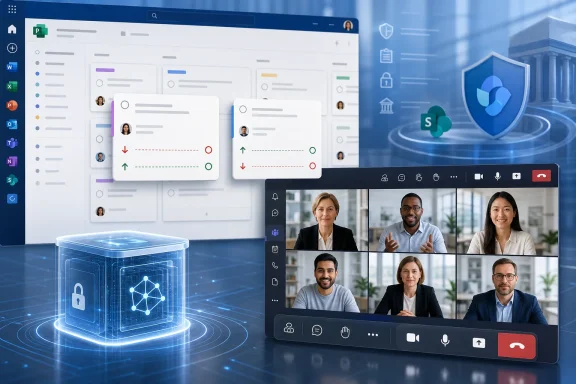
The Seton Hall update, reproduced by RS Web Solutions, correctly identifies Planner’s new date flexibility as an immediate change and flags a redesigned Teams meeting experience and AI-generated meeting archives as September developments. But Microsoft’s published documentation shows an important divide between those items: Planner’s behavior change has a defined rollout window, while Teams AI archives remain a restricted preview feature with storage and governance implications that the university-oriented summary understates.
For organizations that use Planner as a lightweight project-management system, the change is small on screen but consequential in reports, automations, and user expectations. For Teams administrators, the bigger issue is not whether a meeting toolbar has moved—it is whether Copilot is being allowed to create durable AI-derived meeting artifacts inside the tenant.
Planner no longer “fixes” task dates for users
Microsoft’s Message Center notice for Planner, identified as MC1392567, says Planner will no longer force a task start date to precede its due date. Previously, changing one of those dates could cause Planner to silently move the other one to preserve the expected order. The rollout began in mid-July 2026 and is expected to finish by mid-October 2026 for Planner in Teams and Planner on the web.
That means a task can now have a due date before its start date. Microsoft describes this as greater flexibility and predictability, which makes sense for a few legitimate cases: recording historical work, using dates as reporting markers rather than a work interval, or correcting a task after the fact without rewriting its other metadata.
The practical consequence is that dates can no longer be treated as self-validating evidence of a coherent schedule. A Planner card showing an August 5 due date and an August 12 start date may now be intentional, accidental, or the byproduct of an integration. Teams using Planner exports, Power Automate flows, Power BI dashboards, or custom code should test whether their logic assumes start <= due.
That is the piece Microsoft’s announcement does not spell out for administrators. Planner itself may accept an inverted date range, but a downstream system may reject it, calculate a negative duration, omit the task from a schedule visualization, or incorrectly classify it as overdue. The update requires no administrator action to deploy, but it does justify a quick review of workflows that turn Planner dates into compliance, billing, staffing, or delivery metrics.
The change also removes a minor but familiar guardrail for end users. Teams that want consistent planning data will need to enforce the convention through process, templates, training, or automation rather than relying on Planner to intervene.
Teams’ September interface changes are still a rollout claim, not a completed deployment
The Seton Hall roundup says Teams will introduce a redesigned in-meeting control bar in September 2026, placing core controls such as microphone, camera, and sharing nearer the center of the meeting window, separating the Leave button, and allowing users to pin or reorder frequently used actions. It also describes a refreshed sharing interface with live previews and a confirmation step before content is shown.
Those changes are plausible extensions of Teams’ continuing work on meeting usability, but the published summary should be read as a forward-looking rollout notice, not as a feature availability statement on August 12, 2026. Microsoft’s public Teams administration documentation continues to focus on the controls organizations can enforce—screen-sharing modes, PowerPoint Live, whiteboard access, shared notes, and presenter permissions—rather than confirming the specific September desktop interface described in the roundup.
That distinction is worth making because a visual redesign does not override policy. An organization that restricts users to sharing a single application, for example, will retain that restriction even if Teams presents a prettier picker with larger previews. Likewise, a second confirmation screen can reduce accidental sharing, but it cannot substitute for controls on who may present or whether external participants can request control of a shared screen.
Admins should avoid promising a specific September interface to users until it appears in their tenant. Microsoft 365 feature rollouts can differ by release ring, client platform, cloud environment, and policy configuration. A Teams interface change may also arrive gradually enough that help-desk staff see two different meeting layouts during the transition.
The useful preparation is modest: update internal screenshots only after the new layout reaches the organization, remind presenters to use window sharing for sensitive material, and verify that Teams meeting policies reflect the organization’s actual risk tolerance. In Microsoft’s own guidance, allowing full-desktop sharing carries a greater risk of exposing unrelated emails, documents, or notifications than allowing a single application.
AI archives are a governance feature, not simply better meeting summaries
The most significant claim in the Seton Hall update concerns Teams “AI-powered meeting archives” that would let Microsoft 365 Copilot provide more contextual answers than a transcript alone. Microsoft does document AI archives for Teams meetings, but its current description is more specific—and more consequential—than the roundup’s simplified privacy explanation.
Microsoft says an AI archive is an AI-generated artifact that condenses relevant knowledge from meeting discussion and metadata so Copilot, Facilitator, and related Microsoft AI tools can reason over prior meetings. The company’s documentation says these archives are stored in tenant-owned Microsoft 365 File Storage Containers, implemented through SharePoint Embedded, rather than in an individual organizer’s storage. Users cannot browse to or directly open the archive file.
That directly complicates the roundup’s assertion that archives are accessible only to meeting participants and do not retain raw transcripts. The first part is imprecise: the archive is not presented as an ordinary participant-accessible meeting file at all. The second part needs careful wording. Microsoft describes the archive as avoiding storage of raw user content in the archive itself, but that does not mean the meeting transcript, recording, chat, or other meeting artifacts disappear or fall outside retention, eDiscovery, and policy requirements.
Microsoft’s documentation, last updated June 17, 2026, also says AI archives are in preview and limited to organizations in the Teams Technology Adoption Program. That is materially different from treating the capability as a broadly available September feature for every Microsoft 365 Copilot customer. A roadmap item or campus update can signal intent, but it is not the same thing as confirmed general availability.
Organizations should therefore not assume that assigning a Microsoft 365 Copilot license alone will enable AI archives. They need to check their tenant’s program eligibility, Teams configuration, Copilot policies, and the release communications available in the Microsoft 365 admin center.
Retention policy becomes the real implementation question
The operational question for compliance teams is where this derived meeting knowledge sits and how it is governed. Microsoft says AI archive generation is enabled by default for an eligible organization, and that the archive can continue to exist even if the meeting organizer’s account is deactivated because it belongs to the tenant rather than a user’s personal storage area.
That architecture has a reasonable continuity benefit: organizational knowledge does not vanish merely because an employee leaves. It also means the archive should be considered alongside the organization’s retention, legal-hold, data-residency, information-barrier, and access-control design. Calling it a “private” archive may give users the wrong impression if they interpret private to mean ephemeral, locally held, or outside the organization’s compliance boundary.
Before activating or piloting the capability, Microsoft 365 administrators should establish a clear answer to four operational points:
- Teams meeting transcription, recording, Copilot, and Facilitator settings should be reviewed together rather than as separate user-facing switches.
- Purview retention and eDiscovery teams should determine how meeting transcripts, recordings, chat, and AI-derived artifacts are handled in the tenant.
- User communications should explain that an archive is an organizational AI artifact, not a downloadable set of private notes owned by the meeting organizer.
- Pilot participants should test Copilot’s answers against source meeting content, especially for meetings involving decisions, regulated data, or formal action items.
Microsoft’s documentation says the archive improves reasoning by preserving condensed context, which may make follow-up questions more useful. It does not establish that Copilot’s generated summary is a substitute for a transcript, minutes, or a human-reviewed record of a decision.
A postponed organizer chat does not change the immediate picture
The Seton Hall summary also notes that Teams’ planned private chat for organizers, co-organizers, and presenters in meetings, webinars, and town halls has been postponed. The feature is intended to let event staff coordinate without exposing the conversation to attendees.
That postponement is straightforward: organizations planning a workflow around an internal production chat should not rely on it being available during the autumn 2026 semester. For now, event teams need to retain their existing backstage coordination methods and confirm what chats are visible to presenters, attendees, guests, and external participants before a live session starts.
The Planner change is already arriving and requires organizations to reconsider assumptions about task-date validity. Teams’ interface redesign may make accidental sharing less likely when it lands, but it will not replace meeting policy. And AI archives deserve the most scrutiny: Microsoft’s own record places them in a controlled preview, stored as tenant-owned artifacts—not simply as improved summaries that disappear when a meeting ends.