
The premise is straightforward, but the operational value could be substantial. Instead of asking a compliance administrator to manually compare a pre-change policy with its updated configuration—then interpret how rule priority, policy scope, conditions, and enforcement actions work together—Purview will present an AI-generated explanation of what changed, where it changed, the likely impact, and the potential enforcement implications. For organizations managing complex Microsoft 365, Windows endpoint, and cloud-app data controls, that could turn a tedious configuration-review exercise into a more manageable governance workflow.
This is not a replacement for policy review or change control. It is, however, a potentially meaningful advance in making policy changes intelligible to the people accountable for approving, auditing, and operating them.
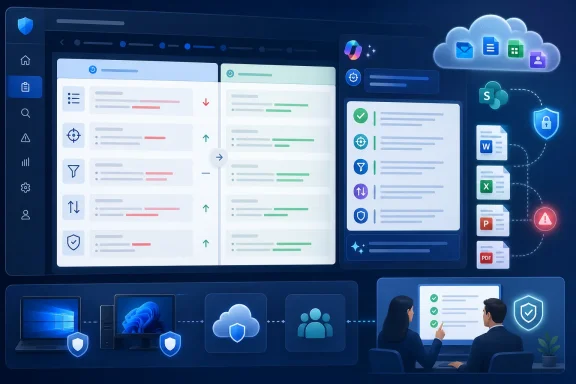 Overview: From Policy Diffs to Policy Understanding
Data loss prevention is often described in simple terms: identify sensitive content and prevent it from being shared or handled inappropriately. In production, that simplicity fades quickly. A single Microsoft Purview DLP policy can contain multiple rules, scoped locations, sensitive information conditions, actions, user notifications, override settings, incident-reporting options, and priority behavior.
Microsoft’s own DLP reference describes rules as the business logic of a policy. Those rules can contain triggering conditions, enforcement actions, user notifications, override behavior, incident reports, and additional settings that affect processing order or whether further policy evaluation stops. Rules within a policy are processed sequentially, beginning with the highest-priority rule. Microsoft Learn
That means a small-looking edit may not be a small operational change. Replacing an Audit only action with Block with override, broadening a SharePoint site scope, adding a sensitivity label condition, or changing a rule’s placement can alter the user experience and the organization’s exposure to data leakage. The difficulty is not merely finding the configuration difference. It is translating the difference into a defensible explanation of what users, applications, and administrators will experience next.
The forthcoming DLP Policy Change Insights capability is designed to automate that translation. According to the Roadmap entry, Security Copilot will analyze the policy-version delta between the configuration before an update and the configuration after it. It will then create a human-readable summary centered on four essential areas:
- What changed
- Where the change occurred, such as a rule, condition, action, or location
- The impact of the change
- Potential enforcement implications
For compliance teams, this is a shift from raw configuration comparison to a practical explanation layer.
Why DLP Policy Changes Are Harder Than They Look
The need for AI-assisted DLP policy change analysis becomes clearer once the scope of Purview DLP is considered. Microsoft Purview DLP can target a range of locations, including Exchange email, SharePoint, OneDrive, Teams messages, Windows and macOS devices, Microsoft 365 Copilot, cloud app instances, on-premises repositories, Fabric and Power BI workspaces, and inline web traffic scenarios. The supported content definitions and available enforcement actions can vary by location. Microsoft Learn
A policy editor may show an administrator a clean sequence of menus and switches. The enforcement engine, however, evaluates the resulting configuration in context.
A condition change can reshape coverage
Consider a rule that identifies items containing a sensitive information type, such as a financial account number, only when the item is shared externally. Removing the external-sharing condition could broaden the policy from a narrowly targeted exfiltration safeguard to an internal-use control. Adding a sensitivity label condition could reduce the rule’s coverage to a more deliberately classified data set.
Neither change is inherently right or wrong. But both deserve a concise explanation that makes the practical distinction clear:
The policy is no longer limited to externally shared files; it can now match sensitive items during internal workflows as well.
That kind of output is more helpful to a security leader, privacy officer, or change-approval board than a generic statement that a condition was modified.
An action change can immediately affect users
Purview DLP actions vary according to the selected location. For Microsoft 365 services, policies may restrict access to content, notify users, send reports, or take other protective steps. On managed Windows devices, DLP can audit or restrict activities such as copying data to removable media, copying to network shares, printing, using Bluetooth, accessing files through restricted applications, or pasting sensitive content into supported browsers. Microsoft Learn
The difference between Audit only, Block with override, and Block is especially important. A configuration change from audit to block can be the point at which a policy moves from observing behavior to interrupting business processes. A change insight that says “action updated” would not be sufficient; an administrator needs language closer to:
- The policy now actively prevents the configured activity instead of only recording it.
- Users may see a policy tip or a block notification.
- Where overrides remain enabled, users may be able to continue after providing a business justification.
- Incident and alert volumes may change as the policy begins enforcing rather than simulating.
This is precisely the type of enforcement interpretation the planned feature is expected to surface.
Priority can be as important as the visible rule settings
In hosted Microsoft 365 locations such as Exchange, SharePoint, and OneDrive, DLP rules are evaluated in priority order. Where content matches multiple rules, the first applicable rule with the most restrictive action is enforced; other rule matches may still appear in auditing and reporting even when their actions are not applied. Microsoft Learn
For endpoint DLP, the calculation can become more complex, with policies and rules applying aggregate or most-restrictive actions in relevant situations. A change insight tool that recognizes a priority adjustment, a newly introduced block action, or a rule that now supersedes an existing notification rule could help prevent false assumptions during policy maintenance.
In other words, a reliable summary must do more than list a changed field. It must understand that a policy behaves like a collection of interdependent controls.
What Security Copilot Will Add to Microsoft Purview
Microsoft Security Copilot is already embedded in several Purview experiences. Microsoft documents its role in helping security and compliance professionals identify, summarize, triage, and remediate issues across solutions including DLP, Insider Risk Management, Communication Compliance, eDiscovery, and data security posture management. Microsoft Learn
Within DLP today, Copilot capabilities include alert summarization and policy insights. The new roadmap item extends that foundation by focusing on a different but adjacent question: not what incident happened? but what did an administrator change in the control that governs incidents? Microsoft Learn
A version-aware compliance assistant
The central technical concept is version delta analysis. Microsoft’s description indicates that Security Copilot will compare the policy before an update against the policy after the update. This matters because a standalone policy snapshot rarely conveys intent.
A post-change policy may contain a new rule, but the critical detail could be that the new rule duplicates an older rule with a higher priority. A condition may appear unchanged, but an included location may have expanded from a set of selected SharePoint sites to all sites. An enforcement action might still say “block,” while an override configuration has changed the actual user path from an absolute denial to a permitted action with justification.
By comparing policy versions directly, the capability is positioned to identify not only that a setting differs, but also the direction of the change:
- A scope was broadened or narrowed.
- A sensitive information type was added or removed.
- A condition was strengthened, relaxed, or replaced.
- Enforcement was moved from simulation to active enforcement.
- A block action now allows override, or an override has been removed.
- A user-notification or incident-reporting setting changed.
- A policy location was added, removed, or modified.
The key benefit is interpretability. The structured natural-language summary is expected to provide a shared explanation for the technical operator who made the change and the stakeholders who must assess its business and compliance impact.
More than a text generator
The feature’s usefulness will depend on whether it properly models Purview’s policy semantics. A simplistic AI-generated summary might say that a rule was updated from “notify” to “restrict.” A robust summary should explain which user behavior is affected, in which location, whether overrides are available, and whether the outcome may be changed by priority or policy mode.
That distinction matters because Purview policies do not all enforce immediately. Microsoft documents that simulation modes can alter the effective runtime behavior of configured actions. For example, a configured block action in simulation can result in auditing, or in a block-with-override experience when policy tips are shown during simulation. Microsoft Learn
A policy-change explanation that recognizes the difference between configuration intent and current effective behavior could be particularly valuable. It could prevent stakeholders from assuming that a newly introduced block is already stopping users when the policy is actually still gathering evidence in simulation mode.
The Governance Case for DLP Change Insights
The strongest argument for DLP Policy Change Insights is not simply saved administrator time. It is improved governance transparency.
DLP changes often cross organizational boundaries. A compliance administrator may update a rule, an information-protection architect may review the logic, an endpoint team may need to understand Windows enforcement effects, and a business owner may be responsible for the resulting disruption. A clear machine-generated summary can establish a common baseline for discussion.
Better change records
A well-run compliance program needs more than a record that “Policy X was modified.” It needs a defensible account of what changed, why it mattered, who approved it, and what enforcement outcome was intended.
The upcoming Copilot feature should help organizations create better supporting evidence around changes such as:
- Scope changes
A policy now applies to an additional user group, Microsoft 365 workload, endpoint population, or SharePoint site collection. - Detection changes
The policy detects new sensitive information types, trainable classifiers, sensitivity labels, or contextual conditions. - Enforcement changes
The organization has moved from monitoring to warning, blocking with override, or hard blocking. - Notification changes
User policy tips, email notifications, administrator alerts, or incident report recipients have changed. - Operational changes
The policy may generate more matches, create additional alerts, or introduce new end-user friction.
The AI summary should not be treated as the authoritative configuration record by itself. The underlying policy version, audit data, approval record, and administrator identity remain essential. But a clear explanation makes those artifacts far more accessible during routine reviews and formal audits.
Faster peer review
Compliance and security teams are often stretched thin. A reviewer who receives a dense list of raw configuration properties may have to reconstruct the logic manually. This slows approvals and increases the chance that a material change gets rubber-stamped because the reviewer lacks the time to fully interpret it.
A structured explanation can accelerate the first pass. It can allow reviewers to focus on the questions that actually require human judgment:
- Does the broader scope reflect an approved business requirement?
- Is the enforcement action proportionate to the risk?
- Are exception paths and overrides consistent with policy?
- Will the change cause unacceptable false positives or workflow disruption?
- Has the organization prepared support teams and affected users?
The AI’s role is not to make those decisions. Its role is to put the decision-relevant facts in front of the right people.
Clearer handoffs between teams
The feature may be especially useful in enterprises where DLP ownership is fragmented. The group defining sensitive information may not be the same group managing endpoints, configuring Defender integrations, or responding to user support escalations.
For example, a change affecting device-based copy-to-USB enforcement should be summarized in language that tells the endpoint team what behavior has changed. Microsoft’s DLP documentation notes that device actions can include controls over removable media, network shares, printing, clipboard usage, browser pasting, Bluetooth transfer, Remote Desktop movement, and restricted application access. Microsoft Learn
A policy diff that identifies an added action is useful. A policy insight explaining that “Windows users who attempt to copy matching files to removable USB devices will now be blocked, with no override option” is operationally actionable.
Why This Matters for Windows Endpoint DLP
Although Microsoft Purview is a cloud service, the practical impact of DLP is often felt most immediately on the Windows desktop. Endpoint DLP is where policy configuration turns into visible user prompts, blocked copies, restricted browser actions, and application controls.
Microsoft says Purview DLP policies can help identify, monitor, and protect sensitive items across enterprise applications and devices. The service can take protective action when policy conditions are met, including stopping the copying of sensitive material to unapproved destinations or restricting sharing behavior. Microsoft Learn
A small edit can change the workstation experience
A compliance team may edit a policy in response to a new regulatory interpretation or an incident finding. The Windows team may only learn about the impact once users begin receiving block prompts.
DLP Policy Change Insights could reduce this disconnect by explicitly calling out likely endpoint consequences. Particularly useful examples would include summaries that identify:
- A new device location was added to a policy.
- A rule now applies to Windows users or specific device groups.
- An action now restricts copying to removable media.
- A browser-paste restriction was introduced for sensitive text.
- A restricted app group is now subject to a more severe action.
- A previous exception or override path was removed.
Purview’s endpoint behavior can contain important nuances. Microsoft notes, for example, that Block with override can allow a user to proceed after providing a justification in certain scenarios, and the behavior can differ depending on the action being attempted. Microsoft Learn A useful Copilot explanation must avoid flattening such nuance into a misleading “blocked” label.
The rising importance of AI and browser controls
Endpoint DLP is also increasingly relevant to generative AI use. Microsoft documents that onboarded Windows devices can use DLP policies to warn or block the sharing of sensitive information with third-party generative AI sites through a browser. It gives examples such as preventing a user from pasting credit-card information into ChatGPT or allowing a warning-and-override flow, depending on policy configuration. Microsoft Learn
That makes policy-change visibility more important. Adding or modifying a browser-oriented DLP rule can affect research, development, customer-service, and knowledge-work workflows. A plain-language summary explaining that a rule now restricts sensitive-text pasting to unmanaged AI services would help organizations anticipate user impact before the support queue begins to fill.
The Strengths of Microsoft’s Approach
The roadmap item addresses a genuine problem in enterprise security administration. Its potential strengths are clear.
It targets explanation, not merely automation
Many security tools are effective at detecting changes but less effective at explaining them. A raw diff is technically correct yet cognitively expensive. Security Copilot’s intended role is to turn the delta into a readable description of the affected policy component and expected outcome.
That focus reflects a practical truth: governance failures frequently arise from misunderstanding and unclear ownership, not from a lack of telemetry.
It aligns with existing Security Copilot workflows
Microsoft has already embedded Security Copilot into Purview for capabilities such as alert summarization, data-risk investigation, policy insights, and activity exploration assistance. Microsoft Learn Adding policy-version explanations is a logical evolution because it connects configuration governance with the existing AI-assisted investigation experience.
Rather than requiring a separate analysis tool or exporting policy data to another platform, the feature should keep the analysis close to the policy administration workflow.
It should reduce ambiguity during policy tuning
DLP policies need continuous tuning. Policies may begin in simulation, collect evidence, reveal false positives, and then be refined before enforcement. Microsoft’s default policy for protecting Microsoft 365 Copilot interactions, for instance, begins in simulation mode and can be edited to change sensitive information types, users, groups, policy mode, and reporting behavior. Microsoft Learn
Frequent tuning creates a documentation burden. Change insights can make that iterative process more legible by preserving an immediately understandable explanation after each update.
Risks and Limits: AI Summaries Still Need Human Validation
Despite its promise, DLP Policy Change Insights should be adopted with a clear understanding of its limits. The feature is intended to explain change, not independently validate whether the new policy is correct, compliant, or safe.
Natural language can conceal important qualifiers
An AI summary can make a policy change sound more certain or comprehensive than it actually is. Phrases such as “this blocks sensitive files” can omit critical limitations:
- The policy may apply only to selected locations.
- The content condition may match only certain sensitive information types.
- A user may be able to override the block.
- Another higher-priority rule or policy may affect the effective outcome.
- The policy may still be in simulation mode.
- A particular client, file type, browser, or operating system may not support the expected control.
Administrators should therefore treat the generated explanation as a review aid, not a substitute for inspecting the actual policy configuration and testing the intended scenario.
Enforcement impact is often contextual
Microsoft’s DLP reference makes clear that the available actions and evaluation behavior differ by location. It also documents that certain halting actions can stop subsequent rule and policy processing in Exchange, while endpoint rules can apply an aggregate of restrictive actions. Microsoft Learn
This is exactly why a meaningful explanation is difficult—and why the output should be verified when a change is material. A well-written summary is valuable, but it cannot eliminate the need for staged deployment, simulation, validation testing, and a rollback plan.
Version summaries are not a replacement for audit evidence
Organizations subject to strict regulatory, legal, or contractual obligations should retain their conventional change-management artifacts. The Security Copilot output may improve the narrative surrounding a policy change, but it should not replace:
- Approved change tickets
- Administrative audit logs
- Before-and-after policy exports where required
- Test results and simulation evidence
- Business-owner approvals
- Incident and exception records
Microsoft notes that Purview collects DLP telemetry into Microsoft 365 audit logs before it is processed for reporting tools, while DLP alerts and activity data support investigation and policy tuning. Microsoft Learn Those underlying records remain central to defensible governance.
A Practical Operating Model for the New Capability
Once preview arrives, organizations will get the best results by incorporating DLP Policy Change Insights into a disciplined process rather than treating it as a convenience feature.
Use summaries in every material change review
For high-impact changes, attach the generated insight to the relevant approval record. This creates a readable change narrative alongside the technical evidence.
A sensible review package should contain:
- The Security Copilot policy-change summary
- The relevant pre-change and post-change configuration details
- The business purpose for the change
- Expected user and enforcement impacts
- Validation or simulation results
- A rollback procedure
- Named policy owners and approvers
Require a second-person review for enforcement changes
Changes that introduce or expand hard blocking should receive an independent review. This is particularly important for policies affecting broad user populations, critical SharePoint or OneDrive locations, enterprise applications, Windows device actions, or AI service interactions.
The Copilot explanation can make that review faster, but it should also make reviewers more alert to scope expansion and altered override behavior.
Distinguish facts from predicted impact
A useful governance discipline is to separate the summary into two categories:
- Configuration facts
“The rule added a sensitivity-label condition.”
“The policy scope now includes Windows devices.”
“The action changed from audit to block with override.” - Operational implications
“Users may receive policy prompts when copying matching files.”
“Alert volume could increase.”
“The updated rule could reduce permissible external sharing.”
The first category can be confirmed directly against configuration. The second requires contextual testing and human judgment. Treating them differently will help prevent AI-generated implications from being mistaken for guaranteed outcomes.
A Meaningful Step Toward Explainable Compliance Controls
Microsoft Purview DLP Policy Change Insights with Security Copilot is an ambitious but practical addition to the compliance administrator’s toolkit. It recognizes that policy management is not only about writing rules; it is about communicating the effects of those rules across security, IT, legal, privacy, and business teams.
The planned capability will not remove the need for technical expertise. DLP remains deeply dependent on location-specific support, rule priority, policy mode, sensitive-data detection, user override design, and real-world workflow testing. But an AI-generated explanation of the pre-update and post-update policy delta can dramatically reduce the time required to understand what changed and why it matters.
With preview targeted for September 2026 and general availability planned for October 2026, the feature has the potential to make Microsoft Purview DLP policy management more transparent, more auditable, and less dependent on manual configuration archaeology. For organizations trying to strengthen Windows endpoint DLP, Microsoft 365 governance, and AI-era data protection without drowning administrators in policy diffs, that is a meaningful improvement.
