

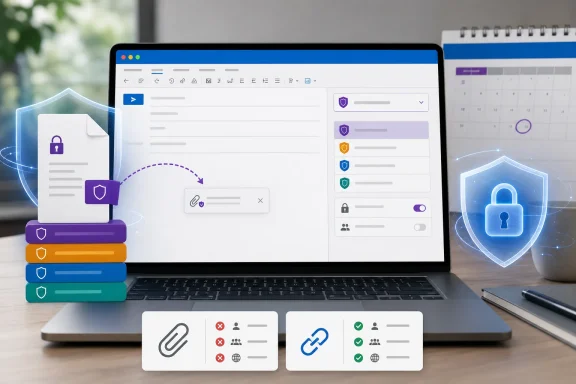
Roadmap item 569022, added on August 7 and marked In development, says Outlook for Mac will automatically apply or recommend a sensitivity label when a user attaches labeled files. Microsoft lists a September general-availability target for commercial worldwide tenants as well as GCC, GCC High, and DoD.
The important operational detail is buried outside the roadmap entry: this is not a file-labeling feature. It is an email-labeling decision made at compose time. If an attached document carries a higher-priority Purview label than the message, Outlook can raise the message’s classification to match it. In organizations whose higher labels enforce encryption, that can change who can open the email before the sender presses Send.
Microsoft’s current Purview documentation still lists attachment-label inheritance as unavailable in Outlook for Mac, while listing support in the Windows desktop client, Outlook on the web, and new Outlook for Windows. The newly posted roadmap item therefore represents a genuine Mac parity change rather than a documentation cleanup or a new Purview policy type.
No independent outlet appears to have reported the August 7 roadmap addition yet. Microsoft’s own roadmap and Purview documentation are the primary record for the feature and its configuration behavior.
The label on the attachment can become the label on the email
Sensitivity labels are Microsoft Purview’s classification and protection controls for Microsoft 365 data. An organization might use labels such as General, Confidential, and Highly Confidential, with higher-priority labels applying stricter protections such as Microsoft Rights Management encryption, headers, footers, or restrictions on forwarding.
With attachment inheritance enabled, Outlook evaluates labeled files attached to an otherwise unlabeled message and dynamically selects the highest-priority applicable label. If several attachments have different labels, the highest-priority one wins. A spreadsheet labeled Highly Confidential and a presentation labeled Confidential do not result in a blended label; the email receives the more restrictive of the available published labels.
The mechanism can also replace a lower-priority label that Outlook applied automatically or as a default. For example, an organization may apply a default Internal label to all outgoing mail. If the sender attaches a document carrying a higher Confidential—Finance label, inheritance can replace Internal with the higher classification.
A manually chosen label is treated differently. Microsoft says attachment inheritance does not replace an email label that the sender selected manually, even if an attachment carries a higher-priority label. That preserves deliberate user classification, but it also means that organizations cannot treat this feature alone as a hard enforcement control against a sender deliberately applying a lower label. Data loss prevention policies, mandatory-label settings, user training, and audit review still have jobs to do.
Microsoft gives administrators a second choice: apply the inherited label automatically, or recommend it to the sender. In recommendation mode, Outlook presents the attachment’s label as the suggested classification and lets the user accept or dismiss it. Automatic mode still allows the user to change or remove the selected label before sending, subject to the tenant’s existing rules for justifying a downgrade or removing a label.
That distinction deserves testing. A security team expecting attachment inheritance to be an unavoidable guardrail could instead deploy a policy that merely presents a prompt, or an automatic label that an authorized user can still alter.
Encryption is the practical consequence, not the label badge
The visible Sensitivity control in an Outlook compose window is the least consequential part of this rollout. Where labels are configured with encryption, attachment inheritance can apply the same protection to the email itself.
Microsoft’s Purview documentation says that if the inherited label applies rights-management encryption, the selected protection is applied to the message. A label configured with Do Not Forward, for instance, produces an email carrying that restriction. A label granting Full Control to a named internal group can create an email protected for that group rather than a normal unprotected SMTP message.
This can prevent a familiar error: an employee attaches a protected financial forecast, writes an unprotected message around it, and inadvertently sends the surrounding discussion to recipients who are not approved to read the document. The attachment may remain unreadable, but the email body can still disclose the context, summary, or decision. Inheritance makes the message follow the classification of the content it carries.
It can also create support tickets if administrators turn it on without examining their label design. An email that is unexpectedly encrypted can be inaccessible to external recipients, service mailboxes, CRM ingestion addresses, shared mailboxes, or downstream workflows that do not authenticate through Microsoft’s rights-management service. The feature carries a sensible security default, but it turns a file-classification choice into a mail-flow consequence.
Mac users already can manually choose Purview labels in Outlook when their organization has published them. Microsoft Support says the feature requires a work or school account, a qualifying Microsoft 365 subscription, and an administrator-configured label policy. Attachment inheritance adds automation to that existing labeling experience; it does not create labels, licenses, or encryption rights for tenants that do not already have them.
Cloud links are excluded from the inheritance rule
The most material limitation is that the feature applies only to a physical file attachment. Microsoft explicitly says a OneDrive or SharePoint link does not qualify.
That means the behavior will differ based on how the sender shares the same document. Attaching a downloaded Excel workbook can trigger inheritance. Using Outlook’s normal cloud-attachment workflow to share the workbook as a OneDrive or SharePoint link cannot trigger it under the documented rule.
This is more than an edge case for Microsoft 365 tenants. Modern Outlook deployments increasingly prefer cloud attachments because they avoid mailbox-size limits, support coauthoring, and let senders revoke or modify sharing permissions. Those are precisely the scenarios in which attachment inheritance will not provide the automatic message-label alignment Microsoft is promising for conventional file attachments.
Administrators should not infer that a labeled SharePoint or OneDrive file leaves the organization unprotected when sent as a link. File labels and SharePoint permissions remain separate controls. But the email itself will not receive a label through this particular inheritance setting merely because it contains that link. If the organization requires the message body and recipient context to be classified too, it needs a separate policy design rather than relying on attachment inheritance.
The other prerequisite is equally easy to miss: the sensitivity label must be scoped to both Files & other data assets and Emails. Tenants that created file-only labels for documents or email-only labels for messaging cannot use those labels for attachment inheritance. Microsoft warns that changing a label’s scope can affect existing default-label, auto-labeling, and SharePoint library configurations, so the safer path may be to review the label taxonomy before enabling the setting rather than casually modifying production labels.
Outlook for Mac has been the missing client
Microsoft’s minimum-version table currently identifies attachment-label inheritance as supported by classic Outlook for Windows beginning with Microsoft 365 Apps version 2302, by Outlook on the web, and by new Outlook for Windows. The same table says the feature is not available in Outlook for Mac as of its June 30, 2026 update.
That is the discrepancy the new roadmap item resolves: Microsoft has announced the Mac rollout for September, but the public capabilities table does not yet identify a minimum Outlook for Mac version. Administrators therefore cannot presently write a dependable version-compliance rule such as “upgrade Macs to version X” or determine which update channel will first carry the capability.
The roadmap also says only “Outlook” on the Mac platform. Microsoft’s broader Purview capability table distinguishes between Outlook for Mac support and features that specifically require the new Outlook for Mac, but roadmap item 569022 does not say whether inheritance will be limited to the new client. That omission matters in mixed fleets where the legacy and new experiences coexist, particularly in enterprises that control Office deployment channels tightly.
A September target is also a delivery target, not a guarantee that every tenant sees the feature on September 1. Microsoft has provided no rollout phases, build numbers, prerequisites beyond the established Purview configuration, or statement of behavior for older Mac clients. Organizations in GCC, GCC High, and DoD are listed for general availability, but the entry does not supply separate government-cloud timing.
What Purview administrators should validate before September
The configuration itself is straightforward: in the sensitivity label policy, administrators select the option for the email to inherit the highest-priority label from attachments. The production impact is less straightforward, because this setting sits at the intersection of label priority, default labels, user overrides, and encryption.
Before enabling it for all Mac users, IT teams should test a policy pilot that includes actual sender and recipient workflows:
- Attach files labeled at several priority levels and confirm that Outlook selects the intended highest-priority email label.
- Test whether a manually applied email label remains in place when an attachment carries a higher classification, because Microsoft documents that manual labeling takes precedence.
- Send inherited encrypted mail to internal users, approved external collaborators, shared mailboxes, automated ticketing addresses, and any line-of-business systems that process inbound messages.
- Compare a conventional file attachment with the same file sent as a OneDrive or SharePoint link, because the link will not invoke attachment inheritance.
- Confirm that the labels used for inheritance are scoped to both files and emails and are published to the Mac users in the pilot.
- Decide whether the tenant should automatically apply inherited labels or only recommend them, then verify downgrade justification and mandatory-label behavior.
The Mac rollout should reduce an inconsistency that has been awkward for cross-platform organizations: a Windows or web user could have a message elevated by its labeled attachment while a Mac user composing the same message could not. But it will not make Purview’s policy model simpler. It makes label priority and encryption settings more consequential in the Outlook compose window.
Microsoft’s next concrete milestone is September 2026 general availability. Until Microsoft publishes an Outlook for Mac version requirement and clarifies whether the feature is confined to the new Mac client, administrators should treat the roadmap date as the start of deployment planning—not as evidence that every managed Mac installation will receive the behavior at once.