
The item, updated August 3, describes Planner in Outlook as a place to bring “all your tasks, plans, and the new Planner Agent” into the inbox. It is assigned to Planner, targets desktop and web, and is scoped to Microsoft 365’s worldwide standard multi-tenant cloud. But it does not provide a rollout start date, a supported Outlook client list, a tenant eligibility requirement, or the administrative controls that would tell organizations whether they can deploy it now.
The important distinction is between the roadmap title and the shipping state. Microsoft’s roadmap defines In development as updates that remain in development and testing; it separately defines Launched as fully released for applicable customers. Item 513278 has not moved to either Rolling out or Launched. For admins, the July date should therefore be treated as a missed or unconfirmed target, not proof that Planner is now available inside Outlook.
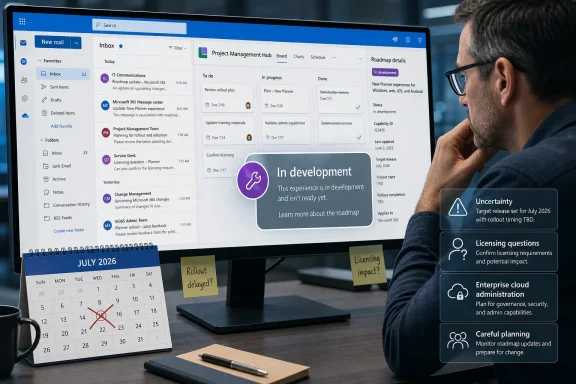 Outlook Already Shows Some Planner Work
Microsoft has already connected parts of Planner to Outlook through Microsoft To Do. Its support documentation says the Assigned to me list can surface Planner assignments in Outlook on the web, alongside the To Do experience. Users can edit a task’s name, checklist, due date, description, and My Day status there; deeper Planner changes open the task in Planner itself.
That existing connection is much narrower than what roadmap item 513278 describes. Assigned tasks are a personal work queue. The announced Outlook integration promises access to plans as well as tasks, which implies a route into shared project work, plan-level views, and the broader Planner interface without leaving the mail client.
Microsoft has not published enough implementation detail to establish whether Planner will appear as an Outlook module, a To Do expansion, an embedded web experience, a Copilot surface, or some combination of those approaches. The roadmap labels the platforms only as “Desktop” and “Web.” That does not settle whether the capability is intended for new Outlook for Windows, Outlook on the web, classic Outlook for Windows, or macOS Outlook. In Microsoft 365 roadmaps, “Desktop” is a platform category rather than a supported-client matrix.
This matters for organizations that still run classic Outlook in volume. A feature arriving in new Outlook and Outlook on the web would be operationally different from one that lands in classic Outlook, particularly where admins have delayed the new Outlook migration because of add-in, offline, shared mailbox, or policy requirements. Microsoft’s entry offers no answer on that point.
The Agent Is Real, but Outlook Access Is Unconfirmed
Microsoft’s current Planner support documentation confirms that Planner Agent exists in Planner for Microsoft 365 Copilot-licensed users. In shared basic and premium plans, users can assign work to the agent, track its state, ask it to generate or revise work, and create status reports. Microsoft says the agent can execute assigned tasks, respond to feedback, and produce reports based on plan updates.
Those features also come with material limits. A user needs a Microsoft 365 Copilot license to interact with Planner Agent, while extra Planner licensing unlocks premium functionality. In plan execution, Microsoft says the agent does not mark a task complete on its own: it leaves the output for a human to review, and the user manually completes the task.
The Outlook roadmap item does not say whether the agent’s capabilities in Outlook will match the Planner application, whether a Copilot license will be required for the Outlook surface, or whether users will be able to assign work to the agent from email. It also does not say whether generated reports, agent output, or source files will remain stored in the plan’s associated Microsoft 365 Group and SharePoint site, as they do in the documented Planner workflow.
That leaves a practical procurement problem. The most consequential part of the announcement is the agent, yet the roadmap does not attach licensing conditions, feature boundaries, or data-handling details to the Outlook implementation. A tenant that sees Planner in Outlook may still find that the AI functions require Copilot licenses it has not purchased, or that the available experience is limited to viewing plans and tasks.
Microsoft’s Naming Has Shifted During Development
There is also a terminology change worth watching. A preserved June version of the same roadmap item described the “new Project Manager agent,” while the August 3 roadmap text supplied for the item calls it the “new Planner Agent.” Microsoft’s current support pages consistently use the Planner Agent name.
The change likely reflects Microsoft’s continuing consolidation of task-management branding under Planner, but the public record does not explain the rename. It is more than cosmetic for administrators searching message-center posts, adoption material, Copilot documentation, and license guidance: documentation using “Project Manager agent” and “Planner Agent” may refer to the same product direction.
Microsoft’s Planner documentation also distinguishes between an agent embedded in a plan and the Planner Agent chat experience in Microsoft 365 Copilot. The in-plan agent is used for task assignment, status reporting, and goal-to-task generation. The Copilot chat version can answer questions about private tasks, assigned work, flagged email, and shared basic plans, and can create or update certain task fields through interactive cards.
Roadmap item 513278 does not specify which of those two experiences Outlook will expose. Its claim that the agent will be “directly” in the inbox could mean a dedicated Planner experience in Outlook, a handoff to Microsoft 365 Copilot, or an Outlook-specific integration that has not yet been documented. Until Microsoft identifies the entry point, IT departments should avoid describing this as a confirmed replacement for Planner in Teams or the Planner web app.
The July Date Has Already Slipped More Than Once
The archived history of roadmap item 513278 shows that the timeline has moved repeatedly. The original target was January 2026. Microsoft subsequently shifted it to April, then May, then June, and finally July 2026.
That sequence changes how the current July target should be read. This is not a feature that merely missed a single monthly window; it has moved across six months of projected delivery while retaining its In development label. The August 3 update has not accompanied a status transition, rollout notice, support article for Outlook, or a public message-center deployment schedule.
Microsoft did not state why the dates changed. There is no evidence in the entry that the delay was caused by a technical defect, licensing question, client incompatibility, or a decision to narrow the feature. The lack of a reason does not establish a problem, but it does mean customers cannot plan around the date with confidence.
For organizations that need task visibility inside Outlook today, the supported path remains the existing To Do integration for Planner assignments and the Planner experience in the browser, Teams, and supported Planner clients. Those surfaces already have documented controls and licensing behavior.
What Administrators Should Watch Before Announcing It Internally
The roadmap’s worldwide standard multi-tenant designation is also narrower than “all Microsoft 365 customers.” It does not list GCC, GCC High, or Department of Defense clouds. Microsoft’s support documentation for Planner separately warns that instructions may differ in those government environments. Government tenants should not assume that a worldwide roadmap entry is a deployment commitment for their cloud.
Before presenting this as an available Outlook feature, admins should wait for at least one of the following:
- Microsoft changes roadmap item 513278 from In development to Rolling out or Launched.
- A Microsoft 365 Message Center post identifies the Outlook clients, rollout dates, and tenant scope.
- Microsoft publishes a Planner-in-Outlook support article that identifies access steps, licensing, and feature limits.
- The Outlook client itself exposes the Planner surface consistently for users in the intended update channel.
For now, “Planner: Available in Outlook” is a roadmap promise whose scheduled July 2026 arrival has passed without a public launch confirmation. The feature may still emerge through a staged rollout, but the record currently supports only one operational conclusion: do not treat it as deployed until Microsoft identifies the clients and tenants receiving it.
