

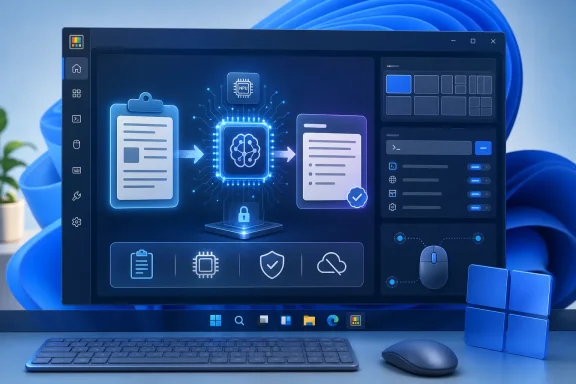
Neowin first highlighted the release’s local-AI angle, but Microsoft’s PowerToys GitHub release notes and the underlying implementation show a more qualified reality: Phi Silica is free of per-request cloud charges, not free of compatibility requirements. The provider depends on Windows AI infrastructure, a downloadable model in some configurations, and hardware that Microsoft supports for Phi Silica. It is therefore a useful option for a defined class of machines, rather than a universal replacement for cloud AI in PowerToys.
The build was published as a pre-release on August 10, 2026. It is not the current stable PowerToys release: Microsoft’s release channel still lists v0.100.2, published June 26, 2026, as the latest stable build. The new versioning and channel selector are designed to make that distinction more visible—and, eventually, less cumbersome for people who deliberately test previews.
Advanced Paste gains a first-party local model
Advanced Paste already offered AI-based clipboard transforms through cloud providers and locally configured options such as Ollama or Foundry Local. Version 0.101.2211.0 adds Phi Silica to that provider list, backed by the Windows AI APIs. In practical terms, users can create actions that summarize, rewrite, structure, or otherwise transform copied text while keeping the prompt and result on the device.
The meaningful change is the granularity of the new configuration. Microsoft’s release notes say Advanced Paste now supports per-action prompts, provider selection, and additional custom actions. The underlying PowerToys pull request makes the design clearer: each user-defined action can carry its own prompt, system prompt, selected provider, keyboard shortcut, and optional “coaching” configuration. A user could therefore keep a cloud model for a more demanding workflow while binding a local Phi Silica action to a shortcut for routine cleanup of sensitive clipboard text.
That separation matters for IT administrators and privacy-conscious users. “Local AI” is often used as a broad promise, but PowerToys is making it a selectable property of an individual paste action rather than an all-or-nothing application setting. A local action avoids sending clipboard content to an external model provider; another action can still use a configured online service when the user explicitly chooses it.
Microsoft’s code notes also show that the first use may not be entirely invisible. PowerToys Settings checks whether Phi Silica is available, presents a readiness state, and exposes a Download model action where required. The release does not state the model’s download size, download time, or disk-space impact. Those omissions are notable for managed fleets and metered connections, where a “local” feature can still introduce a substantial initial deployment event.
“On-device” still means supported Windows AI hardware
Microsoft’s current Phi Silica documentation says the model runs best on a Copilot+ PC’s NPU, where it is preinstalled and benefits from lower latency and more efficient power use. It can also run on certain non-Copilot+ systems using a supported GPU: NVIDIA GeForce RTX 30-series-or-newer hardware with at least 6 GB of VRAM, or AMD Radeon RX 9060-series-or-newer hardware with at least 6 GB of VRAM.
The GPU route comes with constraints that the PowerToys release notes do not spell out. Microsoft says it requires Windows Insider Experimental Channel build 26300.8553 or later, Developer Mode, a sufficiently recent experimental Windows App SDK, and drivers installed directly from the GPU maker rather than relying on OEM or Windows Update packages. The model must be downloaded on demand for GPU systems, and Microsoft says GPU inference lacks NPU-only prompt compression and speculative decoding, so response speed and power draw can differ sharply from the Copilot+ experience.
That means the phrase “run Microsoft’s own small language model locally for free,” while directionally correct, should not be mistaken for “works on every Windows PC.” Phi Silica has no CPU fallback. On unsupported systems, Advanced Paste users will still need an existing configured local provider such as Ollama or Foundry Local, an online provider, or no AI paste feature at all.
There is a second timing problem. Microsoft’s Phi Silica documentation now says the company plans to replace Phi Silica with Aion Instruct: a standalone package is slated for testing in September 2026, Windows Insider rollout is scheduled for October 2026, and a retail rollout with Phi Silica’s removal is scheduled for November 2026. PowerToys is adding Phi Silica in August, only months before that stated transition.
Microsoft has not said in the PowerToys release notes how or when Advanced Paste will move to Aion Instruct. The code path is nevertheless provider-based, which should make a future provider substitution more manageable than hard-wiring a model into every action. Still, organizations considering a standard local-AI workflow should treat Phi Silica here as a preview integration with a limited runway, not as a finished platform commitment.
PowerToys had real shutdown hangs to fix
The release’s window-management changes are more consequential than their short release-note entry suggests. FancyZones, Grab And Move, and Always On Top have been changed to handle the Windows WM_ENDSESSION message properly during sign-out and shutdown.
The corresponding PowerToys pull request identifies the issue as APPLICATION_HANG_QUIESCE crash-reporting buckets tied to the utilities’ message loops. In ordinary use, the visible symptom could be Windows waiting on PowerToys while logging off or shutting down. The fix tells FancyZones and Always On Top to post a quit message when the session is actually ending; Grab And Move also skips tray-icon cleanup work that is inappropriate during shutdown.
Microsoft’s developer notes say the related runner fix was tested through real reboot and WM_ENDSESSION injection, with quiesce times between one and eight milliseconds. That is a more concrete validation than a generic “improved shutdown behavior” line. It does not mean every shutdown delay involving PowerToys is solved, but it addresses a specific mechanism in three modules that had been capable of holding up session termination.
The update also changes Always On Top’s border rendering so a 100% opacity setting produces a solid border. That is a smaller correction, but it removes an unintuitive visual mismatch for users who expect an opaque border setting to actually look opaque.
Command Palette gets reliability work rather than a headline feature
Command Palette absorbs the largest share of the patch, with a set of repairs that point to an application under active load testing. Microsoft lists fixes for confirmation dialogs, runtime-changing page icons, theme changes, dynamic backdrop settings, dock metrics, and deep links to the extension gallery.
The less glamorous fixes are likely the most valuable. The release reduces retained objects and stale handlers when Command Palette commands, parameter lists, and dock bands are reloaded, disabled, removed, or replaced. It also changes the Performance Monitor dock to aggregate network usage across adapters by default while adding an option to select a preferred adapter. Users who have watched VPN, virtual, Ethernet, and Wi-Fi interfaces make a single network reading ambiguous should see a more coherent default.
Icon loading also receives concurrency and locking changes intended to prevent interface stalls. Together, the changes read as remediation of growth-and-refresh behavior in an extensible launcher, not a cosmetic polish pass. People who keep Command Palette open with extension-heavy configurations are the group most likely to notice the difference, although Microsoft has not published before-and-after memory or responsiveness measurements.
Mouse Jump, meanwhile, has moved from its remaining Windows Forms interface to PowerToys’ newer WinUI application architecture. Microsoft has also added the new binaries to its release-signing process. The immediate functional payoff is not described as a new Mouse Jump capability; this is maintenance work intended to bring an older utility into the architecture used by newer PowerToys surfaces and ensure the result is properly packaged.
Preview channels become a supported testing path
Settings now replaces the old prerelease checkbox with an Update channel selector offering Stable and Insider choices. Microsoft’s PowerToys pull request says it retains the existing prerelease-update setting underneath, adds a managed-by-organization state when policy controls preview updates, and links users to Insider documentation.
This is more than a label change. The v0.101.2211.0 release is explicitly versioned as a preview, while stable releases remain on their own cadence. For users who want changes such as Phi Silica or the Command Palette fixes without manually tracking GitHub releases, the channel control lays the groundwork for opt-in preview delivery. For administrators, the managed state is the important part: preview participation can be governed rather than silently becoming a user-by-user decision.
The same build adds a guided Bug Report flow that records progress, identifies saved files, opens the report folder, and provides a GitHub issue shortcut. That is a practical companion to a more formal preview channel. Microsoft is making it easier to put testers on early builds and easier for those testers to submit usable diagnostics when a change goes wrong.
PowerToys Preview v0.101.2211.0 is available through Microsoft’s signed GitHub installers for per-user and machine-wide x64 and ARM64 deployments, rather than the stable Microsoft Store path. Its strongest immediate audience is not every PowerToys user: it is Windows 11 testers with compatible AI hardware, Command Palette power users, and administrators willing to validate the new Insider channel before Microsoft assigns v0.101 features to a stable release.