
Neowin first reported the paired changes, citing Microsoft 365 Roadmap item 569206 for the browser call window and Message Center notice MC1462469 for the Google Calendar retirement. Microsoft’s own documentation confirms the calendar-sync cutoff. But there is a consequential timing correction in the reporting: Microsoft’s roadmap currently labels the browser pop-out feature for September, not October, and marks it for worldwide standard multi-tenant tenants.
For administrators, the practical priority is not the new call window. It is identifying whether anyone still depends on the retiring Google Workspace synchronization before the October deadline, preserving account-matching data, and testing the replacement workflow before users discover that their calendars have stopped updating.
 Teams on the web gets a separate call surface
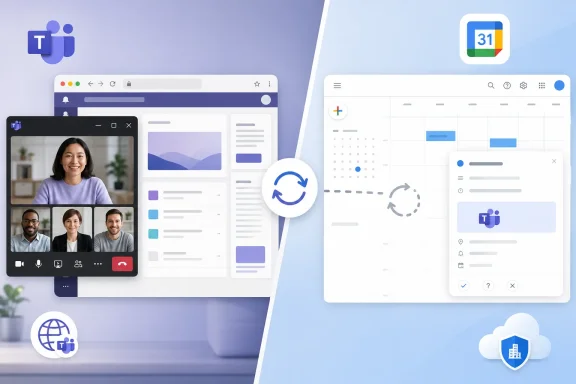
Roadmap item 569206 describes a new option to pop a Teams call into a simplified browser window. Microsoft says that window will remain available while a user navigates away from, hides, or minimizes the browser tab or Progressive Web App hosting the call.
That sounds modest, but it addresses a real limitation for people who work in browser-based line-of-business apps during meetings. A service-desk technician may need Teams visible while opening a ticketing system; a finance employee may need to follow a call while switching among a spreadsheet, an approval portal, and SharePoint. Without a separate call surface, the meeting controls and video feed compete for space with the work that prompted the meeting.
The key point is that this is a call-specific pop-out, not a general expansion of every Teams web window. Microsoft’s existing Teams for Web documentation still lists pop-out windows for chat and channel content among features unavailable in the browser client. Organizations should not read Roadmap 569206 as a promise that conversations, channels, and meetings will gain the same multi-window behavior as the desktop application.
Microsoft has not published a detailed feature matrix for the new call window. The roadmap description does not say whether every in-call control will be available, whether the window can be resized or pinned above other applications, how the behavior will differ by browser, or whether it will reach government cloud tenants. Those omissions matter for help-desk documentation: a simplified window may preserve video, mute, camera, leave, and basic participant controls without reproducing every feature in the full meeting interface.
The public roadmap entry also specifies worldwide standard multi-tenant availability. It does not list GCC, GCC High, DoD, or other specialized clouds. Admins in regulated environments should therefore treat September as a commercial-cloud target rather than assume the feature will appear across every Teams deployment on the same date.
The browser feature is especially relevant to PWA deployments
Microsoft supports Teams for Web on recent versions of Edge, Chrome, Firefox, and Safari on desktop operating systems. But Teams as a Progressive Web App has a narrower operational story: Microsoft’s PWA deployment guidance focuses on Edge and Chrome, which can host the site as an installable app and can be managed through browser policies.
That distinction is useful for Windows administrators. Teams PWA deployments can be force-installed with Edge or Chrome policy, and Microsoft recommends policies that prevent Teams tabs from sleeping and pre-approve notifications, screen capture, microphone, camera, and cookie access. A compact call window could make a managed PWA considerably closer to the desktop Teams workflow for employees who cannot install the native client or whose organizations prefer browser-delivered applications.
It does not turn the PWA into a desktop client. The call still runs in the browser environment, where extension conflicts, aggressive memory-saving settings, blocked third-party cookies, and camera or microphone permissions can affect reliability. Teams for Web is also not supported in virtual desktop infrastructure, according to Microsoft’s system-requirements documentation, so VDI shops should not use the planned pop-out as a reason to standardize meeting workloads on the browser client.
The expected September timing means pilot users should see it before the Google calendar retirement. That creates an opportunity for IT teams with mixed Microsoft and Google estates: test browser-based Teams meetings and the Google scheduling add-on together, then issue a single user guide rather than communicate each change separately.
Google Workspace calendar synchronization ends in October
The larger operational change is Microsoft’s retirement of calendar syncing between Microsoft Teams and Google Workspace. Microsoft’s Teams documentation says calendars that had previously been configured to synchronize will no longer sync beginning in October 2026. Administrators will also lose the calendar-sync and custom-domain management controls that currently sit in the Admin app inside Teams, although Microsoft says custom domains can still be managed in the Microsoft 365 admin center.
The retirement applies to the calendar synchronization capability, not to all use of Teams alongside Google Workspace. That distinction is central. Microsoft is steering customers toward the Microsoft Teams Meeting add-on for Google Workspace, which lets users schedule and join Teams meetings from Google Calendar. It does not recreate calendar synchronization.
Microsoft’s support documentation is explicit: meetings created with the Teams Meeting add-on appear only on the Google calendar and do not synchronize with other Microsoft calendars. The company also says that meeting and AI notes, passcode generation, and Copilot are not supported in meetings scheduled through that add-on. So the replacement preserves a scheduling entry point and a join link; it does not preserve the broader calendar visibility and feature parity customers may associate with a native Microsoft 365 scheduling flow.
This is the material gap in Microsoft’s transition message. Calling the add-on a supported integration experience is fair as far as it goes, but it risks obscuring the fact that it solves a narrower problem. An organization that only needs a Google Calendar event with a Teams meeting link can use it. An organization relying on synchronized calendars for availability awareness, duplicated calendars, or cross-platform operational visibility needs to re-evaluate those processes rather than simply deploy the add-on.
Microsoft’s own current support page for the Google add-on also carries a second warning that is easy to miss: the add-on requires a Microsoft work or school account. It is not a generic bridge for consumer Teams identities or a way to make Google Workspace the authoritative Microsoft calendar.
MC1462469 gives admins a short, specific checklist
Message Center advisory MC1462469, issued August 26 and flagged as a major action by October 1, tells affected administrators to notify end users, retrieve any account-matching information they want to retain from the Teams Admin app, and recommend the Google Workspace add-on for users who need to schedule Teams meetings from Google Calendar.
That is a sensible minimum, but it should not be the whole migration plan. Account-matching information is operational data: it may be needed to explain why a particular Google account had been associated with a specific Teams or Microsoft 365 identity, troubleshoot a cutover, or rebuild a workflow outside the retiring feature. Microsoft tells admins to retrieve it, but its published guidance does not specify an export format, retention model, or post-retirement recovery path. Treat the data as something to capture before October, not something assumed to remain accessible later.
A focused readiness exercise should include these checks:
- Inventory the users and departments with configured Teams-to-Google Workspace calendar synchronization, rather than sending a generic message to every Teams user.
- Export or otherwise securely record the account-matching information available in the Teams Admin app before Microsoft removes the calendar-sync controls.
- Test the Microsoft Teams Meeting add-on with a representative Google Workspace user, including authentication, event creation, invitations, join behavior, and any tenant restrictions on Marketplace apps.
- Verify that Google Workspace security policy permits the add-on’s Microsoft sign-in flow, since Microsoft’s configuration guidance notes that administrators may need to allow its authentication endpoint.
- Update training and service-desk scripts to state plainly that add-on-created Teams meetings remain on Google Calendar and do not synchronize to Microsoft calendars.
The Google Workspace side deserves ownership as well. Google allows Workspace administrators to control Marketplace app availability, and Microsoft documents both Azure-side management of the Teams add-on and Google-side authorization steps. A Microsoft 365 administrator cannot assume that an add-on available to an individual user will be approved for organization-wide use.
Microsoft is reducing one integration while improving another workflow
Taken together, the changes reveal a narrower product direction. Teams on the web is gaining a desktop-like convenience feature that benefits individual users immediately, while the company is ending a cross-platform synchronization service and recommending a more bounded add-on. Microsoft’s stated reason is that it wants to focus investment on supported integrations. The record supports that explanation, but it also means customers are being asked to adapt to an integration with fewer outcomes.
For Windows-centric organizations, the new browser call window is a welcome improvement, particularly where Edge-based Teams PWAs are deliberately deployed. For hybrid Google Workspace environments, however, the calendar retirement deserves the urgent change-management effort. By October, existing synced calendars will stop updating; installing the Teams Meeting add-on afterward will restore the ability to create Teams links from Google Calendar, but it will not restore the synchronization being retired.