
Neowin first reported the upcoming Teams roadmap entries, including Roadmap IDs 569205 and 569207, which cover pausing notifications and reporting security concerns from meetings. Microsoft has not published detailed public implementation notes for those specific roadmap entries, so their timing and interface details should be treated as plans rather than release commitments. The practical context is clearer in Microsoft’s current documentation: Teams already has a patchwork of notification controls, and Exchange Online already supports an administrator-run meeting-organizer transfer with material limits for Teams meetings.
For users, the promised pause control could remove some friction. For IT departments, the organizer-transfer rollout needs testing before it is treated as an offboarding fix for recurring Teams meetings.
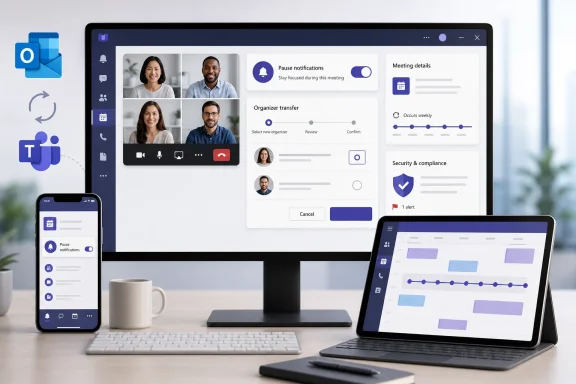 A pause button would consolidate controls Teams already scatters
According to Neowin’s reading of Roadmap ID 569205, Teams users will be able to temporarily pause all notifications beginning in September 2026. The roadmap description reportedly does not say whether the setting will have a timer, whether calls are excluded, or whether it will apply consistently across Windows, Mac, web, iOS, and Android.
Those omissions matter because Teams already offers several ways to suppress alerts, none of them amounting to a clear cross-platform “pause everything” command. Microsoft Support documents per-category controls under Notifications and activity, including chat, channel, meeting, thread, and application alerts. On mobile, users can schedule Quiet Time, block notifications while active on another device, or suppress in-app notifications. Teams also supports timed Do Not Disturb status settings.
The new control therefore appears to be a usability consolidation rather than a new notification policy engine. That is still useful. A person leaving a meeting, presenting, concentrating on an incident, or working through a maintenance window should not have to remember which combination of status duration, desktop notification settings, mobile settings, and operating-system Focus modes produces silence.
The unanswered operational question is whether “all notifications” includes incoming call alerts and priority-access notifications. Microsoft’s existing mobile documentation says call notifications can still arrive even when a user is active on desktop, while Do Not Disturb can be configured to allow priority contacts through. A pause that bypasses those established exceptions could cause missed escalations; a pause that preserves them is safer but less absolute than the label suggests. Until Microsoft documents the behavior, organizations should not advise employees to rely on the feature for regulated on-call coverage.
Meeting security reports would extend an existing reporting pipeline
Neowin says Roadmap ID 569207 will let users report security concerns directly from Teams meetings in October 2026, with reports integrated into administrative and security workflows. Microsoft has already built much of the surrounding machinery for end-user reporting in Teams.
Microsoft Learn documents user reporting for suspicious Teams calls in organizations with Microsoft Defender for Office 365 Plan 2 or Microsoft Defender XDR. Security administrators can enable the reporting experience, while the Teams admin center’s Protection reports area can show user-reported call information. Microsoft also documents a User reported security signals report for reviewing and exporting security-related submissions.
That makes a meeting-specific report credible as an extension of a reporting model already used for calls, chats, and channels. It also means the feature should not be mistaken for an automatic security control. A report is an input to triage: it can preserve context, create visibility for an administrator, and support investigation, but it will only help if the tenant has the relevant reporting settings, licenses, ownership, and response process in place.
Admins should use the period before October to determine where these reports will land and who owns them. Teams, Defender, and security operations teams often have overlapping responsibilities but different queues. A “report security concern” entry inside a meeting could generate phishing reports, impersonation reports, suspicious-external-participant reports, or complaints about conduct; the organization needs a documented route for each before users are encouraged to submit them.
Microsoft also has not publicly specified whether the meeting reporting feature will capture meeting chat, participant details, shared content metadata, a recording reference, or only a user-written report. That distinction determines whether a report is enough for an analyst to act immediately or merely prompts a follow-up with the employee who submitted it.
Organizer transfer solves the calendar problem, not every Teams problem
Neowin reports that users will gain the ability to transfer meeting ownership by changing the organizer in September 2026, with the incoming organizer required to accept the responsibility. The report says the capability will apply across Teams and Outlook, a welcome change for organizations that currently have to preserve departed employees’ mailboxes, assign delegates, or recreate long-running meeting series.
Microsoft’s current Exchange Online command, Invoke-ChangeMeetingOrganizer, confirms that organizer transfers are now a real supported capability at the calendar layer. Administrators can transfer an existing meeting or series to another user in the same Exchange Online organization. Future instances move to the new organizer’s calendar, while same-tenant attendees’ calendars update without requiring them to RSVP again.
But Microsoft’s own command documentation carries the limitation that should govern rollout planning: for Teams-enabled meetings, changing the organizer does not update the organizer of the associated Teams online meeting. Microsoft instructs the incoming organizer to update the series with new Teams meeting information so they can join and manage the online meeting.
That is more than a technical footnote. Teams meeting administration affects who can manage meeting options, recordings, breakout rooms, and organizer-only controls. A calendar event that names a new organizer can look fixed to users while its embedded Teams meeting remains tied to the former owner. The consequence can be a recurring meeting that continues to work for attendees but loses the management continuity the transfer was supposed to restore.
Microsoft also lists other limits on the Exchange Online command:
- The transfer applies only to meetings in the former organizer’s default calendar.
- Meetings in Group and Shared mailboxes cannot be transferred with the command.
- Past instances remain in the original organizer’s calendar, while the transfer takes effect from the next occurrence or a specified future date.
- An administrator needs the required Exchange Online permissions, and an unavailable command returns a “Transfer meeting action is disabled” message.
The user-facing version described by Neowin may close part of that gap, but Microsoft has not yet published a technical document confirming that it will transfer the Teams online-meeting identity alongside the Outlook and Exchange organizer. Until it does, administrators should regard the upcoming interface as an improvement to the calendar workflow, not proof that every Teams artifact follows the new owner.
The appropriate pilot is a recurring Teams meeting with meeting chat, a recording policy, co-organizers, external attendees, and a future series date. Transfer it between two test accounts, then verify the organizer displayed in Outlook and Teams, the ability to edit meeting options, recording access, breakout-room control, and the behavior of the join link. The result will be more useful than assuming the user interface changes the underlying ownership model.
Mobile and directory changes target daily friction
Neowin also reports several smaller Teams changes planned for September and October 2026. Teams for Android and iOS is expected to receive a lightweight dashboard and redesigned header in October, intended to surface relevant content in a way that more closely resembles the desktop experience. Microsoft has not publicly described the dashboard’s layout, eligibility, or management controls.
A September change is expected to open SharePoint links from Teams in the SharePoint mobile app when it is installed rather than routing users through a browser. This is a modest handoff improvement, but it can matter in tenants where mobile browser authentication interrupts access to SharePoint sites and files. Microsoft’s SharePoint mobile app already provides access to sites, files, news, links, and people, so the planned behavior appears to be an app-routing change rather than a new SharePoint content experience.
The organization view in Teams is also expected to show an employee’s assistant field, according to Neowin. The report says the field is informational and confers no additional privileges. For executive support teams and help desks, that could eliminate a common dead end: a directory lookup that identifies a leader but not the person responsible for managing scheduling or correspondence.
These are quality-of-life changes, not administrative transformations. They will be most valuable if Microsoft makes their client availability consistent, particularly where organizations have a mixture of managed Android devices, iPhones, desktop Teams, and web users.
Copilot’s missed-message summaries are the least immediate item
Neowin reports a February 2027 target for Copilot in Teams to summarize missed messages. That is nearly six months away as of August 19, 2026, and Microsoft 365 roadmap dates can shift, so this is the least actionable item in the group.
The feature’s usefulness will depend on details Microsoft has not disclosed: which chat types qualify, whether summaries honor information barriers and retention policies, what Copilot license is required, and whether an employee can see a summary of content they were technically permitted to access but had not read. Those are familiar governance questions for Copilot deployments, not reasons to dismiss the feature, but they need answers before it becomes a default expectation.
The immediate change for most organizations is simpler. Teams’ notification pause may make focused work less cumbersome, and in-meeting reporting could bring suspicious activity into an existing security workflow. The meeting-organizer transfer deserves more caution: it removes a long-standing Exchange calendar limitation, but admins must still verify that the Teams meeting itself has a usable owner after the transfer.
