

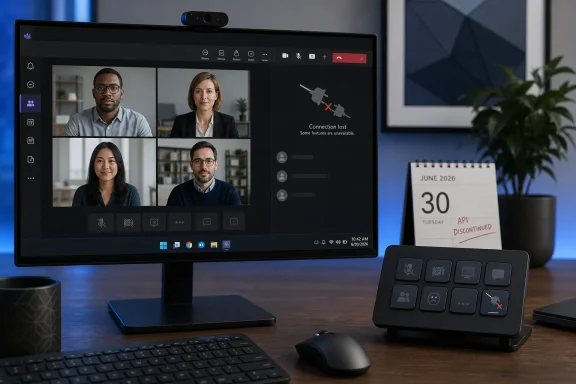
The result is more consequential than the disappearance of a convenient plugin download. Stream Deck buttons could previously control mute, camera, background blur, hand raising, reactions, and leaving a meeting while also reflecting some live Teams states on the device itself. Elgato now says those API-backed capabilities are unavailable because Microsoft discontinued the third-party API on which the integration depended.
Microsoft’s retirement notice confirms the scope: external applications and devices can no longer control meeting or calling functions through the old Teams desktop-client integration on either Windows or Mac. Native Teams controls continue to work, and Microsoft says supported integration models and published Microsoft Graph APIs are unaffected. But that reassurance does not help the class of small desktop peripherals and utility apps that depended on the unpublished local capability.
The actual retirement date was June 30, not December 2025
The timeline has been muddled by the way the change was rolled out. Elgato removed the official Microsoft Teams plugin from its Marketplace in December 2025 and warned that existing actions would stop once the API went offline. That led many users to believe support had ended then, even though reports from users in early and mid-2026 indicated that some already-installed plugins continued to function.
Microsoft’s own Message Center entry puts the formal retirement later: June 30, 2026. The company published that notice on March 31 and described the affected capability as a legacy, limited, non-published integration method that it no longer supported or maintained.
That distinction explains why the integration appeared to survive past Elgato’s marketplace removal for some people. The marketplace delisting was a vendor end-of-support decision in anticipation of Microsoft’s retirement; the hard platform cutoff came later. Users who retained an installed copy could see intermittent or continued operation until Teams client changes removed the underlying capability.
WindowsReport’s characterization of the current breakage is therefore broadly right, but the more useful reading is that this is not a sudden August failure and not an Elgato software regression. It is the final effect of a Microsoft platform retirement whose operational date was June 30.
Teams removed the control channel, not merely an Elgato plug-in
Microsoft’s documentation used to explicitly describe pairing third-party devices with Teams through Settings > Privacy > Third-party app API, listing Stream Deck as an example. A user could enable the API, approve a pairing request during a meeting, and permit the device to interact with Teams.
The retirement removes both sides of that arrangement. Microsoft says the legacy external meeting-controls capability is gone and that the related Privacy setting is no longer available. That means a reinstall, a new API token, or a Stream Deck software update cannot restore the old official integration. The control endpoint is no longer present in the Teams desktop client.
This also separates the Stream Deck loss from Microsoft Graph deprecations that administrators and developers may have seen elsewhere in Microsoft 365. The retired function was not a standard, documented Graph endpoint that developers can simply redirect to. Microsoft’s Message Center notice specifically says published Microsoft Graph APIs remain unaffected, while Elgato says Microsoft has not supplied a replacement API that can provide the same Stream Deck experience.
That leaves a genuine product gap. Microsoft continues to support Teams-certified devices, Teams Rooms hardware, phones, panels, and other formal device categories. But the retired integration addressed a different use case: a user-owned programmable controller sitting beside a Windows PC, with tactile keys assigned to the actions that matter during a call.
Keyboard shortcuts preserve commands but lose the integration
Elgato’s recommended workaround is to assign Teams keyboard shortcuts to Stream Deck keys. That can preserve some muscle-memory workflows: on Windows, Microsoft documents Ctrl+Shift+M for toggling mute, Ctrl+Shift+O for video, Ctrl+Shift+K for raising or lowering a hand, and Ctrl+Shift+H for ending a call.
For straightforward personal setups, those mappings are worth configuring. A physical mute key that emits Ctrl+Shift+M is still faster to find than a compact Teams control bar, particularly during screen sharing or when the meeting window is not prominent.
But it is a downgrade in several important ways.
First, a keystroke is not an API connection. A keyboard shortcut tells Teams to attempt an action; it does not give Stream Deck reliable, real-time knowledge of whether the microphone is muted, the camera is on, or a raised hand has been acknowledged. Elgato’s direct plugin could use state feedback to update the icon on the key. A generic hotkey profile cannot offer the same certainty.
Second, shortcut coverage is incomplete compared with the old API-driven action set. Microsoft’s prior documentation described third-party device control for reactions, blur, camera, mute, hand raising, and leaving meetings. The standard shortcut list is useful, but it is not a one-for-one replacement for all of those features, nor does it substitute for live status indicators.
Third, the fallback is less robust for users who work across several active applications, remote desktops, virtual machines, or accessibility tools. Stream Deck’s value was that it could serve as an always-visible controller independent of Teams’ on-screen controls. Keyboard emulation depends on the client’s shortcut behavior and may clash with application focus or other software’s own key bindings.
The accessibility loss deserves more attention
Microsoft has framed the decision in terms of reliability, security, and maintainability. Those are legitimate considerations for an unsupported integration point, especially one able to trigger actions in calls and meetings. Yet the public retirement notice does not identify a successor for users who need physical, customizable controls rather than a mouse-driven interface.
For some Stream Deck owners, the device was not a creator accessory repurposed for office work. It was a configurable assistive interface: larger labelled buttons, tailored layouts, tactile position cues, and fewer steps to reach mute or camera controls. Microsoft’s own accessibility guidance recognizes keyboard shortcuts as an essential alternative to mouse or touchscreen interaction, but a row of chorded shortcuts is not equivalent to dedicated, labelled hardware with state-aware feedback.
The change also shifts responsibility onto individual employees. In a managed Windows environment, an IT team can publish a Stream Deck profile containing approved shortcuts, but it cannot recreate the old live API feedback through a configuration policy. Staff will need clear internal guidance about which button mappings are supported, which shortcuts apply to the desktop client, and where those shortcuts may differ on macOS or in Teams on the web.
Administrators should also revise old help articles and onboarding material. Any instructions that tell users to find “Third-party app API” under Teams Privacy settings are obsolete after the June 30 retirement. Microsoft itself advised organizations to identify external meeting-control tools, inform affected users and help desks, and update documentation referring to that setting.
Elgato’s own support page shows the documentation debt
There is an awkward artifact of the transition in Elgato’s published support material. Its Stream Deck pairing page begins with a notice that the Teams plugin was removed from the Marketplace and that the API has been taken offline. Yet the same page still includes the former pairing instructions, including the steps for opening the Teams Privacy page, selecting Manage API, enabling the API, and approving the connection.
The historical instructions may still help explain how old installations worked, but leaving them beneath a notice that the service is gone creates an avoidable support trap. A user troubleshooting a broken Stream Deck profile could reasonably spend time searching for a setting Microsoft has removed.
Elgato’s newer Teams guidance is clearer: it describes the direct plugin as former functionality and points users to Stream Deck hotkeys. The company also distinguishes the lost capabilities — live microphone and camera status, reaction controls, and other API-driven functions — from the shortcut-based replacement.
Microsoft has not publicly announced an equivalent third-party meeting-control interface for desktop Teams. Unless that changes, the sensible path for affected users is to treat the old plugin as retired, remove stale setup instructions from internal documentation, and build a hotkey profile around the few Teams commands they actually need.
The lasting consequence is simple: Stream Deck can still be a physical keyboard for Teams on Windows, but it is no longer a first-class Teams meeting controller.