
Windows 10 consumer PCs enrolled in Microsoft’s Extended Security Updates program can now receive critical and important security patches through October 12, 2027, one year beyond the deadline Microsoft previously set. But the practical takeaway from WTOP’s August 3 explainer is narrower than “Windows 10 support was extended”: Windows 10 itself has remained out of support since October 14, 2025, and the new date applies only to eligible machines that actually enroll in ESU.
WTOP correctly frames ESU as temporary breathing room for people whose hardware cannot run Windows 11. Microsoft’s current consumer ESU page confirms the October 12, 2027 end date and says already enrolled devices continue automatically without further action. The extension, however, was not announced on August 3; Microsoft quietly added it to its documentation on June 25, and BleepingComputer and Ars Technica independently reported the change at the time.
For a Windows 10 holdout, the extension is valuable. For an IT department, it is also a reason to revisit endpoint inventories: Microsoft’s consumer program is not a substitute for a managed Windows 10 exit plan, and its eligibility rules exclude many machines an organization would care about.
Microsoft ended normal servicing for mainstream Windows 10 editions on October 14, 2025. That ended regular security updates, feature development, non-security fixes, and standard technical support for Windows 10 Home, Pro, Enterprise, and Education installations that were not covered by another servicing arrangement.
ESU changes only the security-update portion for enrolled systems. Microsoft says the program supplies updates rated Critical or Important by the Microsoft Security Response Center for Windows 10 version 22H2. It does not restore feature updates, quality-of-life fixes, support calls, compatibility remediation, or new Windows 10 capabilities.
That limitation is more than marketing fine print. A PC with ESU remains on a frozen operating-system branch, with an aging component stack and an increasing chance that software vendors, peripheral makers, browsers, and line-of-business applications will move their support targets elsewhere. Security patch coverage reduces exposure to Microsoft-patched vulnerabilities; it does not make a Windows 10 deployment equivalent to a fully supported Windows 11 endpoint.
Microsoft’s Windows 10 release-health records show that the July 14, 2026 security release, KB5099539, brought Windows 10 version 22H2 to build 19045.7548. That is the kind of monthly servicing enrolled systems continue to receive. The extension means those monthly patches can continue for another 12 months, assuming Microsoft continues to publish applicable critical or important fixes.
Yet Microsoft’s general Windows end-of-support page still says Windows 10 ESU will provide important security updates until October 13, 2026. Some localized Microsoft support pages continue to show the old 2026 date as well.
The current consumer ESU page is the operative record for U.S. personal devices, particularly because it specifically addresses enrollment and automatic continuation through October 2027. Still, the contradictory pages create an avoidable procurement and support risk. A help-desk technician looking at the generic end-of-support page could tell a user they have two months left when their enrolled consumer device actually has another year of patch coverage.
Administrators should document the distinction internally rather than rely on generic Microsoft search results. The date to use for qualifying consumer devices is October 12, 2027; the date of normal Windows 10 end of support remains October 14, 2025.
Microsoft’s current requirements are specific:
That transforms the paid option in particular. What began as a $30 bridge through October 2026 is now two years of ESU coverage for eligible personal machines. It is still not “free” for every user, and it still entails a Microsoft account during enrollment, but the effective cost and disruption are lower than a forced hardware replacement for someone who genuinely needs time.
Users who have already paid, redeemed points, or used the settings-sync option do not need to buy again or reenroll. Microsoft says the coverage extension is automatic. The sensible verification step is to open Settings > Update & Security > Windows Update and confirm that the ESU enrollment status is present, then retain evidence of enrollment and account ownership.
In other words, an organization cannot sidestep its Windows 10 migration program by asking staff to enroll managed laptops through personal Microsoft accounts. If a device moves into one of the prohibited commercial states after consumer enrollment, Microsoft says consumer ESU coverage is suspended until the device is no longer being used commercially.
Commercial Windows 10 ESU is a separate track. Microsoft’s lifecycle table provides up to three annual ESU periods for qualifying commercial Windows 10 Enterprise, Education, and Pro use, extending as far as October 10, 2028. The consumer extension to October 2027 should not be read as a new enterprise entitlement, a price reduction, or a change to commercial licensing rules.
The immediate task for IT teams is to segment Windows 10 devices into four groups: systems eligible for Windows 11, systems needing commercial ESU, specialized LTSC or IoT systems on their own lifecycle tracks, and devices that should be retired. Windows 10 IoT Enterprise LTSC 2021, for example, has a different support schedule from ordinary Windows 10 22H2, while Windows 10 Enterprise LTSC 2021 reaches end of servicing in January 2027. Treating every “Windows 10” endpoint as if it has the same deadline is how unsupported systems get missed.
For PCs that already meet Windows 11 requirements, the argument for waiting is weaker. Microsoft still offers the Windows 11 upgrade without a separate Windows license charge on eligible Windows 10 systems, and an upgrade removes the annual uncertainty around ESU terms, account requirements, and the end date.
ESU also should not be used as a reason to defer basic maintenance. Keep browsers, Microsoft 365 or Office applications, security tools, remote-access software, firmware, and backup clients current. Verify that backups can be restored rather than merely assuming a cloud-sync icon means data is recoverable. Retire unneeded local administrator accounts and eliminate unsupported security software before it becomes a recovery problem.
Microsoft has moved the consumer security-patch deadline to October 12, 2027. It has not resumed Windows 10 development, reopened normal support, or softened the boundary for managed corporate machines. For personal PCs, that buys time; for organizations, it makes accurate inventory and licensing classification more urgent, because the wrong ESU program will not protect the device when the next patch cycle arrives.
For a Windows 10 holdout, the extension is valuable. For an IT department, it is also a reason to revisit endpoint inventories: Microsoft’s consumer program is not a substitute for a managed Windows 10 exit plan, and its eligibility rules exclude many machines an organization would care about.
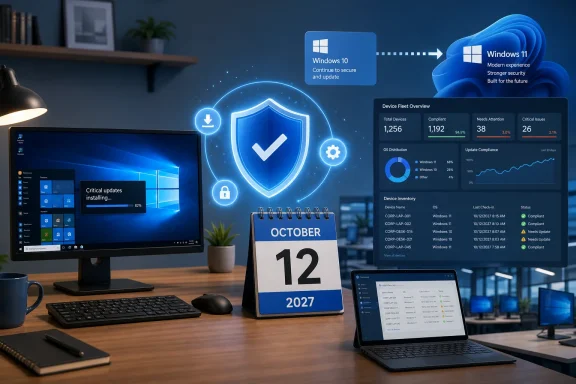 October 2027 is an ESU deadline, not a Windows 10 support reversal
Microsoft ended normal servicing for mainstream Windows 10 editions on October 14, 2025. That ended regular security updates, feature development, non-security fixes, and standard technical support for Windows 10 Home, Pro, Enterprise, and Education installations that were not covered by another servicing arrangement.ESU changes only the security-update portion for enrolled systems. Microsoft says the program supplies updates rated Critical or Important by the Microsoft Security Response Center for Windows 10 version 22H2. It does not restore feature updates, quality-of-life fixes, support calls, compatibility remediation, or new Windows 10 capabilities.
That limitation is more than marketing fine print. A PC with ESU remains on a frozen operating-system branch, with an aging component stack and an increasing chance that software vendors, peripheral makers, browsers, and line-of-business applications will move their support targets elsewhere. Security patch coverage reduces exposure to Microsoft-patched vulnerabilities; it does not make a Windows 10 deployment equivalent to a fully supported Windows 11 endpoint.
Microsoft’s Windows 10 release-health records show that the July 14, 2026 security release, KB5099539, brought Windows 10 version 22H2 to build 19045.7548. That is the kind of monthly servicing enrolled systems continue to receive. The extension means those monthly patches can continue for another 12 months, assuming Microsoft continues to publish applicable critical or important fixes.
Microsoft’s own pages still give two different end dates
The reporting around the extension exposed a documentation problem Microsoft has not fully cleaned up. Its current consumer ESU page says users can enroll until October 12, 2027, and that previously enrolled machines are covered automatically through that date. Microsoft’s lifecycle FAQ also lists Windows 10 ESU Year 2 ending on October 12, 2027 and Year 3 ending on October 10, 2028 for commercial editions.Yet Microsoft’s general Windows end-of-support page still says Windows 10 ESU will provide important security updates until October 13, 2026. Some localized Microsoft support pages continue to show the old 2026 date as well.
The current consumer ESU page is the operative record for U.S. personal devices, particularly because it specifically addresses enrollment and automatic continuation through October 2027. Still, the contradictory pages create an avoidable procurement and support risk. A help-desk technician looking at the generic end-of-support page could tell a user they have two months left when their enrolled consumer device actually has another year of patch coverage.
Administrators should document the distinction internally rather than rely on generic Microsoft search results. The date to use for qualifying consumer devices is October 12, 2027; the date of normal Windows 10 end of support remains October 14, 2025.
The consumer deal has conditions, including a Microsoft account
WTOP advises users to make sure they are enrolled, which is the key operational step. Continuing to run Windows 10 does not silently opt a PC into ESU, even if Windows Update itself continues to function.Microsoft’s current requirements are specific:
- The machine must be running Windows 10 version 22H2 in Home, Pro, Pro Education, or Pro for Workstations.
- The device must have current Windows updates installed.
- Enrollment uses a Microsoft account that is an administrator on the PC; child accounts cannot be used.
- A device license can cover up to 10 devices associated with the same Microsoft account.
That transforms the paid option in particular. What began as a $30 bridge through October 2026 is now two years of ESU coverage for eligible personal machines. It is still not “free” for every user, and it still entails a Microsoft account during enrollment, but the effective cost and disruption are lower than a forced hardware replacement for someone who genuinely needs time.
Users who have already paid, redeemed points, or used the settings-sync option do not need to buy again or reenroll. Microsoft says the coverage extension is automatic. The sensible verification step is to open Settings > Update & Security > Windows Update and confirm that the ESU enrollment status is present, then retain evidence of enrollment and account ownership.
Consumer ESU does not solve managed Windows 10 fleets
The most important limit for sysadmins is that this consumer program expressly cannot be used in commercial scenarios. Microsoft excludes devices joined to Active Directory, joined to Microsoft Entra ID, or enrolled in a mobile device management platform. A Microsoft Entra registered device may qualify, but that is materially different from an Entra-joined corporate endpoint.In other words, an organization cannot sidestep its Windows 10 migration program by asking staff to enroll managed laptops through personal Microsoft accounts. If a device moves into one of the prohibited commercial states after consumer enrollment, Microsoft says consumer ESU coverage is suspended until the device is no longer being used commercially.
Commercial Windows 10 ESU is a separate track. Microsoft’s lifecycle table provides up to three annual ESU periods for qualifying commercial Windows 10 Enterprise, Education, and Pro use, extending as far as October 10, 2028. The consumer extension to October 2027 should not be read as a new enterprise entitlement, a price reduction, or a change to commercial licensing rules.
The immediate task for IT teams is to segment Windows 10 devices into four groups: systems eligible for Windows 11, systems needing commercial ESU, specialized LTSC or IoT systems on their own lifecycle tracks, and devices that should be retired. Windows 10 IoT Enterprise LTSC 2021, for example, has a different support schedule from ordinary Windows 10 22H2, while Windows 10 Enterprise LTSC 2021 reaches end of servicing in January 2027. Treating every “Windows 10” endpoint as if it has the same deadline is how unsupported systems get missed.
More time should change purchasing timing, not the migration decision
For consumers with an unsupported but otherwise functional desktop or laptop, the extension makes a planned replacement more rational. A system enrolled in ESU can stay patched while its owner waits for seasonal discounts, validates file backups, checks software compatibility, or decides whether a Windows 11-capable replacement is preferable to an alternative operating system.For PCs that already meet Windows 11 requirements, the argument for waiting is weaker. Microsoft still offers the Windows 11 upgrade without a separate Windows license charge on eligible Windows 10 systems, and an upgrade removes the annual uncertainty around ESU terms, account requirements, and the end date.
ESU also should not be used as a reason to defer basic maintenance. Keep browsers, Microsoft 365 or Office applications, security tools, remote-access software, firmware, and backup clients current. Verify that backups can be restored rather than merely assuming a cloud-sync icon means data is recoverable. Retire unneeded local administrator accounts and eliminate unsupported security software before it becomes a recovery problem.
Microsoft has moved the consumer security-patch deadline to October 12, 2027. It has not resumed Windows 10 development, reopened normal support, or softened the boundary for managed corporate machines. For personal PCs, that buys time; for organizations, it makes accurate inventory and licensing classification more urgent, because the wrong ESU program will not protect the device when the next patch cycle arrives.
References
- Primary source: WTOP
Published: 2026-08-03T17:47:58+00:00
Data Doctors: What the deadline extension for Windows 10 means - WTOP News
Microsoft has extended its Extended Security Updates program, known as ESU. The program provides critical security updates for eligible Windows 10 computers.wtop.com - Related coverage: learn.microsoft.com
Product Lifecycle FAQ - Extended Security Updates | Microsoft Learn
Lifecycle FAQs around the Extended Security Update program.learn.microsoft.com - Related coverage: microsoft.com
Windows 10 Extended Security Updates | Microsoft Windows
Use Windows 10 securely with the Extended Security Updates program. See how it helps protect your PC and find out how to get it.www.microsoft.com - Related coverage: learn.microsoft.com
Windows 10 - release information | Microsoft Learn
Learn release information for Windows 10 releaseslearn.microsoft.com - Related coverage: bleepingcomputer.com
Microsoft quietly extends free Windows 10 ESU support to October 2027
Microsoft has quietly extended its free Windows 10 Extended Security Updates (ESU) program for consumers by an additional year, allowing enrolled devices to continue receiving security updates until October 12, 2027.www.bleepingcomputer.com
- Related coverage: support.microsoft.com
Programa de actualizaciones de seguridad ampliada (ESU) de Windows 10 | Microsoft Support
Programa de actualizaciones de seguridad ampliada (ESU) de Windows 10support.microsoft.com - Related coverage: arstechnica.com
Microsoft adds another year to Windows 10 extended update program - Ars Technica
About a quarter of PCs are still running Microsoft's previous operating system.arstechnica.com - Related coverage: support.microsoft.com
Mises à jour de sécurité étendue de Windows 10 | Microsoft Windows
Utilisez Windows 10 en toute sécurité avec la prolongation des mises à jour de sécurité. Découvrez comment il aide à protéger votre PC et comment l’obtenir.support.microsoft.com - Related coverage: windowsforum.com
Windows 10 ESU Extended to Oct 12, 2027: Security Patches Continue | Windows Forum
Microsoft has quietly extended Windows 10’s consumer Extended Security Updates program to October 12, 2027, giving eligible personal PCs an extra year of...windowsforum.com - Related coverage: windowsforum.com
Windows 10 ESU Extended to 2027: Microsoft Quietly Extends Security Updates | Windows Forum
Microsoft has updated its Windows 10 consumer Extended Security Updates language to say enrolled PCs can keep receiving security-only updates until October...windowsforum.com - Related coverage: resetera.com
Good news Win10 gamers! Windows 10 Consumer Extended Security Updates (ESU) now end Oct 12, 2027; previously it was Oct 2026 (still costs money tho) Microsoft - News - PC | ResetEra
https://www.microsoft.com/en-us/windows/extended-security-updates Edit: EU users can also get another free year by signing into a Microsoft account on...www.resetera.com - Related coverage: aliteq.com
Windows 10 ESU Extended to October 2027 — How to Enroll Free · Aliteq
Microsoft quietly extended consumer Windows 10 Extended Security Updates to October 12, 2027. The three enrollment paths, why the free one is enough, and what ESU doesn't cover.aliteq.com - Related coverage: aha.org
windows 10 extended security update 1 year extension frequently asked questions faq for customers
PDF documentwww.aha.org
- Related coverage: atomicdata.com
- Related coverage: techradar.com
Microsoft extends Windows 10 support out of the blue — consumers now get updates for another year to October 2027 | TechRadar
Windows 10 stays alive for another year with an extension for extended supportwww.techradar.com - Related coverage: windowscentral.com
How to get around Windows 10 end of life with these options | Windows Central
Windows 10 support ends October 14, 2025, but you can stay secure by enrolling in the ESU program or upgrading to Windows 11 using the same hardwarewww.windowscentral.com - Related coverage: news.microsoft.com
- Related coverage: microsoft.com
Windows 10 Extended Security Updates | Microsoft Windows
Use Windows 10 securely with the Extended Security Updates program. See how it helps protect your PC and find out how to get it.www.microsoft.com
- Related coverage: windowscentral.com
Microsoft quietly extends Windows 10's extra security updates program for free: Users can now stay on Windows 10 until October 2027 securely | Windows Central
Windows 10's ESU program has been quietly extended by an extra year, now ending on October 12, 2027 instead of October 2026.www.windowscentral.com - Related coverage: tomshardware.com
Windows 10 update incorrectly tells some users they've reached end-of-life, despite having extended support — Microsoft confirms message sent to Enterprise, Pro, and Education users in error | Tom's Hardware
Windows 10 is not completely dead, yet.www.tomshardware.com - Related coverage: tomsguide.com
Microsoft extends Windows 10 support for another year: what you need to know | Tom's Guide
Windows 10 support was supposed to end for good this year, but Microsoft quietly extended it for at least one more.www.tomsguide.com - Related coverage: pcgamer.com
Windows 10 gets yet another year of life as Microsoft extends security updates into 2027 | PC Gamer
Vive la Windows 10!www.pcgamer.com - Related coverage: techradar.com
Tearing your hair out because you can't sign up for Windows 10 extended updates? New patch fixes annoying bug and makes support to October 2026 available for all | TechRadar
Frustrating bug crashing sign-up process is fixed – and now the offer is rolling out to everyonewww.techradar.com
